OpenSUSE Kernel5.5.7-1-default Samba4.11.6 Update

OpenSUSE Kernel5.5.7-1-defaultとSamba4.11.6がUpdateされました。

opensuse:~ # uname -r
5.5.7-1-default
opensuse:~ # php -v
PHP 7.4.3 (cli) ( NTS )
Copyright (c) The PHP Group
Zend Engine v3.4.0, Copyright (c) Zend Technologies
opensuse:~ # curl -V
curl 7.69.0 (x86_64-suse-linux-gnu) libcurl/7.69.0 OpenSSL/1.1.1d-fips zlib/1.2.11 libidn2/2.3.0 libpsl/0.21.0 (+libidn2/2.3.0) libssh/0.9.3/openssl/zlib nghttp2/1.40.0
Release-Date: 2020-03-04
Protocols: dict file ftp ftps gopher http https imap imaps ldap ldaps pop3 pop3s rtsp scp sftp smb smbs smtp smtps telnet tftp
Features: AsynchDNS GSS-API HTTP2 HTTPS-proxy IDN IPv6 Kerberos Largefile libz Metalink NTLM NTLM_WB PSL SPNEGO SSL TLS-SRP UnixSockets
opensuse:~ # samba -V
Version 4.11.6-git.120.e474a78db08SUSE-oS15.5-x86_64
opensuse:~ # cat /etc/os-release
NAME=”openSUSE Tumbleweed”
# VERSION=”20200307″
ID=”opensuse-tumbleweed”
ID_LIKE=”opensuse suse”
VERSION_ID=”20200307″
PRETTY_NAME=”openSUSE Tumbleweed”
ANSI_COLOR=”0;32″
CPE_NAME=”cpe:/o:opensuse:tumbleweed:20200307″
BUG_REPORT_URL=“https://bugs.opensuse.org”
HOME_URL=“https://www.opensuse.org/”
LOGO=”distributor-logo”
opensuse:~ #

カテゴリー: opensuse | コメントする

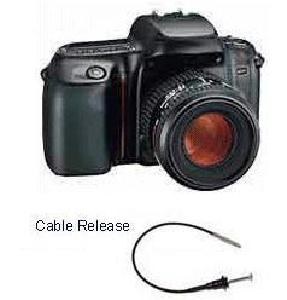
Caffeを使って画像を判別してみた。確率91.6%でカメラ

選んだ画像

画像判別手順詳細 camera 1 91.9

判別結果 91.6%の確率でカメラ

chibi@1604:~/caffe$ python show_result.py data/ilsvrc12/synset_words.txt result.npy
#1 | n04069434 reflex camera | 91.9%
#2 | n03691459 loudspeaker, speaker, speaker unit, loudspeaker system, speaker system | 2.1%
#3 | n03843555 oil filter | 1.8%
chibi@1604:~/caffe$

カテゴリー: nvidia, ubuntu | コメントする

Ubuntu16.04.6 RTX2080Ti x2 CUDA10.2 E5 2650 V4x2 namd 2.12-171025 STMV (virus) benchmark を動作させてみた (1,066,628 atoms, periodic, PME) 0.352644 days/ns

chibi@1604:~$ cat /etc/os-release
NAME=”Ubuntu”
VERSION=”16.04.6 LTS (Xenial Xerus)”
ID=ubuntu
ID_LIKE=debian
PRETTY_NAME=”Ubuntu 16.04.6 LTS”
VERSION_ID=”16.04″
HOME_URL=”http://www.ubuntu.com/”
SUPPORT_URL=”http://help.ubuntu.com/”
BUG_REPORT_URL=”http://bugs.launchpad.net/ubuntu/”
VERSION_CODENAME=xenial
UBUNTU_CODENAME=xenial
chibi@1604:~$ nvcc -V
nvcc: NVIDIA (R) Cuda compiler driver
Copyright (c) 2005-2019 NVIDIA Corporation
Built on Wed_Oct_23_19:24:38_PDT_2019
Cuda compilation tools, release 10.2, V10.2.89
chibi@1604:~$ sudo hddtemp /dev/sda
/dev/sda: WDC WD5000LPVX-22V0TT0: 24°C
chibi@1604:~$ nvidia-smi nvlink -c
GPU 0: GeForce RTX 2080 Ti (UUID: GPU-1ac935c2-557f-282e-14e5-3f749ffd63ac)
GPU 1: GeForce RTX 2080 Ti (UUID: GPU-13277ce5-e1e9-0cb1-8cee-6c9e6618e774)
chibi@1604:~$ sudo nvidia-docker run -it –rm nvcr.io/hpc/namd:2.12-171025 /opt/namd/namd-multicore-memopt +p40 +setcpuaffinity +idlepoll /workspace/examples/stmv/stmv_pmecuda.namd
[sudo] chibi のパスワード:
Charm++: standalone mode (not using charmrun)
Charm++> Running in Multicore mode: 40 threads
Charm++> Using recursive bisection (scheme 3) for topology aware partitions
Converse/Charm++ Commit ID: v6.8.2
Warning> Randomization of virtual memory (ASLR) is turned on in the kernel, thread migration may not work! Run ‘echo 0 > /proc/sys/kernel/randomize_va_space’ as root to disable it, or try running with ‘+isomalloc_sync’.
CharmLB> Load balancer assumes all CPUs are same.
Charm++> cpu affinity enabled.
Charm++> Running on 1 unique compute nodes (48-way SMP).
Charm++> cpu topology info is gathered in 0.003 seconds.
Info: Built with CUDA version 9000
Did not find +devices i,j,k,… argument, using all
Pe 39 physical rank 39 will use CUDA device of pe 32
Pe 36 physical rank 36 will use CUDA device of pe 32
Pe 15 physical rank 15 will use CUDA device of pe 16
Pe 19 physical rank 19 will use CUDA device of pe 16
Pe 10 physical rank 10 will use CUDA device of pe 16
Pe 34 physical rank 34 will use CUDA device of pe 32
Pe 9 physical rank 9 will use CUDA device of pe 16
Pe 33 physical rank 33 will use CUDA device of pe 32
Pe 12 physical rank 12 will use CUDA device of pe 16
Pe 22 physical rank 22 will use CUDA device of pe 32
Pe 17 physical rank 17 will use CUDA device of pe 16
Pe 14 physical rank 14 will use CUDA device of pe 16
Pe 27 physical rank 27 will use CUDA device of pe 32
Pe 3 physical rank 3 will use CUDA device of pe 16
Pe 38 physical rank 38 will use CUDA device of pe 32
Pe 31 physical rank 31 will use CUDA device of pe 32
Pe 7 physical rank 7 will use CUDA device of pe 16
Pe 23 physical rank 23 will use CUDA device of pe 32
Pe 8 physical rank 8 will use CUDA device of pe 16
Pe 6 physical rank 6 will use CUDA device of pe 16
Pe 4 physical rank 4 will use CUDA device of pe 16
Pe 30 physical rank 30 will use CUDA device of pe 32
Pe 28 physical rank 28 will use CUDA device of pe 32
Pe 21 physical rank 21 will use CUDA device of pe 32
Pe 20 physical rank 20 will use CUDA device of pe 32
Pe 11 physical rank 11 will use CUDA device of pe 16
Pe 35 physical rank 35 will use CUDA device of pe 32
Pe 29 physical rank 29 will use CUDA device of pe 32
Pe 5 physical rank 5 will use CUDA device of pe 16
Pe 2 physical rank 2 will use CUDA device of pe 16
Pe 26 physical rank 26 will use CUDA device of pe 32
Pe 1 physical rank 1 will use CUDA device of pe 16
Pe 25 physical rank 25 will use CUDA device of pe 32
Pe 18 physical rank 18 will use CUDA device of pe 16
Pe 24 physical rank 24 will use CUDA device of pe 32
Pe 37 physical rank 37 will use CUDA device of pe 32
Pe 13 physical rank 13 will use CUDA device of pe 16
Pe 0 physical rank 0 will use CUDA device of pe 16
Pe 16 physical rank 16 binding to CUDA device 0 on 7d2a3b9162ec: ‘GeForce RTX 2080 Ti’ Mem: 11018MB Rev: 7.5
Pe 32 physical rank 32 binding to CUDA device 1 on 7d2a3b9162ec: ‘GeForce RTX 2080 Ti’ Mem: 11019MB Rev: 7.5
Info: NAMD 2.12 for Linux-x86_64-multicore-CUDA-memopt

Info: Benchmark time: 40 CPUs 0.0304685 s/step 0.352644 days/ns 2391.72 MB memory

データ詳細 Ubuntu16.04.6 RTX2080Ti x2 CUDA10..2 E5 2650 V4x2 namd 2.12-171025 STMV (virus) benchmark (1,066,628 atoms, periodic, PME) 0.352644 days ns

GPU温度推移 Ubuntu16.04.6 RTX2080Ti x2 CUDA10..2 E5 2650 V4x2 namd 2.12-171025 STMV (virus) benchmark (1,066,628 atoms, periodic, PME) 0.352644 days ns nvidia-smi

参照サイト

カテゴリー: nvidia, ubuntu | コメントする

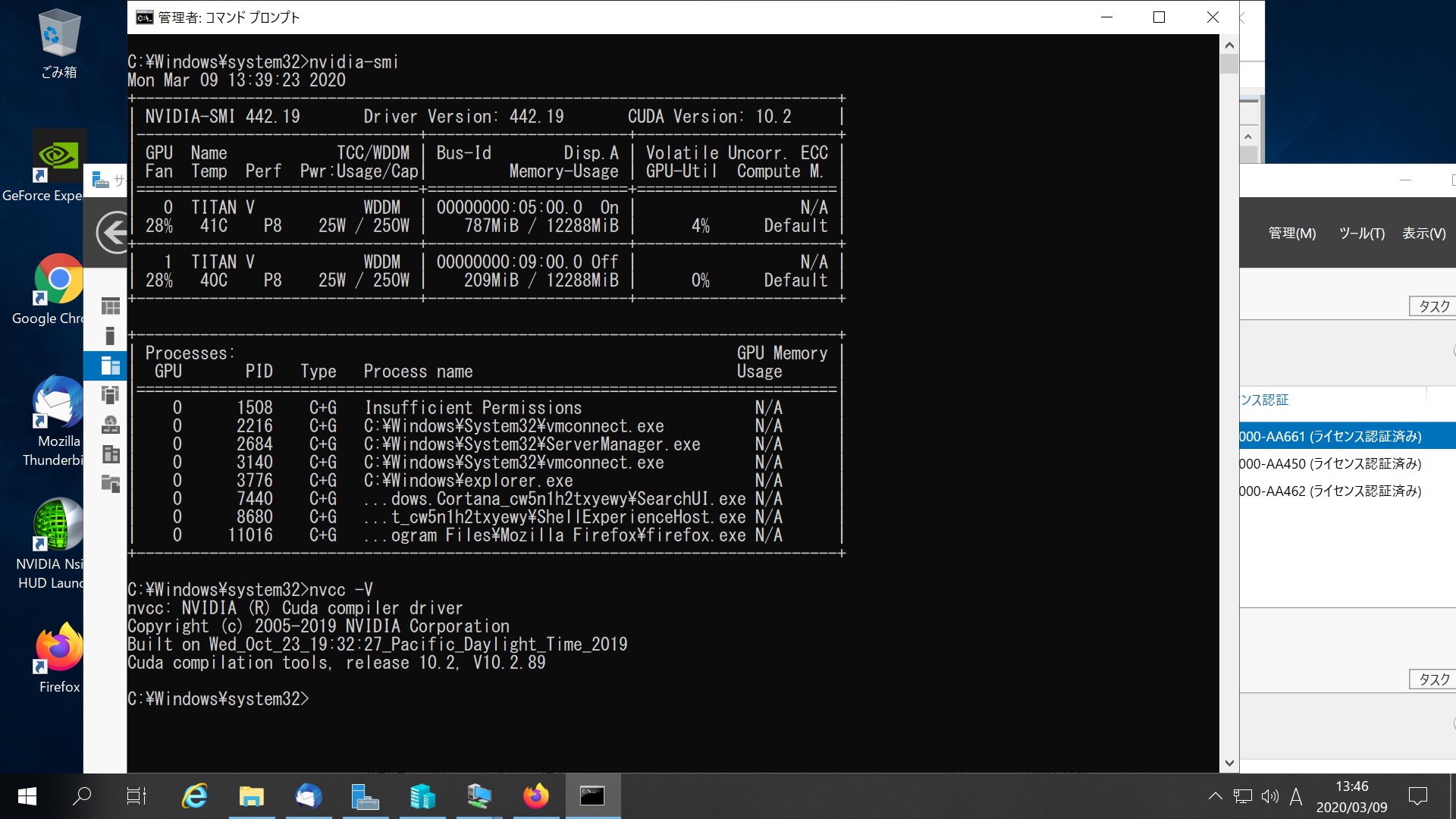
Windows Server 2019 Datacenter TITAN V x2 CUDA 10.2 nvidia-smiを設定してみた

nvidia-smi nvidia-smi titan v x2

カテゴリー: nvidia, windows | コメントする

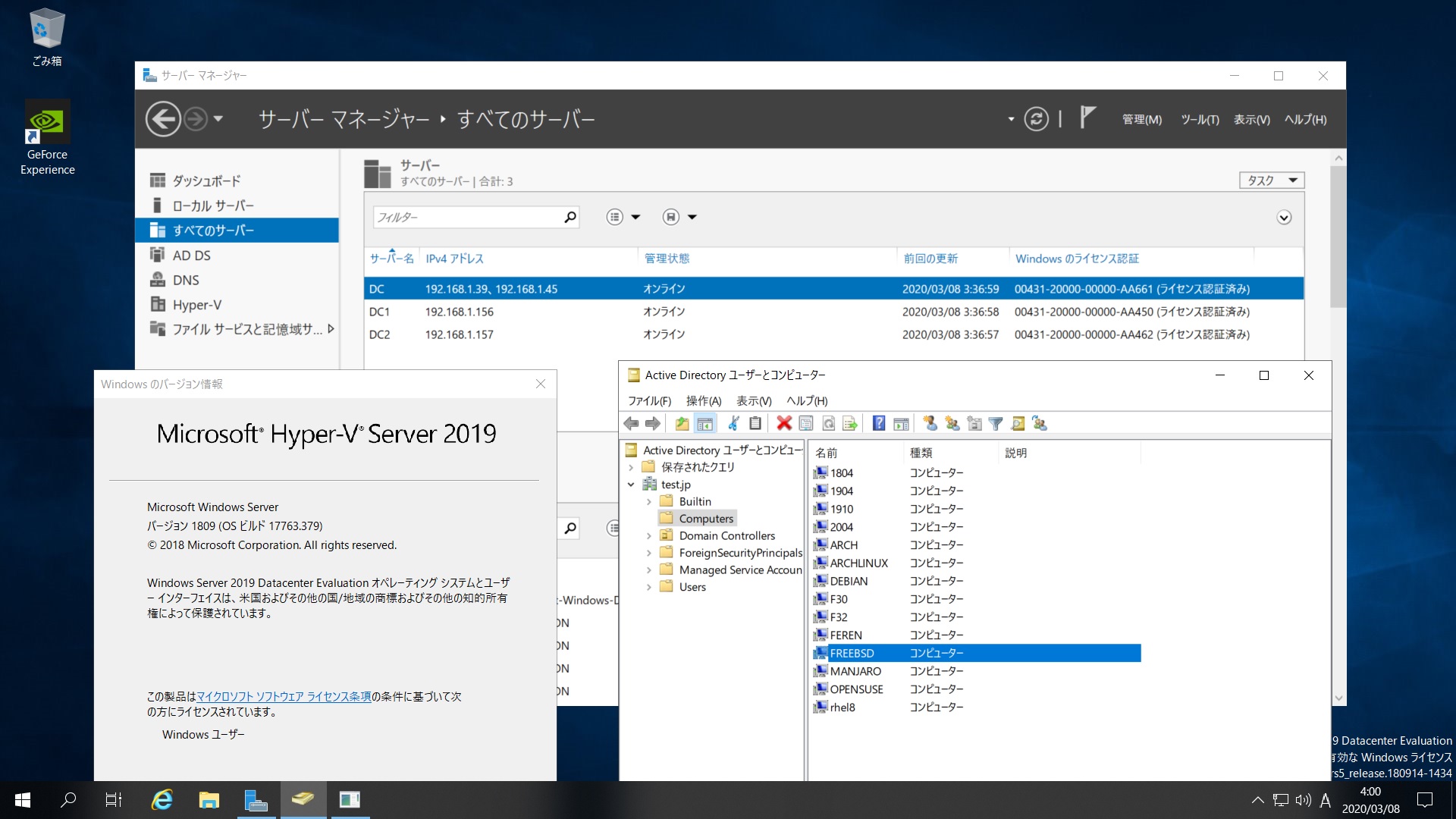
FreeBSD 13.0-CURRENT #0 r358658 Samba4.10.13 Windows Server 2019 Datacenter Active Directory Domain のメンバーに参加してみた

root@freebsd:~ # kinit administrator
administrator@TEST.JP’s Password:
root@freebsd:~ # net ads join -U administrator
Enter administrator’s password:
Using short domain name — TEST
Joined ‘FREEBSD’ to dns domain ‘test.jp’
No DNS domain configured for freebsd. Unable to perform DNS Update.
DNS update failed: NT_STATUS_INVALID_PARAMETER
root@freebsd:~ # service samba_server start
Performing sanity check on Samba configuration: OK
Starting nmbd.
Starting smbd.
Starting winbindd.
root@freebsd:~ #
root@freebsd:~ # wbinfo -u
TEST\guest
TEST\administrator
TEST\krbtgt
TEST\chibi
root@freebsd:~ # wbinfo -n chibi
S-1-5-21-1678940183-1404043644-1380363875-1103 SID_USER (1)
root@freebsd:~ # net ads info
LDAP server: 192.168.1.157
LDAP server name: dc2.test.jp
Realm: TEST.JP
Bind Path: dc=TEST,dc=JP
LDAP port: 389
Server time: Mon, 09 Mar 2020 11:48:16 JST
KDC server: 192.168.1.157
Server time offset: -3
Last machine account password change: Mon, 09 Mar 2020 11:46:20 JST
root@freebsd:~ # host -4 dc
dc.test.jp has address 192.168.1.39
dc.test.jp has address 192.168.1.45
dc.test.jp has IPv6 address 2400:4052:46e0:b700:1911:c150:a1a4:ec24
dc.test.jp has IPv6 address 2400:4052:46e0:b700:f0b6:ef83:7301:d109
root@freebsd:~ # host -4 dc1
dc1.test.jp has address 192.168.1.156
dc1.test.jp has IPv6 address 2400:4052:46e0:b700:ad7c:4cdc:822b:97d1
root@freebsd:~ # host -4 dc2
dc2.test.jp has address 192.168.1.157
dc2.test.jp has IPv6 address 2400:4052:46e0:b700:98c3:a37e:341c:8589
root@freebsd:~ # host -t SRV _ldap._tcp.test.jp
_ldap._tcp.test.jp has SRV record 0 100 389 dc2.test.jp.
_ldap._tcp.test.jp has SRV record 0 100 389 dc.test.jp.
_ldap._tcp.test.jp has SRV record 0 100 389 dc1.test.jp.
root@freebsd:~ # host -t SRV _kerberos._udp.test.jp
_kerberos._udp.test.jp has SRV record 0 100 88 dc1.test.jp.
_kerberos._udp.test.jp has SRV record 0 100 88 dc2.test.jp.
_kerberos._udp.test.jp has SRV record 0 100 88 dc.test.jp.
root@freebsd:~ # host -t A test.jp
test.jp has address 192.168.1.39
test.jp has address 192.168.1.156
test.jp has address 192.168.1.157
test.jp has address 192.168.1.45
root@freebsd:~ # smbclient -L localhost -U%

Sharename Type Comment
——— —- ——-
netlogon Disk
sysvol Disk
IPC$ IPC IPC Service (Samba 4.10.13)
Reconnecting with SMB1 for workgroup listing.

Server Comment
——— ——-
DC
DC1
DC2
FREEBSD Samba 4.10.13

Workgroup Master
——— ——-
TEST FREEBSD
WORKGROUP DESKTOP-0NRQL5D
root@freebsd:~ # smbclient //192.168.1.39/netlogon -Uadministrator

FreeBSD 13.0-CURRENT #0 r358658 Samba4.10.3 Windows Server 2019 Datacenter Active Directory Domainのメンバーに参加してみた


カテゴリー: FerenOS, samba4, windows | コメントする