
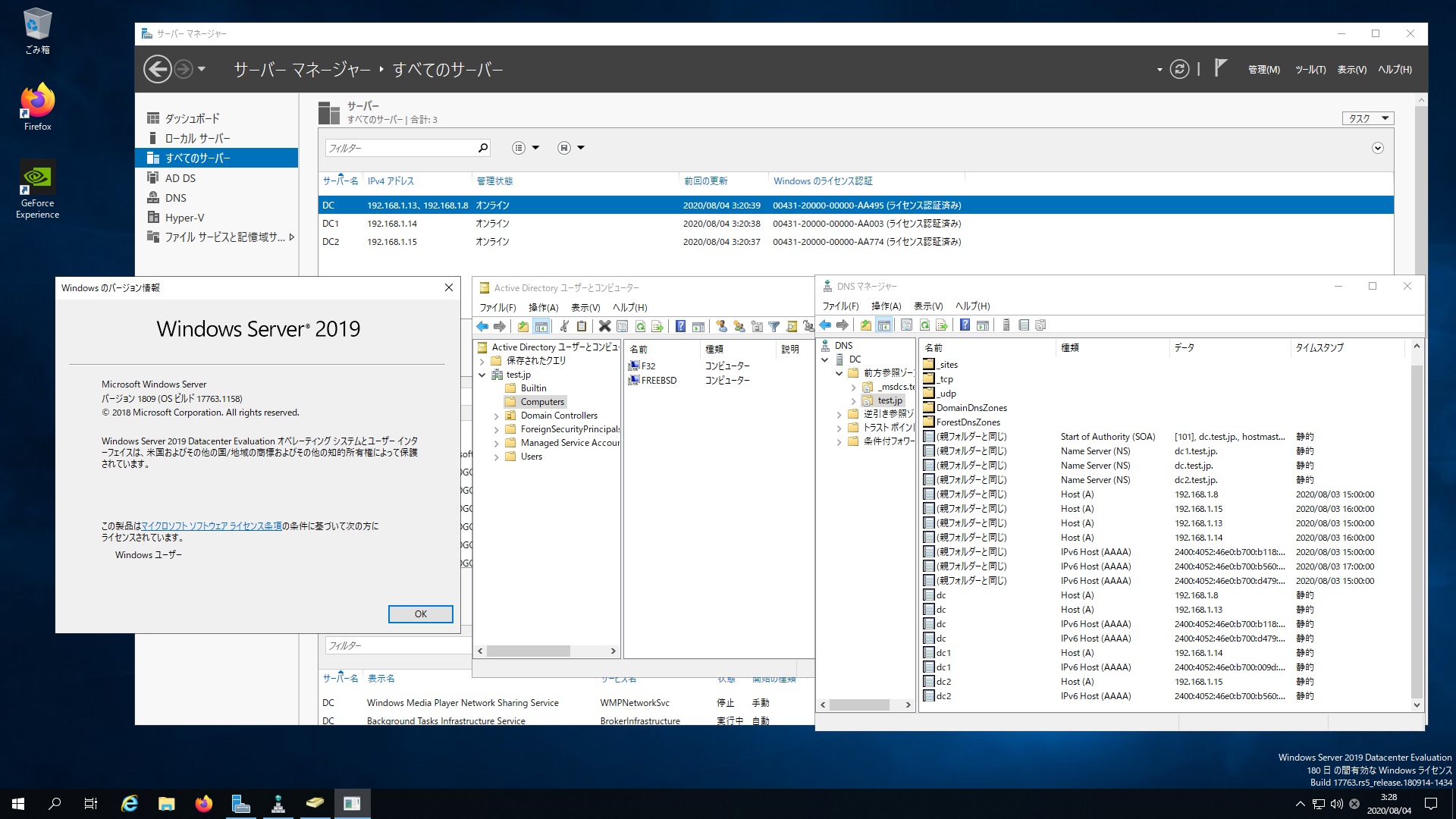
Ubuntu 20.04.1 LTS Samba4.11.6 Windows Server 2019 Datacenter Active Directory Domain のメンバーに参加してみた


root@2004:~# kinit administrator
Password for administrator@TEST.JP:
root@2004:~# net ads join -U administrator
Enter administrator’s password:
Using short domain name — TEST
Joined ‘2004’ to dns domain ‘test.jp’
No DNS domain configured for 2004. Unable to perform DNS Update.
DNS update failed: NT_STATUS_INVALID_PARAMETER
root@2004:~# systemctl restart winbind
root@2004:~# wbinfo -u
TEST\guest
TEST\administrator
TEST\krbtgt
TEST\chibi
root@2004:~# wbinfo -n chibi
S-1-5-21-1554123357-2737978188-3786944711-1103 SID_USER (1)
root@2004:~# net ads info
LDAP server: 192.168.1.14
LDAP server name: dc1.test.jp
Realm: TEST.JP
Bind Path: dc=TEST,dc=JP
LDAP port: 389
Server time: 火, 04 8月 2020 06:09:14 JST
KDC server: 192.168.1.14
Server time offset: 14
Last machine account password change: 火, 04 8月 2020 06:07:47 JST
root@2004:~# host -4 dc
dc.test.jp has address 192.168.1.13
dc.test.jp has address 192.168.1.8
dc.test.jp has IPv6 address 2400:4052:46e0:b700:b118:a793:93fa:c606
dc.test.jp has IPv6 address 2400:4052:46e0:b700:d479:2a83:efca:e147
root@2004:~# host -4 dc1
dc1.test.jp has address 192.168.1.14
dc1.test.jp has IPv6 address 2400:4052:46e0:b700:9d:b986:2f3:e1a1
root@2004:~# host -4 dc2
dc2.test.jp has address 192.168.1.15
dc2.test.jp has IPv6 address 2400:4052:46e0:b700:b560:2801:e321:1a41
root@2004:~# host -t SRV _ldap._tcp.test.jp
_ldap._tcp.test.jp has SRV record 0 100 389 dc1.test.jp.
_ldap._tcp.test.jp has SRV record 0 100 389 dc2.test.jp.
_ldap._tcp.test.jp has SRV record 0 100 389 dc.test.jp.
root@2004:~# host -t SRV _kerberos._udp.test.jp
_kerberos._udp.test.jp has SRV record 0 100 88 dc1.test.jp.
_kerberos._udp.test.jp has SRV record 0 100 88 dc2.test.jp.
_kerberos._udp.test.jp has SRV record 0 100 88 dc.test.jp.
root@2004:~# host -t A test.jp
test.jp has address 192.168.1.13
test.jp has address 192.168.1.15
test.jp has address 192.168.1.14
test.jp has address 192.168.1.8
root@2004:~# smbclient -L localhost -U%

Sharename Type Comment
——— —- ——-
netlogon Disk
sysvol Disk
print$ Disk Printer Drivers
IPC$ IPC IPC Service (Samba 4.11.6-Ubuntu)
SMB1 disabled — no workgroup available
root@2004:~# smbclient //192.168.1.8/netlogon -Uadministrator
Ubuntu 20.04.1 LTS Samba4.11.6 Windows Server 2019 Datacenter Active Directory Domain のメンバーに参加してみた
カテゴリー: samba4, ubuntu, windows | コメントする

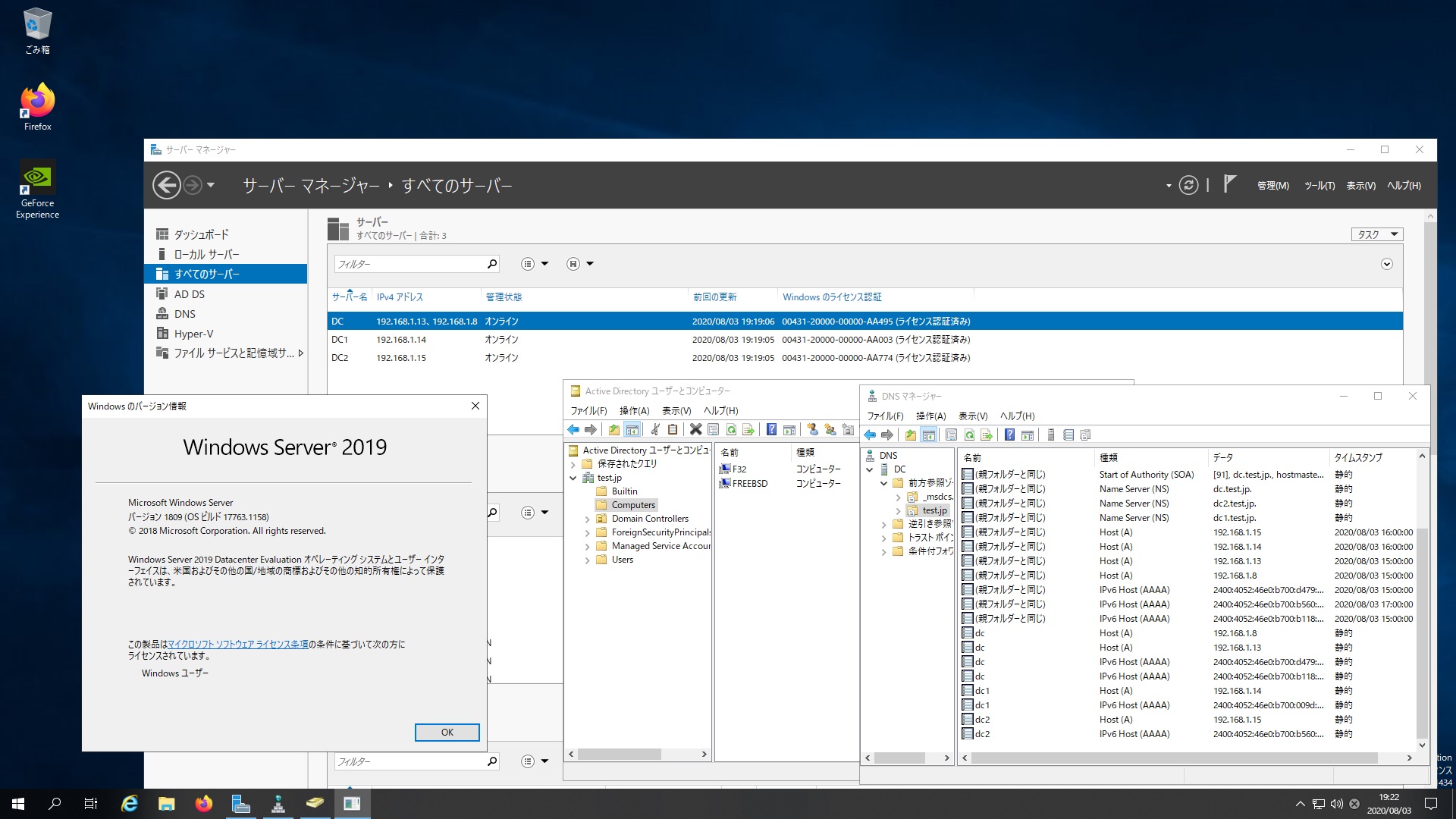
FreeBSD 11.4-RELEASE #0 r362094 Samba4.11.8 Windows Server 2019 Datacenter Active Directory Domain のメンバーに参加してみた

root@freebsd:~ # kinit administrator
administrator@TEST.JP’s Password:
root@freebsd:~ # net ads join -U administrator
Enter administrator’s password:
Using short domain name — TEST
Joined ‘FREEBSD’ to dns domain ‘test.jp’
No DNS domain configured for freebsd. Unable to perform DNS Update.
DNS update failed: NT_STATUS_INVALID_PARAMETER
root@freebsd:~ # service samba_server start
Performing sanity check on Samba configuration: OK
nmbd already running? (pid=590).
smbd already running? (pid=594).
winbindd already running? (pid=598).
root@freebsd:~ # wbinfo -u
TEST\guest
TEST\administrator
TEST\krbtgt
TEST\chibi
root@freebsd:~ # wbinfo -n administrator
S-1-5-21-1554123357-2737978188-3786944711-500 SID_USER (1)
root@freebsd:~ # net ads info
LDAP server: 192.168.1.15
LDAP server name: dc2.test.jp
Realm: TEST.JP
Bind Path: dc=TEST,dc=JP
LDAP port: 389
Server time: Tue, 04 Aug 2020 05:31:08 JST
KDC server: 192.168.1.15
Server time offset: 15
Last machine account password change: Tue, 04 Aug 2020 05:29:45 JST
root@freebsd:~ # host -4 dc
dc.test.jp has address 192.168.1.8
dc.test.jp has address 192.168.1.13
dc.test.jp has IPv6 address 2400:4052:46e0:b700:b118:a793:93fa:c606
dc.test.jp has IPv6 address 2400:4052:46e0:b700:d479:2a83:efca:e147
root@freebsd:~ # host -4 dc1
dc1.test.jp has address 192.168.1.14
dc1.test.jp has IPv6 address 2400:4052:46e0:b700:9d:b986:2f3:e1a1
root@freebsd:~ # host -4 dc2
dc2.test.jp has address 192.168.1.15
dc2.test.jp has IPv6 address 2400:4052:46e0:b700:b560:2801:e321:1a41
root@freebsd:~ # host -t SRV _ldap._tcp.test.jp
_ldap._tcp.test.jp has SRV record 0 100 389 dc2.test.jp.
_ldap._tcp.test.jp has SRV record 0 100 389 dc.test.jp.
_ldap._tcp.test.jp has SRV record 0 100 389 dc1.test.jp.
root@freebsd:~ # host -t SRV _kerberos._udp.test.jp
_kerberos._udp.test.jp has SRV record 0 100 88 dc1.test.jp.
_kerberos._udp.test.jp has SRV record 0 100 88 dc2.test.jp.
_kerberos._udp.test.jp has SRV record 0 100 88 dc.test.jp.
root@freebsd:~ # host -t A test.jp
test.jp has address 192.168.1.13
test.jp has address 192.168.1.14
test.jp has address 192.168.1.15
test.jp has address 192.168.1.8
root@freebsd:~ # smbclient -L 192.168.1.8 -U%

Sharename Type Comment
——— —- ——-
SMB1 disabled — no workgroup available
root@freebsd:~ # smbclient //192.168.1.8/netlogon -Uadministrator
FreeBSD 11.4-RELEASE #0 r362094 Samba4.11.8 Windows Server 2019 Datacenter Active Directory Domain のメンバーに参加してみた

カテゴリー: freebsd, samba4, windows | コメントする

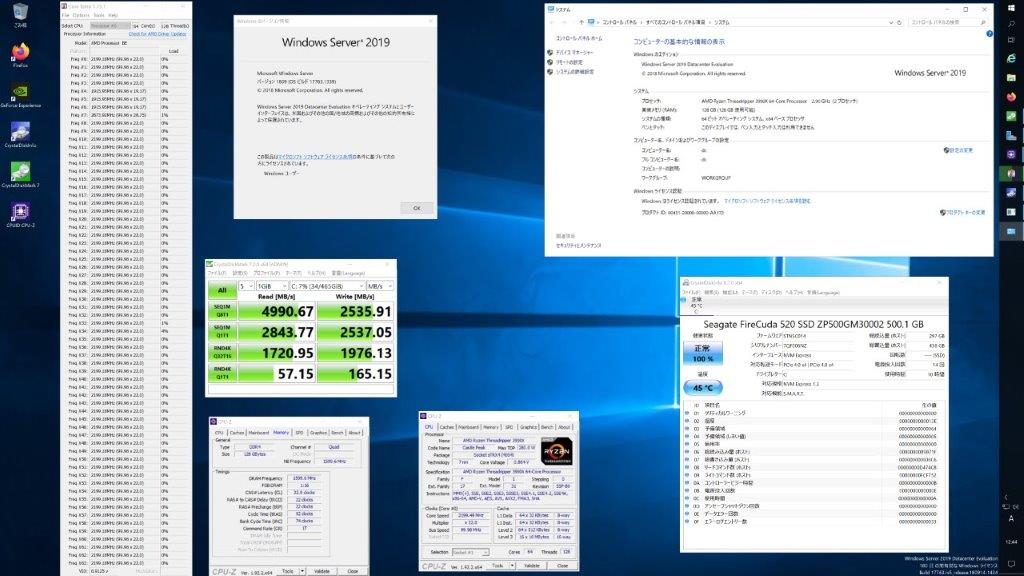
AMD Ryzen Threadripper 3990X 64-Core Processor Windows Server 2019 でDiskBenchを動作させてみた4990.67MB/s

Read 4990.67MB/s

カテゴリー: windows | コメントする

Fedora release 32 Samba4.12.5 Windows Server 2016 Datacenter Active Directory Domain のメンバーに参加してみた


[root@f32 ~]# kinit administrator
Password for administrator@TEST.JP:
[root@f32 ~]# net ads join -U administrator
Enter administrator’s password:
Using short domain name — TEST
Joined ‘F32’ to dns domain ‘test.jp’
No DNS domain configured for f32. Unable to perform DNS Update.
DNS update failed: NT_STATUS_INVALID_PARAMETER
[root@f32 ~]# systemctl restart winbind
[root@f32 ~]# wbinfo -u
TEST\administrator
TEST\guest
TEST\krbtgt
TEST\chibi
[root@f32 ~]# wbinfo -n chibi
S-1-5-21-1554123357-2737978188-3786944711-1103 SID_USER (1)
[root@f32 ~]# net ads info
LDAP server: 192.168.1.13
LDAP server name: dc.test.jp
Realm: TEST.JP
Bind Path: dc=TEST,dc=JP
LDAP port: 389
Server time: 月, 03 8月 2020 19:25:01 JST
KDC server: 192.168.1.13
Server time offset: -103
Last machine account password change: 月, 03 8月 2020 19:22:01 JST
[root@f32 ~]# smbclient -L 192.168.1.8 -U%

Sharename Type Comment
——— —- ——-
SMB1 disabled — no workgroup available
[root@f32 ~]# smbclient -L 192.168.1.8/netlogon -Uadministrator
Enter TEST\administrator’s password:

Sharename Type Comment
——— —- ——-
ADMIN$ Disk Remote Admin
C$ Disk Default share
IPC$ IPC Remote IPC
NETLOGON Disk Logon server share
SYSVOL Disk Logon server share
SMB1 disabled — no workgroup available
[root@f32 ~]# smbclient //192.168.1.8/netlogon -Uadministrator
Fedora release 32 Samba4.12.5 Windows Server 2016 Datacenter Active Directory Domain のメンバーに参加してみた

カテゴリー: fedora, samba4, windows | コメントする

FreeBSD 11.4-RELEASE #0 r362094 Samba4.10.15 Windows Server 2019 Datacenter Active Directory Domain のメンバーに参加してみた


root@freebsd:~ # kinit administrator
administrator@TEST.JP’s Password:
root@freebsd:~ # net ads join -U administrator
Enter administrator’s password:
Using short domain name — TEST
Joined ‘FREEBSD’ to dns domain ‘test.jp’
No DNS domain configured for freebsd. Unable to perform DNS Update.
DNS update failed: NT_STATUS_INVALID_PARAMETER
root@freebsd:~ # service samba_server start
Performing sanity check on Samba configuration: OK
Starting nmbd.
Starting smbd.
Starting winbindd.
root@freebsd:~ # wbinfo -u
TEST\administrator
TEST\guest
TEST\krbtgt
TEST\chibi
root@freebsd:~ # wbinfo -n chibi
S-1-5-21-1554123357-2737978188-3786944711-1103 SID_USER (1)
root@freebsd:~ # net ads info
LDAP server: 192.168.1.8
LDAP server name: dc.test.jp
Realm: TEST.JP
Bind Path: dc=TEST,dc=JP
LDAP port: 389
Server time: Tue, 04 Aug 2020 03:17:42 JST
KDC server: 192.168.1.8
Server time offset: -102
Last machine account password change: Tue, 04 Aug 2020 03:17:35 JST
root@freebsd:~ # net ads info
LDAP server: 192.168.1.8
LDAP server name: dc.test.jp
Realm: TEST.JP
Bind Path: dc=TEST,dc=JP
LDAP port: 389
Server time: Tue, 04 Aug 2020 03:20:46 JST
KDC server: 192.168.1.8
Server time offset: 14
Last machine account password change: Tue, 04 Aug 2020 03:17:35 JST
root@freebsd:~ # uname -a
FreeBSD freebsd 11.4-RELEASE FreeBSD 11.4-RELEASE #0 r362094: Fri Jun 12 18:27:15 UTC 2020 root@releng2.nyi.freebsd.org:/usr/obj/usr/src/sys/GENERIC amd64
root@freebsd:~ # samba -V
Version 4.10.15
root@freebsd:~ # host -4 dc
dc.test.jp has address 192.168.1.8
dc.test.jp has address 192.168.1.13
dc.test.jp has IPv6 address 2400:4052:46e0:b700:b118:a793:93fa:c606
dc.test.jp has IPv6 address 2400:4052:46e0:b700:d479:2a83:efca:e147
root@freebsd:~ # host -4 dc1
dc1.test.jp has address 192.168.1.14
dc1.test.jp has IPv6 address 2400:4052:46e0:b700:9d:b986:2f3:e1a1
root@freebsd:~ # host -4 dc2
dc2.test.jp has address 192.168.1.15
dc2.test.jp has IPv6 address 2400:4052:46e0:b700:b560:2801:e321:1a41
root@freebsd:~ # host -t SRV _ldap._tcp.test.jp
_ldap._tcp.test.jp has SRV record 0 100 389 dc2.test.jp.
_ldap._tcp.test.jp has SRV record 0 100 389 dc.test.jp.
_ldap._tcp.test.jp has SRV record 0 100 389 dc1.test.jp.
root@freebsd:~ # host -t SRV _kerberos._udp.test.jp
_kerberos._udp.test.jp has SRV record 0 100 88 dc1.test.jp.
_kerberos._udp.test.jp has SRV record 0 100 88 dc2.test.jp.
_kerberos._udp.test.jp has SRV record 0 100 88 dc.test.jp.
root@freebsd:~ # host -t A test.jp
test.jp has address 192.168.1.13
test.jp has address 192.168.1.14
test.jp has address 192.168.1.8
test.jp has address 192.168.1.15
root@freebsd:~ # smbclient -L localhost -U%

Sharename Type Comment
——— —- ——-
netlogon Disk
sysvol Disk
IPC$ IPC IPC Service (Samba 4.10.15)
Reconnecting with SMB1 for workgroup listing.

Server Comment
——— ——-
DC
FREEBSD Samba 4.10.15

Workgroup Master
——— ——-
TEST DC
root@freebsd:~ # smbclient //192.168.1.8/netlogon -Uadministrator
FreeBSD 11.4-RELEASE #0 r362094 Samba4.10.15 Windows Server 2019 Datacenter Active Directory Domain のメンバーに参加してみた

カテゴリー: freebsd, samba4, windows | コメントする