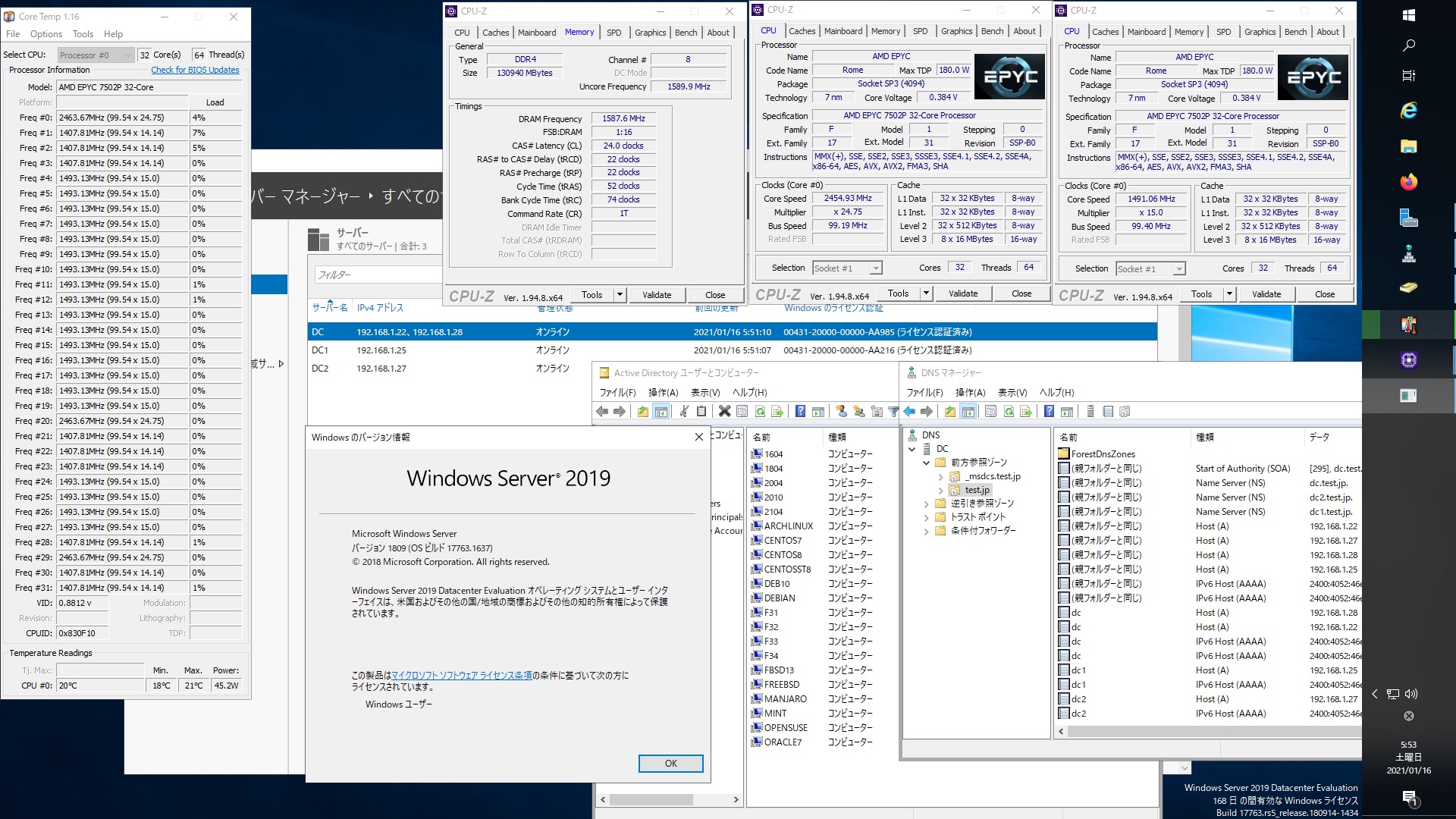
OpenSUSE Tumbleweed Kernel5.10.7-1-default Update

OpenSUSE Tumbleweed Kernelが5.10.7-1-defaultにUpdateされました。

opensuse:~ # uname -r
5.10.7-1-default
opensuse:~ # php -v
PHP 7.4.14 (cli) (built: Jan 7 2021 00:00:00) ( NTS )
Copyright (c) The PHP Group
Zend Engine v3.4.0, Copyright (c) Zend Technologies
opensuse:~ # curl -V
curl 7.74.0 (x86_64-suse-linux-gnu) libcurl/7.74.0 OpenSSL/1.1.1h-fips zlib/1.2.11 brotli/1.0.9 zstd/1.4.8 libidn2/2.3.0 libpsl/0.21.1 (+libidn2/2.3.0) libssh/0.9.5/openssl/zlib nghttp2/1.42.0
Release-Date: 2020-12-09
Protocols: dict file ftp ftps gopher http https imap imaps ldap ldaps mqtt pop3 pop3s rtsp scp sftp smb smbs smtp smtps telnet tftp
Features: alt-svc AsynchDNS brotli GSS-API HTTP2 HTTPS-proxy IDN IPv6 Kerberos Largefile libz Metalink NTLM NTLM_WB PSL SPNEGO SSL TLS-SRP UnixSockets zstd
opensuse:~ # samba -V
Version 4.13.3-git.181.fc4672a5b81SUSE-oS15.5-x86_64
opensuse:~ # cat /etc/os-release
NAME=”openSUSE Tumbleweed”
# VERSION=”20210114″
ID=”opensuse-tumbleweed”
ID_LIKE=”opensuse suse”
VERSION_ID=”20210114″
PRETTY_NAME=”openSUSE Tumbleweed”
ANSI_COLOR=”0;32″
CPE_NAME=”cpe:/o:opensuse:tumbleweed:20210114″
BUG_REPORT_URL=”https://bugs.opensuse.org”
HOME_URL=”https://www.opensuse.org/”
DOCUMENTATION_URL=”https://en.opensuse.org/Portal:Tumbleweed”
LOGO=”distributor-logo”
opensuse:~ #

コメントする

AMD EPYC 7502P 32-Core Processor FreeBSD 12.2-STABLE r369008 GENERIC MATEを起動 460.32.03 nvidia-smi amdtempの設定


root@freebsd:~ # sysctl hw.model
hw.model: AMD EPYC 7502P 32-Core Processor
root@freebsd:~ # uname -a
FreeBSD freebsd 12.2-STABLE FreeBSD 12.2-STABLE r369008 GENERIC amd64
root@freebsd:~ # php -v
PHP 8.0.1 (cli) (built: Jan 12 2021 01:28:48) ( NTS )
Copyright (c) The PHP Group
Zend Engine v4.0.1, Copyright (c) Zend Technologies
root@freebsd:~ # curl -V
curl 7.74.0 (amd64-portbld-freebsd12.1) libcurl/7.74.0 OpenSSL/1.1.1i zlib/1.2.11 nghttp2/1.42.0
Release-Date: 2020-12-09
Protocols: dict file ftp ftps gopher http https imap imaps mqtt pop3 pop3s rtsp smtp smtps telnet tftp
Features: alt-svc AsynchDNS GSS-API HTTP2 HTTPS-proxy IPv6 Kerberos Largefile libz NTLM NTLM_WB SPNEGO SSL TLS-SRP UnixSockets
root@freebsd:~ # samba -V
Version 4.12.9
root@freebsd:~ # kldload amdtemp
root@freebsd:~ # sysctl dev.cpu | grep temperature
dev.cpu.63.temperature: 26.6C
dev.cpu.62.temperature: 26.6C
dev.cpu.61.temperature: 26.6C
dev.cpu.60.temperature: 26.6C
dev.cpu.59.temperature: 26.6C
dev.cpu.58.temperature: 26.6C
dev.cpu.57.temperature: 26.6C
dev.cpu.56.temperature: 26.6C
dev.cpu.55.temperature: 26.6C
dev.cpu.54.temperature: 26.6C
dev.cpu.53.temperature: 26.6C
dev.cpu.52.temperature: 26.6C
dev.cpu.51.temperature: 26.6C
dev.cpu.50.temperature: 26.6C
dev.cpu.49.temperature: 26.6C
dev.cpu.48.temperature: 26.6C
dev.cpu.47.temperature: 26.6C
dev.cpu.46.temperature: 26.6C
dev.cpu.45.temperature: 26.6C
dev.cpu.44.temperature: 26.6C
dev.cpu.43.temperature: 26.6C
dev.cpu.42.temperature: 26.6C
dev.cpu.41.temperature: 26.6C
dev.cpu.40.temperature: 26.6C
dev.cpu.39.temperature: 26.6C
dev.cpu.38.temperature: 26.6C
dev.cpu.37.temperature: 26.6C
dev.cpu.36.temperature: 26.6C
dev.cpu.35.temperature: 26.6C
dev.cpu.34.temperature: 26.6C
dev.cpu.33.temperature: 26.6C
dev.cpu.32.temperature: 26.6C
dev.cpu.31.temperature: 26.6C
dev.cpu.30.temperature: 26.6C
dev.cpu.29.temperature: 26.6C
dev.cpu.28.temperature: 26.6C
dev.cpu.27.temperature: 26.6C
dev.cpu.26.temperature: 26.6C
dev.cpu.25.temperature: 26.6C
dev.cpu.24.temperature: 26.6C
dev.cpu.23.temperature: 26.6C
dev.cpu.22.temperature: 26.6C
dev.cpu.21.temperature: 26.6C
dev.cpu.20.temperature: 26.6C
dev.cpu.19.temperature: 26.6C
dev.cpu.18.temperature: 26.6C
dev.cpu.17.temperature: 26.6C
dev.cpu.16.temperature: 26.6C
dev.cpu.15.temperature: 26.6C
dev.cpu.14.temperature: 26.6C
dev.cpu.13.temperature: 26.6C
dev.cpu.12.temperature: 26.6C
dev.cpu.11.temperature: 26.6C
dev.cpu.10.temperature: 26.6C
dev.cpu.9.temperature: 26.6C
dev.cpu.8.temperature: 26.6C
dev.cpu.7.temperature: 26.6C
dev.cpu.6.temperature: 26.6C
dev.cpu.5.temperature: 26.6C
dev.cpu.4.temperature: 26.6C
dev.cpu.3.temperature: 26.6C
dev.cpu.2.temperature: 26.6C
dev.cpu.1.temperature: 26.6C
dev.cpu.0.temperature: 26.6C
root@freebsd:~ #
AMD EPYC 7502P 32-Core Processor FreeBSD 12.2-STABLE r369008 GENERIC MATE 460.32.03 nvidia-smi amdtemp

コメントする

FreeBSD 12.2-STABLE r369008 GENERIC Samba4.12.9 AMD EPYC 7502P 32-core Processorで構築した Windows Server 2019 Datacenter Active Directory Domain のメンバーに参加してみた


root@freebsd:~ # kinit administrator
administrator@TEST.JP’s Password:
root@freebsd:~ # net ads join -U administrator
Enter administrator’s password:
Using short domain name — TEST
Joined ‘FREEBSD’ to dns domain ‘test.jp’
No DNS domain configured for freebsd. Unable to perform DNS Update.
DNS update failed: NT_STATUS_INVALID_PARAMETER
root@freebsd:~ # service samba_server start
Performing sanity check on Samba configuration: OK
Starting nmbd.
Starting smbd.
Starting winbindd.
root@freebsd:~ # wbinfo -u
TEST\administrator
TEST\guest
TEST\krbtgt
TEST\chibi
root@freebsd:~ # wbinfo -n chibi
S-1-5-21-995094434-2370853644-3769685270-1103 SID_USER (1)
root@freebsd:~ # net ads info
LDAP server: 192.168.1.28
LDAP server name: dc.test.jp
Realm: TEST.JP
Bind Path: dc=TEST,dc=JP
LDAP port: 389
Server time: Sat, 16 Jan 2021 21:05:51 JST
KDC server: 192.168.1.28
Server time offset: -4
Last machine account password change: Sat, 16 Jan 2021 21:04:05 JST
root@freebsd:~ # host -4 dc
dc.test.jp has address 192.168.1.28
dc.test.jp has address 192.168.1.22
dc.test.jp has IPv6 address 2400:4052:46e0:b700:15dc:bd6:5817:24fc
dc.test.jp has IPv6 address 2400:4052:46e0:b700:b462:ad0e:dd8c:96f4
root@freebsd:~ # host -4 dc1
dc1.test.jp has address 192.168.1.25
dc1.test.jp has IPv6 address 2400:4052:46e0:b700:c0ac:f44c:e63:2b0
root@freebsd:~ # host -4 dc2
dc2.test.jp has address 192.168.1.27
dc2.test.jp has IPv6 address 2400:4052:46e0:b700:250f:3df1:1c43:8fcd
root@freebsd:~ # host -t SRV _ldap._tcp.test.jp
_ldap._tcp.test.jp has SRV record 0 100 389 dc2.test.jp.
_ldap._tcp.test.jp has SRV record 0 100 389 dc.test.jp.
_ldap._tcp.test.jp has SRV record 0 100 389 dc1.test.jp.
root@freebsd:~ # host -t SRV _kerberos._udp.test.jp
_kerberos._udp.test.jp has SRV record 0 100 88 dc2.test.jp.
_kerberos._udp.test.jp has SRV record 0 100 88 dc.test.jp.
_kerberos._udp.test.jp has SRV record 0 100 88 dc1.test.jp.
root@freebsd:~ # host -t A test.jp
test.jp has address 192.168.1.22
test.jp has address 192.168.1.27
test.jp has address 192.168.1.28
test.jp has address 192.168.1.25
root@freebsd:~ # uname -a
FreeBSD freebsd 12.2-STABLE FreeBSD 12.2-STABLE r369008 GENERIC amd64
root@freebsd:~ # samba -V
Version 4.12.9
root@freebsd:~ # smbclient //192.168.1.22/netlogon -Uadministrator
FreeBSD 12.2-STABLE r369008 GENERIC Samba4.12.9 AMD EPYC 7502P 32-core Processorで構築した Windows Server 2019 Datacenter Active Directory Domain のメンバーに参加してみた

コメントする

Fedora release 34 Samba4.13.3 AMD EPYC 7502P 32-core Processorで構築した Windows Server 2019 Datacenter Active Directory Domain のメンバーに参加してみた


[root@f34 ~]# kinit administrator
Password for administrator@TEST.JP:
[root@f34 ~]# net ads join -U administrator
Host is not configured as a member server.
Invalid configuration. Exiting….
Failed to join domain: This operation is only allowed for the PDC of the domain.
[root@f34 ~]# nano /etc/samba/smb.conf
[root@f34 ~]# kinit administrator
Password for administrator@TEST.JP:
[root@f34 ~]# net ads join -U administrator
Enter administrator’s password:
Using short domain name — TEST
Joined ‘F34’ to dns domain ‘test.jp’
No DNS domain configured for f34. Unable to perform DNS Update.
DNS update failed: NT_STATUS_INVALID_PARAMETER
[root@f34 ~]# systemctl restart winbind
[root@f34 ~]# wbinfo -u
TEST\administrator
TEST\guest
TEST\krbtgt
TEST\chibi
[root@f34 ~]# wbinfo -n chibi
S-1-5-21-995094434-2370853644-3769685270-1103 SID_USER (1)
[root@f34 ~]# net ads info
LDAP server: 192.168.1.22
LDAP server name: dc.test.jp
Realm: TEST.JP
Bind Path: dc=TEST,dc=JP
LDAP port: 389
Server time: 金, 15 1月 2021 20:50:17 JST
KDC server: 192.168.1.22
Server time offset: -32400
Last machine account password change: 土, 16 1月 2021 05:49:45 JST
[root@f34 ~]# net ads info
LDAP server: 192.168.1.22
LDAP server name: dc.test.jp
Realm: TEST.JP
Bind Path: dc=TEST,dc=JP
LDAP port: 389
Server time: 土, 16 1月 2021 05:54:59 JST
KDC server: 192.168.1.22
Server time offset: -3
Last machine account password change: 土, 16 1月 2021 05:49:45 JST
[root@f34 ~]# host -4 dc
dc.test.jp has address 192.168.1.28
dc.test.jp has address 192.168.1.22
dc.test.jp has IPv6 address 2400:4052:46e0:b700:b462:ad0e:dd8c:96f4
dc.test.jp has IPv6 address 2400:4052:46e0:b700:15dc:bd6:5817:24fc
[root@f34 ~]# host -4 dc1
dc1.test.jp has address 192.168.1.25
dc1.test.jp has IPv6 address 2400:4052:46e0:b700:c0ac:f44c:e63:2b0
[root@f34 ~]# host -4 dc2
dc2.test.jp has address 192.168.1.27
dc2.test.jp has IPv6 address 2400:4052:46e0:b700:250f:3df1:1c43:8fcd
[root@f34 ~]# host -t SRV _ldap._tcp.test.jp
_ldap._tcp.test.jp has SRV record 0 100 389 dc2.test.jp.
_ldap._tcp.test.jp has SRV record 0 100 389 dc.test.jp.
_ldap._tcp.test.jp has SRV record 0 100 389 dc1.test.jp.
[root@f34 ~]# host -t SRV _kerberos._udp.test.jp
_kerberos._udp.test.jp has SRV record 0 100 88 dc.test.jp.
_kerberos._udp.test.jp has SRV record 0 100 88 dc1.test.jp.
_kerberos._udp.test.jp has SRV record 0 100 88 dc2.test.jp.
[root@f34 ~]# host -t A test.jp
test.jp has address 192.168.1.28
test.jp has address 192.168.1.27
test.jp has address 192.168.1.22
test.jp has address 192.168.1.25
[root@f34 ~]# cat /etc/redhat-release
Fedora release 34 (Rawhide)
[root@f34 ~]# samba -V
Version 4.13.3
[root@f34 ~]# smbclient //192.168.1.22/netlogon -Uadministrator
Fedora release 34 Samba4.13.3 AMD EPYC 7502P 32-core Processorで構築した Windows Server 2019 Datacenter Active Directory Domain のメンバーに参加してみた

コメントする

OpenSUSE Tumbleweed Kernel5.10.5-1-default Update

OpenSUSE Tumbleweed Kernelが5.10.5-1-defaultにUpdateされました。

opensuse:~ # uname -r
5.10.5-1-default
opensuse:~ # php -v
PHP 7.4.14 (cli) (built: Jan 7 2021 00:00:00) ( NTS )
Copyright (c) The PHP Group
Zend Engine v3.4.0, Copyright (c) Zend Technologies
opensuse:~ # curl -V
curl 7.74.0 (x86_64-suse-linux-gnu) libcurl/7.74.0 OpenSSL/1.1.1h-fips zlib/1.2.11 brotli/1.0.9 zstd/1.4.8 libidn2/2.3.0 libpsl/0.21.1 (+libidn2/2.3.0) libssh/0.9.5/openssl/zlib nghttp2/1.42.0
Release-Date: 2020-12-09
Protocols: dict file ftp ftps gopher http https imap imaps ldap ldaps mqtt pop3 pop3s rtsp scp sftp smb smbs smtp smtps telnet tftp
Features: alt-svc AsynchDNS brotli GSS-API HTTP2 HTTPS-proxy IDN IPv6 Kerberos Largefile libz Metalink NTLM NTLM_WB PSL SPNEGO SSL TLS-SRP UnixSockets zstd
opensuse:~ # samba -V
Version 4.13.3-git.181.fc4672a5b81SUSE-oS15.5-x86_64
opensuse:~ # cat /etc/os-release
NAME=”openSUSE Tumbleweed”
# VERSION=”20210113″
ID=”opensuse-tumbleweed”
ID_LIKE=”opensuse suse”
VERSION_ID=”20210113″
PRETTY_NAME=”openSUSE Tumbleweed”
ANSI_COLOR=”0;32″
CPE_NAME=”cpe:/o:opensuse:tumbleweed:20210113″
BUG_REPORT_URL=”https://bugs.opensuse.org”
HOME_URL=”https://www.opensuse.org/”
DOCUMENTATION_URL=”https://en.opensuse.org/Portal:Tumbleweed”
LOGO=”distributor-logo”
opensuse:~ #

コメントする