
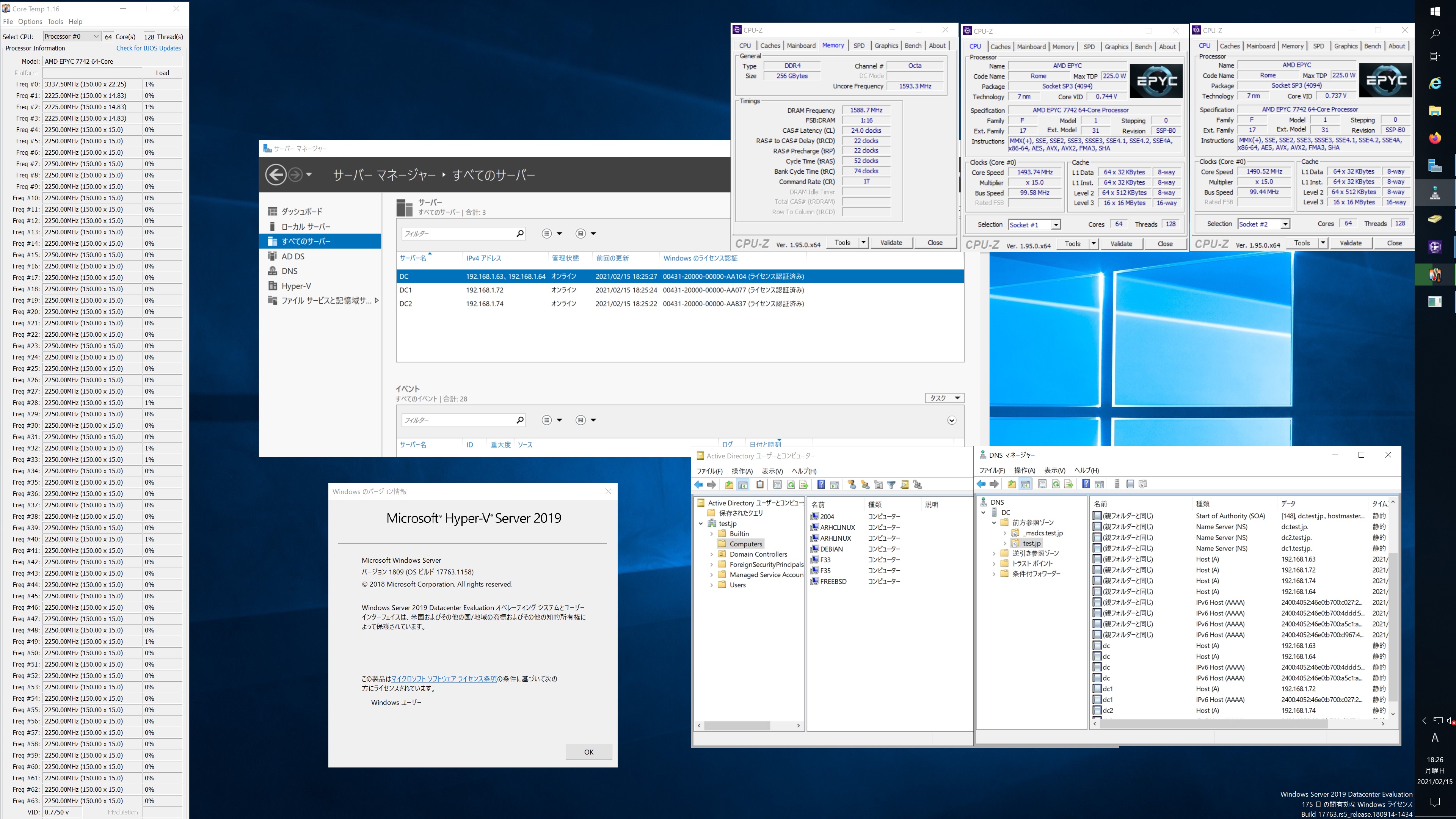
Fedora release 35 Samba4.14.0rc2 第2世代 AMD EPYC 7742 64core Processor x2 sockets で構築した Windows Server 2019 Datacenter Active Directory Domain のメンバーに参加してみた
[root@f35 ~]# kinit administrator
Password for administrator@TEST.JP:
[root@f35 ~]# net ads join -U administrator
Enter administrator’s password:
Using short domain name — TEST
Joined ‘F35’ to dns domain ‘test.jp’
No DNS domain configured for f35. Unable to perform DNS Update.
DNS update failed: NT_STATUS_INVALID_PARAMETER
[root@f35 ~]# systemctl restart winbind
[root@f35 ~]# wbinfo -u
TEST\guest
TEST\administrator
TEST\krbtgt
TEST\chibi
[root@f35 ~]# wbinfo -n chibi
S-1-5-21-569922169-655339872-509955901-1103 SID_USER (1)
[root@f35 ~]# cat /etc/redhat-release
Fedora release 35 (Rawhide)
[root@f35 ~]# samba -V
Version 4.14.0rc2
[root@f35 ~]# net ads info
LDAP server: 0.0.0.0
LDAP server name: (null)
Realm: (null)
Bind Path: (null)
LDAP port: 0
Server time: 月, 15 2月 2021 18:20:43 JST
KDC server: 192.168.1.72
Server time offset: 0
Last machine account password change: 木, 01 1月 1970 09:00:00 JST
[root@f35 ~]# host -4 dc
dc.test.jp has address 192.168.1.63
dc.test.jp has address 192.168.1.64
dc.test.jp has IPv6 address 2400:4052:46e0:b700:a5c1:a91b:faa2:4762
dc.test.jp has IPv6 address 2400:4052:46e0:b700:4ddd:52e8:256b:f6db
[root@f35 ~]# host -4 dc1
dc1.test.jp has address 192.168.1.72
dc1.test.jp has IPv6 address 2400:4052:46e0:b700:c027:23b1:661c:fc31
[root@f35 ~]# host -4 dc2
dc2.test.jp has address 192.168.1.74
dc2.test.jp has IPv6 address 2400:4052:46e0:b700:d967:4949:db29:5dcf
[root@f35 ~]# host -t SRV _ldap._tcp.test.jp
_ldap._tcp.test.jp has SRV record 0 100 389 dc1.test.jp.
_ldap._tcp.test.jp has SRV record 0 100 389 dc2.test.jp.
_ldap._tcp.test.jp has SRV record 0 100 389 dc.test.jp.
[root@f35 ~]# host -t SRV _kerberos._udp.test.jp
_kerberos._udp.test.jp has SRV record 0 100 88 dc.test.jp.
_kerberos._udp.test.jp has SRV record 0 100 88 dc2.test.jp.
_kerberos._udp.test.jp has SRV record 0 100 88 dc1.test.jp.
[root@f35 ~]# host -t A test.jp
test.jp has address 192.168.1.72
test.jp has address 192.168.1.74
test.jp has address 192.168.1.64
test.jp has address 192.168.1.63
[root@f35 ~]# smbclient //192.168.1.63/netlogon -Uadministrator
Fedora release 35 Samba4.14.0rc2 AMD EPYC 7742 64core Processor x2 sockets で構築した Windows Server 2019 Datacenter Active Directory Domain のメンバーに参加してみた
コメントする

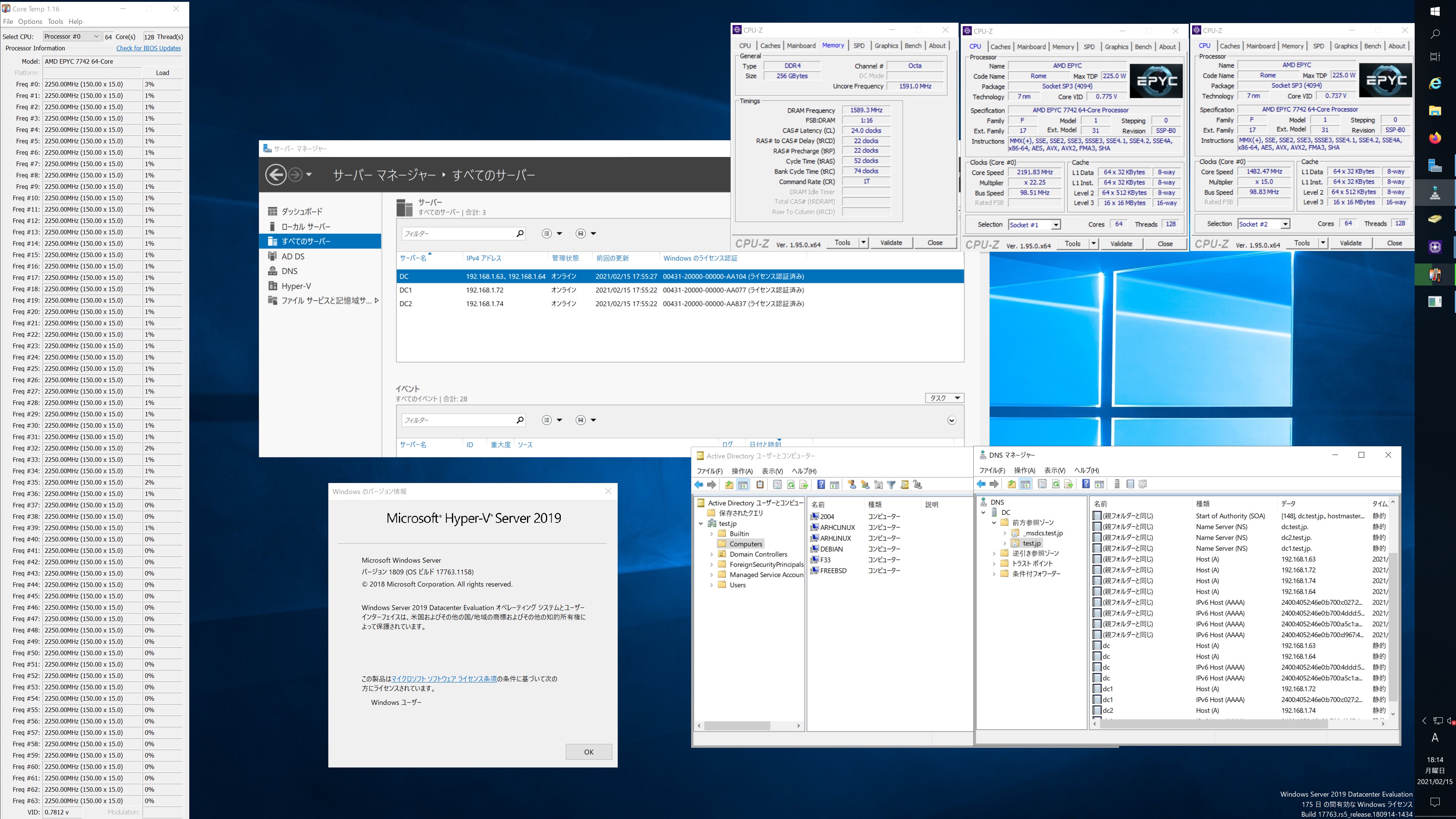
Fedora release 33 Samba4.13.4 第2世代 AMD EPYC 7742 64core Processor x2 sockets で構築した Windows Server 2019 Datacenter Active Directory Domain のメンバーに参加してみた

[root@f33 ~]# kinit administrator
Password for administrator@TEST.JP:
[root@f33 ~]# net ads join -U administrator
Enter administrator’s password:
Using short domain name — TEST
Joined ‘F33’ to dns domain ‘test.jp’
No DNS domain configured for f33. Unable to perform DNS Update.
DNS update failed: NT_STATUS_INVALID_PARAMETER
[root@f33 ~]# systemctl restart winbind
[root@f33 ~]# wbinfo -u
TEST\guest
TEST\administrator
TEST\krbtgt
TEST\chibi
[root@f33 ~]# wbinfo -n chibi
S-1-5-21-569922169-655339872-509955901-1103 SID_USER (1)
[root@f33 ~]# net ads info
LDAP server: 192.168.1.74
LDAP server name: dc2.test.jp
Realm: TEST.JP
Bind Path: dc=TEST,dc=JP
LDAP port: 389
Server time: 月, 15 2月 2021 18:07:04 JST
KDC server: 192.168.1.74
Server time offset: 0
Last machine account password change: 月, 15 2月 2021 18:06:28 JST
[root@f33 ~]# host -4 dc
dc.test.jp has address 192.168.1.64
dc.test.jp has address 192.168.1.63
dc.test.jp has IPv6 address 2400:4052:46e0:b700:a5c1:a91b:faa2:4762
dc.test.jp has IPv6 address 2400:4052:46e0:b700:4ddd:52e8:256b:f6db
[root@f33 ~]# host -4 dc1
dc1.test.jp has address 192.168.1.72
dc1.test.jp has IPv6 address 2400:4052:46e0:b700:c027:23b1:661c:fc31
[root@f33 ~]# host -4 dc2
dc2.test.jp has address 192.168.1.74
dc2.test.jp has IPv6 address 2400:4052:46e0:b700:d967:4949:db29:5dcf
[root@f33 ~]# host -t SRV _ldap._tcp.test.jp
_ldap._tcp.test.jp has SRV record 0 100 389 dc.test.jp.
_ldap._tcp.test.jp has SRV record 0 100 389 dc1.test.jp.
_ldap._tcp.test.jp has SRV record 0 100 389 dc2.test.jp.
[root@f33 ~]# host -t SRV _kerberos._udp.test.jp
_kerberos._udp.test.jp has SRV record 0 100 88 dc.test.jp.
_kerberos._udp.test.jp has SRV record 0 100 88 dc2.test.jp.
_kerberos._udp.test.jp has SRV record 0 100 88 dc1.test.jp.
[root@f33 ~]# host -t A test.jp
test.jp has address 192.168.1.64
test.jp has address 192.168.1.63
test.jp has address 192.168.1.72
test.jp has address 192.168.1.74
[root@f33 ~]# cat /etc/redhat-release
Fedora release 33 (Thirty Three)
[root@f33 ~]# samba -V
Version 4.13.4
[root@f33 ~]# smbclient //192.168.1.63/netlogon -Uadministrator
Fedora release 33 Samba4.13.4 AMD EPYC 7742 64core Processor x2 sockets で構築した Windows Server 2019 Datacenter Active Directory Domain のメンバーに参加してみた

コメントする

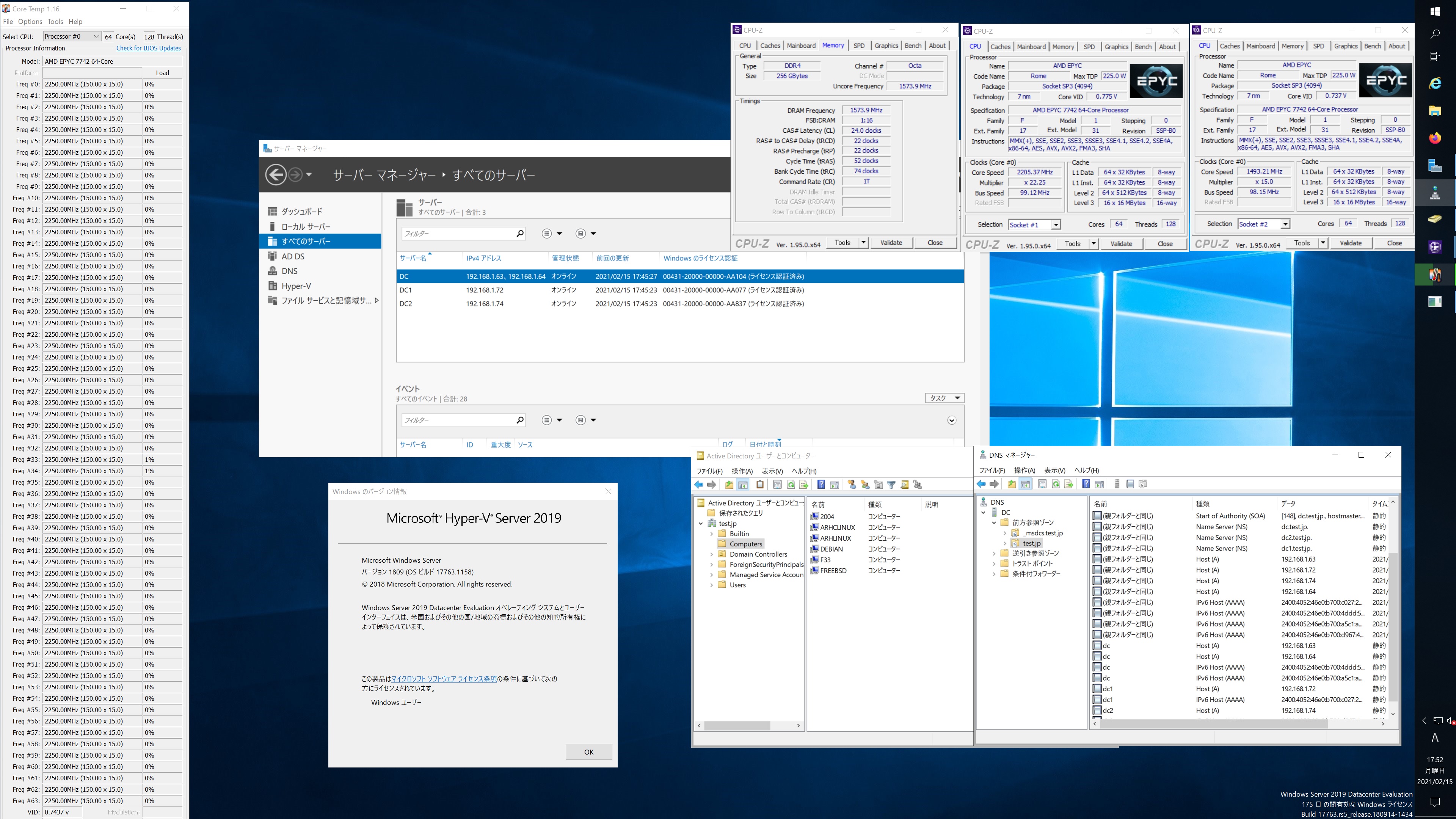
FreeBSD 14.0-CURRENT #0 main-n244733-c511a5ab53b Samba4.13.1 第2世代 AMD EPYC 7742 64core Processor x2 sockets で構築した Windows Server 2019 Datacenter Active Directory Domain のメンバーに参加してみた


root@freebsd:~ # kinit administrator
administrator@TEST.JP’s Password:
root@freebsd:~ # net ads join -U administrator
Enter administrator’s password:
Using short domain name — TEST
Joined ‘FREEBSD’ to dns domain ‘test.jp’
No DNS domain configured for freebsd. Unable to perform DNS Update.
DNS update failed: NT_STATUS_INVALID_PARAMETER
root@freebsd:~ # service samba_server start

Performing sanity check on Samba configuration: OK
Starting nmbd.
Starting smbd.
Starting winbindd.
root@freebsd:~ # wbinfo -n chibi
S-1-5-21-569922169-655339872-509955901-1103 SID_USER (1)
root@freebsd:~ # net ads info
LDAP server: 192.168.1.63
LDAP server name: dc.test.jp
Realm: TEST.JP
Bind Path: dc=TEST,dc=JP
LDAP port: 389
Server time: Mon, 15 Feb 2021 17:46:30 JST
KDC server: 192.168.1.63
Server time offset: 0
Last machine account password change: Mon, 15 Feb 2021 17:44:04 JST
root@freebsd:~ # host -4 dc
dc.test.jp has address 192.168.1.63
dc.test.jp has address 192.168.1.64
dc.test.jp has IPv6 address 2400:4052:46e0:b700:a5c1:a91b:faa2:4762
dc.test.jp has IPv6 address 2400:4052:46e0:b700:4ddd:52e8:256b:f6db
root@freebsd:~ # host -4 dc1
dc1.test.jp has address 192.168.1.72
dc1.test.jp has IPv6 address 2400:4052:46e0:b700:c027:23b1:661c:fc31
root@freebsd:~ # host -4 dc2
dc2.test.jp has address 192.168.1.74
dc2.test.jp has IPv6 address 2400:4052:46e0:b700:d967:4949:db29:5dcf
root@freebsd:~ # host -t SRV _ldap._tcp.test.jp
_ldap._tcp.test.jp has SRV record 0 100 389 dc2.test.jp.
_ldap._tcp.test.jp has SRV record 0 100 389 dc.test.jp.
_ldap._tcp.test.jp has SRV record 0 100 389 dc1.test.jp.
root@freebsd:~ # host -t SRV _kerberos._udp.test.jp
_kerberos._udp.test.jp has SRV record 0 100 88 dc.test.jp.
_kerberos._udp.test.jp has SRV record 0 100 88 dc2.test.jp.
_kerberos._udp.test.jp has SRV record 0 100 88 dc1.test.jp.
root@freebsd:~ # host -t A test.jp
test.jp has address 192.168.1.72
test.jp has address 192.168.1.74
test.jp has address 192.168.1.64
test.jp has address 192.168.1.63
root@freebsd:~ # smbclient //192.168.1.63/netlogon -Uadministrator
Enter TEST\administrator’s password:
Try “help” to get a list of possible commands.
smb: \> ls
. D 0 Thu Feb 4 06:46:08 2021
.. D 0 Thu Feb 4 06:46:08 2021

124869119 blocks of size 4096. 106634355 blocks available
smb: \> exit
root@freebsd:~ # smbclient //192.168.1.63/sysvol -Uadministrator
Enter TEST\administrator’s password:
Try “help” to get a list of possible commands.
smb: \> ls
. D 0 Thu Feb 4 06:46:08 2021
.. D 0 Thu Feb 4 06:46:08 2021
test.jp Dr 0 Thu Feb 4 06:46:08 2021

124869119 blocks of size 4096. 106637555 blocks available
smb: \> exit
root@freebsd:~ # uname -a
FreeBSD freebsd 14.0-CURRENT FreeBSD 14.0-CURRENT #0 main-n244733-c511a5ab53b: Thu Feb 11 07:07:14 UTC 2021 root@releng1.nyi.freebsd.org:/usr/obj/usr/src/amd64.amd64/sys/GENERIC amd64
root@freebsd:~ # samba -V
Version 4.13.1
root@freebsd:~ # net ads lookup
FreeBSD 14.0-CURRENT #0 main-n244733-c511a5ab53b Samba4.13.1 AMD EPYC 7742 64core Processor x2 sockets で構築した Windows Server 2019 Datacenter Active Directory Domain のメンバーに参加してみた

コメントする

Fedora release 34 Kernel5.11.0-0.rc7 Update

Fedora release 34 Kernelが5.11.0-0.rc7にUpdateされました。

[root@f34 ~]# uname -r
5.11.0-0.rc7.149.fc34.x86_64
[root@f34 ~]# php -v
PHP 7.4.15 (cli) (built: Feb 2 2021 14:19:57) ( NTS )
Copyright (c) The PHP Group
Zend Engine v3.4.0, Copyright (c) Zend Technologies
with Zend OPcache v7.4.15, Copyright (c), by Zend Technologies
[root@f34 ~]# curl -V
curl 7.75.0 (x86_64-redhat-linux-gnu) libcurl/7.75.0 OpenSSL/1.1.1i-fips zlib/1.2.11 brotli/1.0.9 libidn2/2.3.0 libpsl/0.21.1 (+libidn2/2.3.0) libssh/0.9.5/openssl/zlib nghttp2/1.43.0
Release-Date: 2021-02-03
Protocols: dict file ftp ftps gopher gophers http https imap imaps ldap ldaps mqtt pop3 pop3s rtsp scp sftp smb smbs smtp smtps telnet tftp
Features: alt-svc AsynchDNS brotli GSS-API HTTP2 HTTPS-proxy IDN IPv6 Kerberos Largefile libz Metalink NTLM NTLM_WB PSL SPNEGO SSL TLS-SRP UnixSockets
[root@f34 ~]# samba -V
Version 4.14.0rc2
[root@f34 ~]# cat /etc/redhat-release
Fedora release 34 (Thirty Four)
[root@f34 ~]#

コメントする

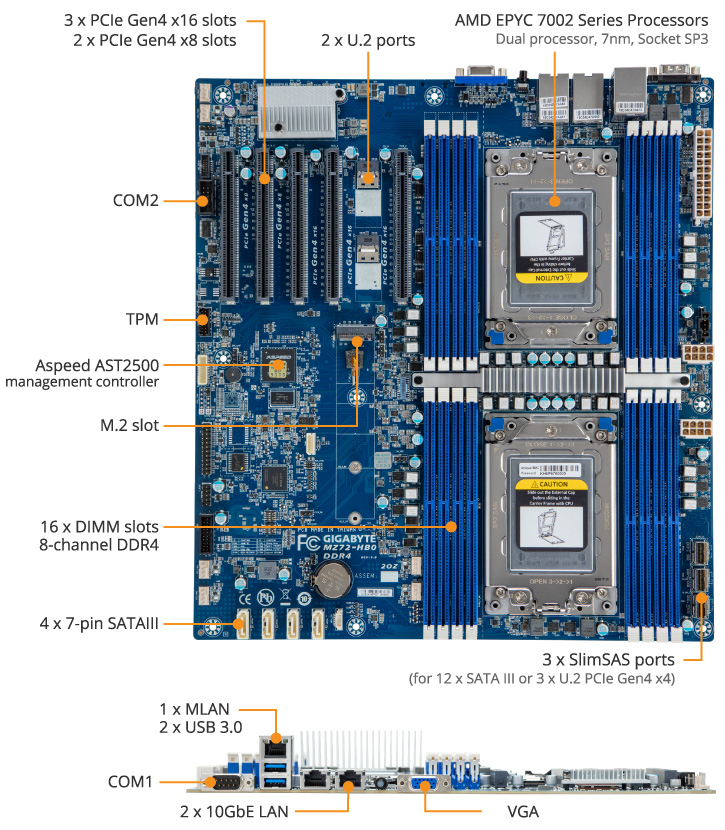
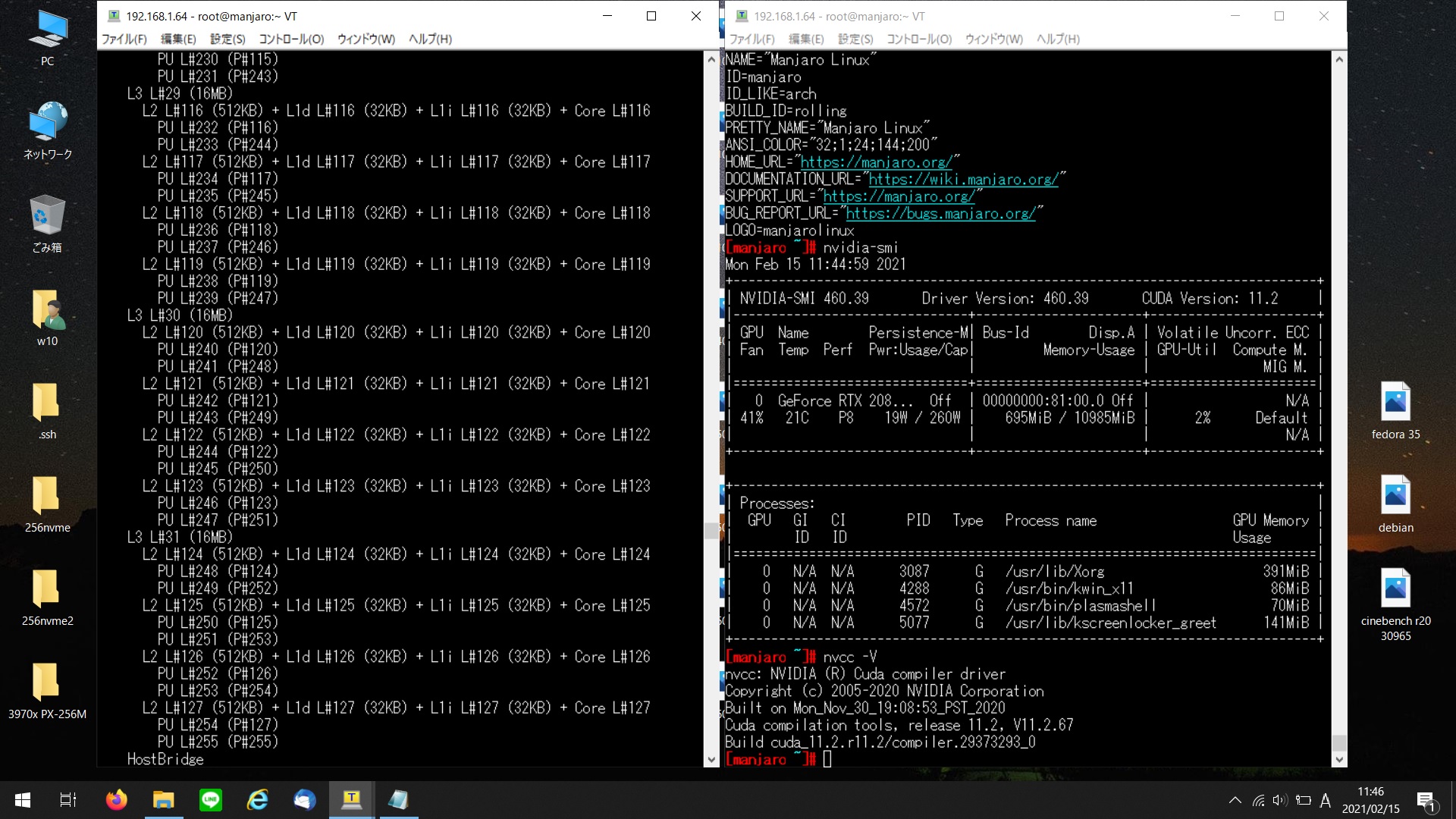
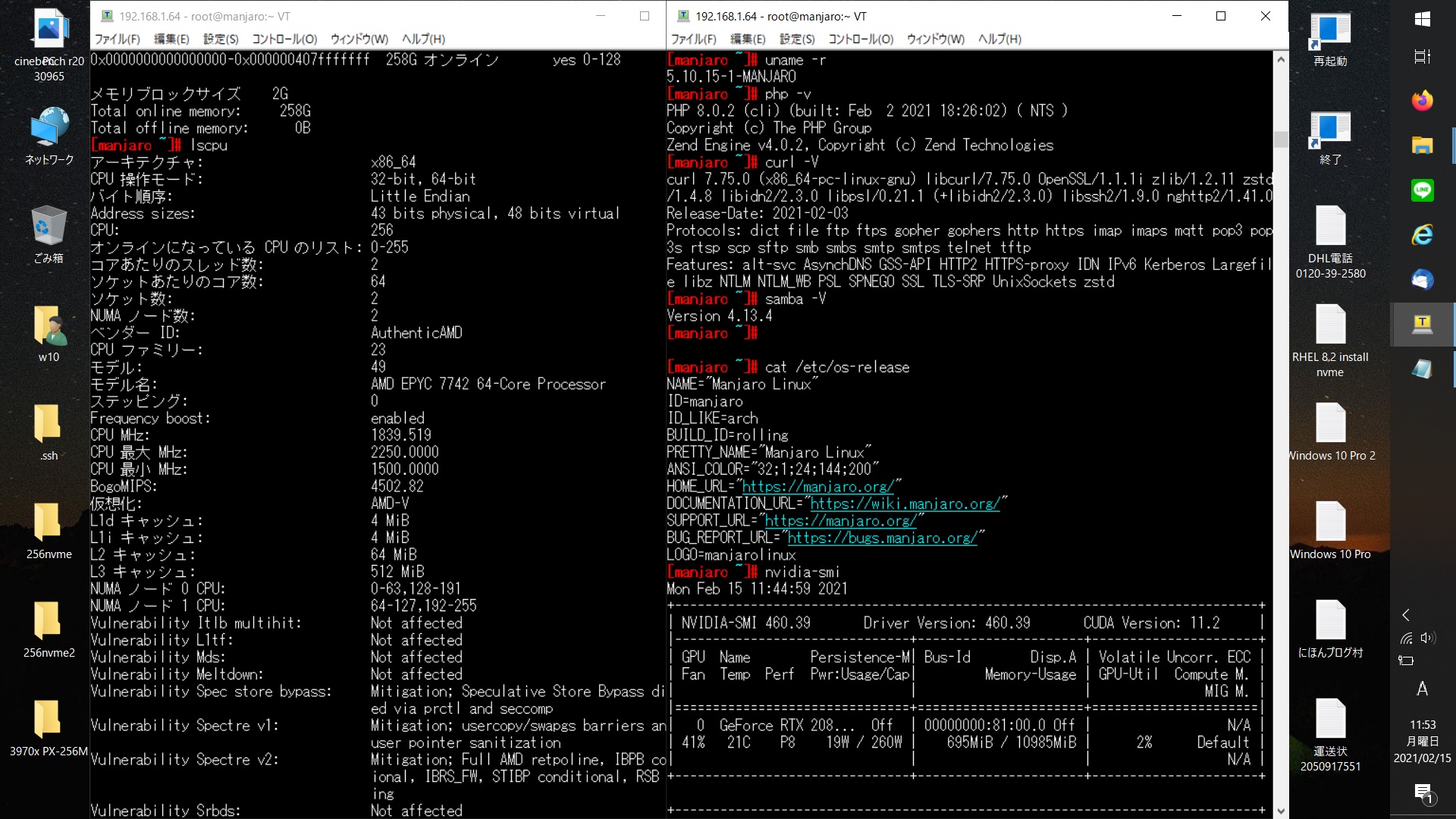
第2世代 AMD EPYC 7742 64-Core Processor 2cpu sockets 128-core 256threads マザーMZ72-HB0で Manjaro Linux RTX2080Ti CUDA 11.2を設定してみた


[manjaro ~]# uname -r
5.10.15-1-MANJARO
[manjaro ~]# php -v
PHP 8.0.2 (cli) (built: Feb 2 2021 18:26:02) ( NTS )
Copyright (c) The PHP Group
Zend Engine v4.0.2, Copyright (c) Zend Technologies
[manjaro ~]# curl -V
curl 7.75.0 (x86_64-pc-linux-gnu) libcurl/7.75.0 OpenSSL/1.1.1i zlib/1.2.11 zstd /1.4.8 libidn2/2.3.0 libpsl/0.21.1 (+libidn2/2.3.0) libssh2/1.9.0 nghttp2/1.41.0
Release-Date: 2021-02-03
Protocols: dict file ftp ftps gopher gophers http https imap imaps mqtt pop3 pop 3s rtsp scp sftp smb smbs smtp smtps telnet tftp
Features: alt-svc AsynchDNS GSS-API HTTP2 HTTPS-proxy IDN IPv6 Kerberos Largefil e libz NTLM NTLM_WB PSL SPNEGO SSL TLS-SRP UnixSockets zstd
[manjaro ~]# samba -V
Version 4.13.4
[manjaro ~]# nvcc -V
nvcc: NVIDIA (R) Cuda compiler driver
Copyright (c) 2005-2020 NVIDIA Corporation
Built on Mon_Nov_30_19:08:53_PST_2020
Cuda compilation tools, release 11.2, V11.2.67
Build cuda_11.2.r11.2/compiler.29373293_0
[manjaro ~]# cat /etc/os-release
NAME=”Manjaro Linux”
ID=manjaro
ID_LIKE=arch
BUILD_ID=rolling
PRETTY_NAME=”Manjaro Linux”
ANSI_COLOR=”32;1;24;144;200″
HOME_URL=”https://manjaro.org/”
DOCUMENTATION_URL=”https://wiki.manjaro.org/”
SUPPORT_URL=”https://manjaro.org/”
BUG_REPORT_URL=”https://bugs.manjaro.org/”
LOGO=manjarolinux
[manjaro ~]# cat /etc/os-release
NAME=”Manjaro Linux”
ID=manjaro
ID_LIKE=arch
BUILD_ID=rolling
PRETTY_NAME=”Manjaro Linux”
ANSI_COLOR=”32;1;24;144;200″
HOME_URL=”https://manjaro.org/”
DOCUMENTATION_URL=”https://wiki.manjaro.org/”
SUPPORT_URL=”https://manjaro.org/”
BUG_REPORT_URL=”https://bugs.manjaro.org/”
LOGO=manjarolinux
[manjaro ~]#
AMD EPYC 7742 64-Core Processor 2cpu sockets 128-core 256threads マザーMZ72-HB0で Manjaro RTX2080Ti CUDA 11.2を設定してみた

コメントする