
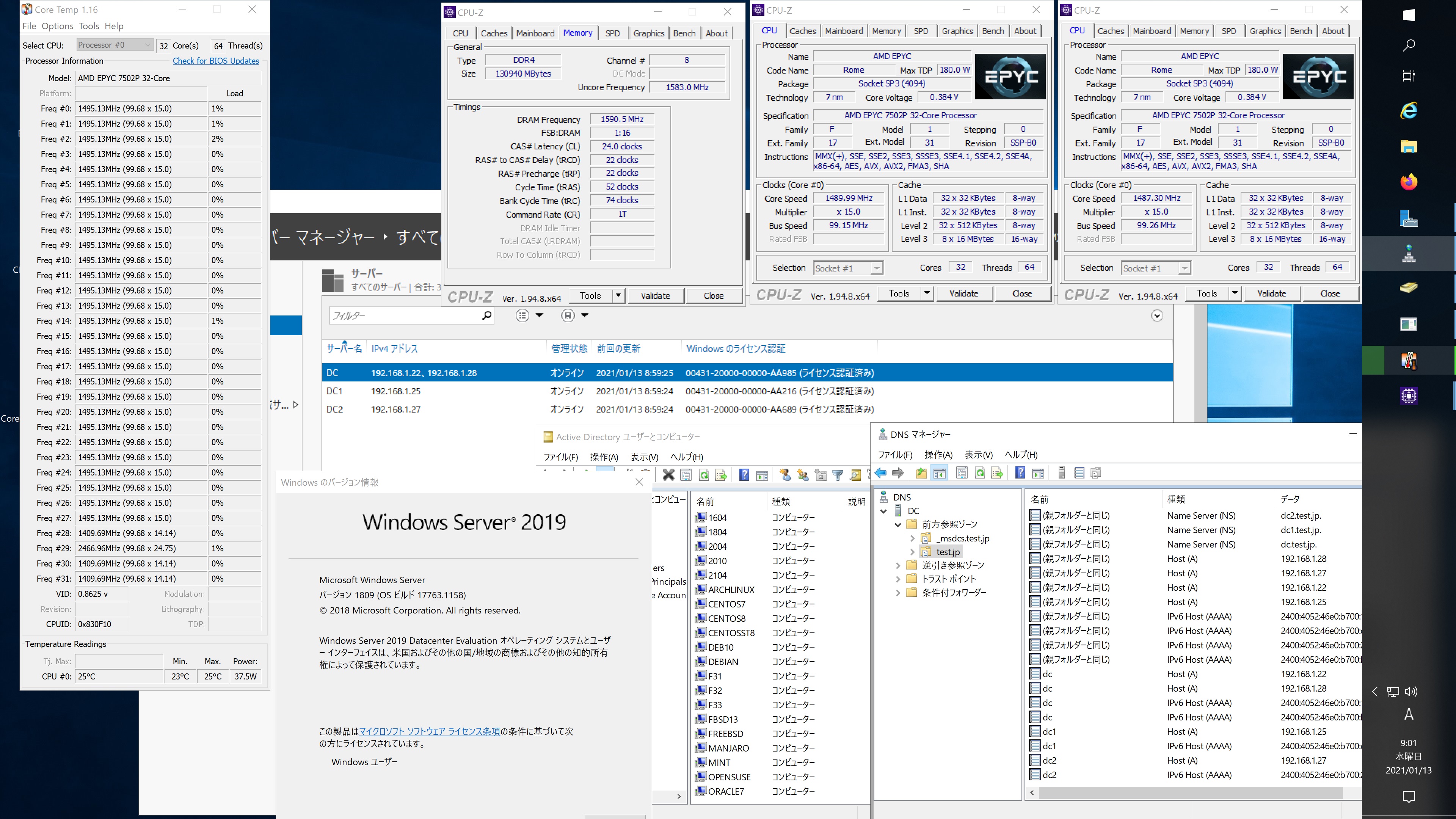
Debian10.7 Samba4.9.5 AMD EPYC 7502P 32-core Processorで構築した Windows Server 2019 Datacenter Active Directory Domain のメンバーに参加してみた
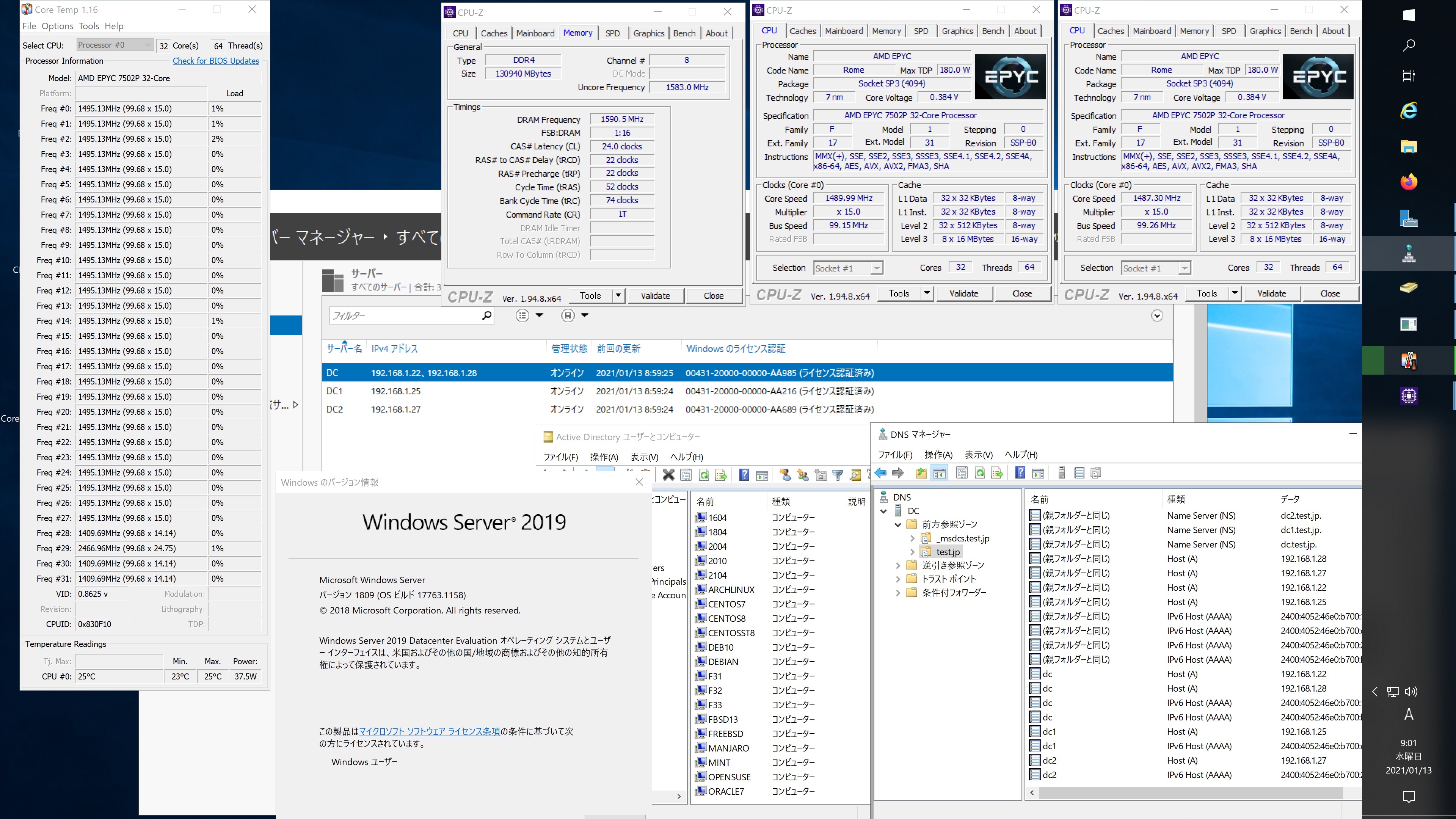
root@debian:~# kinit administrator
Password for administrator@TEST.JP:
root@debian:~# net ads join -U administrator
Enter administrator’s password:
Using short domain name — TEST
Joined ‘DEBIAN’ to dns domain ‘test.jp’
No DNS domain configured for debian. Unable to perform DNS Update.
DNS update failed: NT_STATUS_INVALID_PARAMETER
root@debian:~# systemctl restart winbind
root@debian:~# wbinfo -u
TEST\administrator
TEST\guest
TEST\krbtgt
TEST\chibi
root@debian:~# wbinfo -n chibi
S-1-5-21-995094434-2370853644-3769685270-1103 SID_USER (1)
root@debian:~# net ads info
LDAP server: 192.168.1.22
LDAP server name: dc.test.jp
Realm: TEST.JP
Bind Path: dc=TEST,dc=JP
LDAP port: 389
Server time: 木, 14 1月 2021 06:41:16 JST
KDC server: 192.168.1.22
Server time offset: -3
Last machine account password change: 木, 14 1月 2021 06:40:44 JST
root@debian:~# host -4 dc
dc.test.jp has address 192.168.1.22
dc.test.jp has address 192.168.1.28
dc.test.jp has IPv6 address 2400:4052:46e0:b700:b462:ad0e:dd8c:96f4
dc.test.jp has IPv6 address 2400:4052:46e0:b700:15dc:bd6:5817:24fc
root@debian:~# host -4 dc1
dc1.test.jp has address 192.168.1.25
dc1.test.jp has IPv6 address 2400:4052:46e0:b700:c0ac:f44c:e63:2b0
root@debian:~# host -4 dc2
dc2.test.jp has address 192.168.1.27
dc2.test.jp has IPv6 address 2400:4052:46e0:b700:250f:3df1:1c43:8fcd
root@debian:~# host -t SRV _ldap._tcp.test.jp
_ldap._tcp.test.jp has SRV record 0 100 389 dc.test.jp.
_ldap._tcp.test.jp has SRV record 0 100 389 dc1.test.jp.
_ldap._tcp.test.jp has SRV record 0 100 389 dc2.test.jp.
root@debian:~# host -t SRV _kerberos._udp.test.jp
_kerberos._udp.test.jp has SRV record 0 100 88 dc.test.jp.
_kerberos._udp.test.jp has SRV record 0 100 88 dc1.test.jp.
_kerberos._udp.test.jp has SRV record 0 100 88 dc2.test.jp.
root@debian:~# host -t A test.jp
test.jp has address 192.168.1.28
test.jp has address 192.168.1.25
test.jp has address 192.168.1.27
test.jp has address 192.168.1.22
root@debian:~# cat /etc/os-release
PRETTY_NAME=”Debian GNU/Linux 10 (buster)”
NAME=”Debian GNU/Linux”
VERSION_ID=”10″
VERSION=”10 (buster)”
VERSION_CODENAME=buster
ID=debian
HOME_URL=”https://www.debian.org/”
SUPPORT_URL=”https://www.debian.org/support”
BUG_REPORT_URL=”https://bugs.debian.org/”
root@debian:~# cat /etc/debian_version
10.7
root@debian:~# smbclient -L localhost -U%
Debian10.7 Samba4.9.5 AMD EPYC 7502P 32-core Processorで構築した Windows Server 2019 Datacenter Active Directory Domain のメンバーに参加してみた

カテゴリー: debian, samba4, windows | コメントする

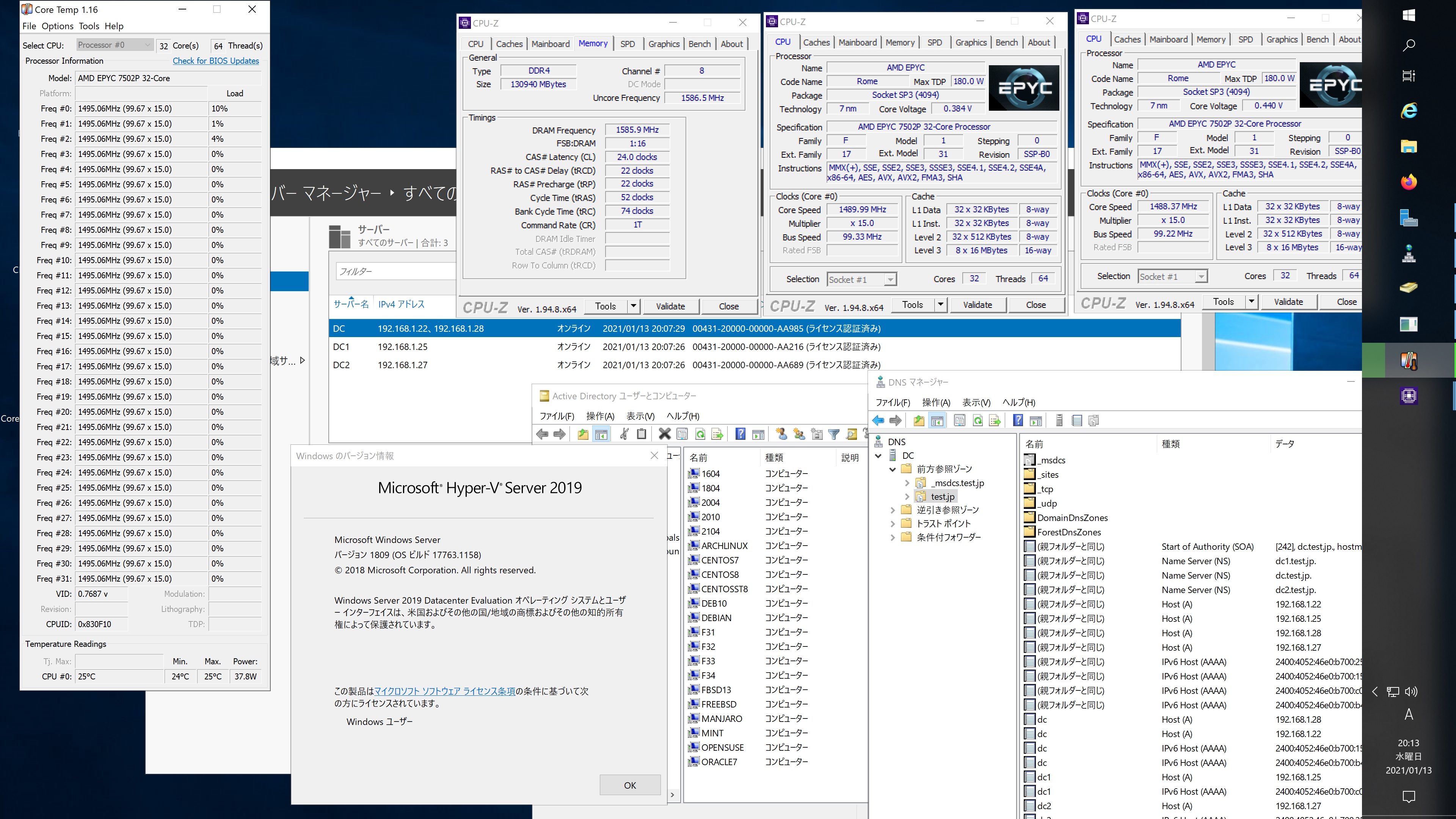
Fedora release 34 Samba4.13.3 AMD EPYC 7502P 32-core Processorで構築した Windows Server 2019 Datacenter Active Directory Domain のメンバーに参加してみた


[root@f34 ~]# kinit administrator
Password for administrator@TEST.JP:
[root@f34 ~]# net ads join -U administrator
Enter administrator’s password:
Using short domain name — TEST
Joined ‘F34’ to dns domain ‘test.jp’
No DNS domain configured for f34. Unable to perform DNS Update.
DNS update failed: NT_STATUS_INVALID_PARAMETER
[root@f34 ~]# systemctl restart winbind
[root@f34 ~]# wbinfo -u
TEST\guest
TEST\administrator
TEST\krbtgt
TEST\chibi
[root@f34 ~]# wbinfo -n chibi
S-1-5-21-995094434-2370853644-3769685270-1103 SID_USER (1)
[root@f34 ~]# net ads info
LDAP server: 192.168.1.25
LDAP server name: dc1.test.jp
Realm: TEST.JP
Bind Path: dc=TEST,dc=JP
LDAP port: 389
Server time: 水, 13 1月 2021 20:09:27 JST
KDC server: 192.168.1.25
Server time offset: -13
Last machine account password change: 水, 13 1月 2021 20:08:19 JST
[root@f34 ~]# host -4 dc
dc.test.jp has address 192.168.1.28
dc.test.jp has address 192.168.1.22
dc.test.jp has IPv6 address 2400:4052:46e0:b700:15dc:bd6:5817:24fc
dc.test.jp has IPv6 address 2400:4052:46e0:b700:b462:ad0e:dd8c:96f4
[root@f34 ~]# host -4 dc1
dc1.test.jp has address 192.168.1.25
dc1.test.jp has IPv6 address 2400:4052:46e0:b700:c0ac:f44c:e63:2b0
[root@f34 ~]# host -4 dc2
dc2.test.jp has address 192.168.1.27
dc2.test.jp has IPv6 address 2400:4052:46e0:b700:250f:3df1:1c43:8fcd
[root@f34 ~]# host -t SRV _ldap._tcp.test.jp
_ldap._tcp.test.jp has SRV record 0 100 389 dc2.test.jp.
_ldap._tcp.test.jp has SRV record 0 100 389 dc.test.jp.
_ldap._tcp.test.jp has SRV record 0 100 389 dc1.test.jp.
[root@f34 ~]# host -t SRV _kerberos._udp.test.jp
_kerberos._udp.test.jp has SRV record 0 100 88 dc1.test.jp.
_kerberos._udp.test.jp has SRV record 0 100 88 dc2.test.jp.
_kerberos._udp.test.jp has SRV record 0 100 88 dc.test.jp.
[root@f34 ~]# host -t A test.jp
test.jp has address 192.168.1.22
test.jp has address 192.168.1.25
test.jp has address 192.168.1.28
test.jp has address 192.168.1.27
[root@f34 ~]# cat /etc/redhat-release
Fedora release 34 (Rawhide)
[root@f34 ~]# samba -V
Version 4.13.3
[root@f34 ~]# smbclient //192.168.1.22/netlogon -Uadministrator
Fedora release 34 Samba4.13.3 AMD EPYC 7502P 32-core Processorで構築した Windows Server 2019 Datacenter Active Directory Domain のメンバーに参加してみた

カテゴリー: fedora, samba4, windows | コメントする

Arch Linux Samba4.13.3 AMD EPYC 7502P 32-core Processorで構築した Windows Server 2019 Datacenter Active Directory Domain のメンバーに参加してみた


[root@archlinux ~]# kinit administrator
Password for administrator@TEST.JP:
[root@archlinux ~]# net ads join -U administrator
Enter administrator’s password:
Using short domain name — TEST
Joined ‘ARCHLINUX’ to dns domain ‘test.jp’
No DNS domain configured for archlinux. Unable to perform DNS Update.
DNS update failed: NT_STATUS_INVALID_PARAMETER
[root@archlinux ~]# systemctl enable winbind
Created symlink /etc/systemd/system/multi-user.target.wants/winbind.service → /usr/lib/systemd/system/winbind.service.
[root@archlinux ~]# systemctl restart winbind
[root@archlinux ~]# wbinfo -u
TEST\guest
TEST\administrator
TEST\krbtgt
TEST\chibi
[root@archlinux ~]# wbinfo -n chibi
S-1-5-21-995094434-2370853644-3769685270-1103 SID_USER (1)
[root@archlinux ~]# net ads info
LDAP server: 192.168.1.27
LDAP server name: dc2.test.jp
Realm: TEST.JP
Bind Path: dc=TEST,dc=JP
LDAP port: 389
Server time: Wed, 13 Jan 2021 17:41:28 JST
KDC server: 192.168.1.27
Server time offset: -13
Last machine account password change: Wed, 13 Jan 2021 17:40:57 JST
[root@archlinux ~]# host -4 dc
dc.test.jp has address 192.168.1.22
dc.test.jp has address 192.168.1.28
dc.test.jp has IPv6 address 2400:4052:46e0:b700:15dc:bd6:5817:24fc
dc.test.jp has IPv6 address 2400:4052:46e0:b700:b462:ad0e:dd8c:96f4
[root@archlinux ~]# host -4 dc1
dc1.test.jp has address 192.168.1.25
dc1.test.jp has IPv6 address 2400:4052:46e0:b700:c0ac:f44c:e63:2b0
[root@archlinux ~]# host -4 dc2
dc2.test.jp has address 192.168.1.27
dc2.test.jp has IPv6 address 2400:4052:46e0:b700:250f:3df1:1c43:8fcd
[root@archlinux ~]# host -t SRV _ldap._tcp.test.jp
_ldap._tcp.test.jp has SRV record 0 100 389 dc1.test.jp.
_ldap._tcp.test.jp has SRV record 0 100 389 dc2.test.jp.
_ldap._tcp.test.jp has SRV record 0 100 389 dc.test.jp.
[root@archlinux ~]# host -t SRV _kerberos._udp.test.jp
_kerberos._udp.test.jp has SRV record 0 100 88 dc2.test.jp.
_kerberos._udp.test.jp has SRV record 0 100 88 dc.test.jp.
_kerberos._udp.test.jp has SRV record 0 100 88 dc1.test.jp.
[root@archlinux ~]# host -t A test.jp
test.jp has address 192.168.1.28
test.jp has address 192.168.1.27
test.jp has address 192.168.1.25
test.jp has address 192.168.1.22
[root@archlinux ~]# cat /etc/os-release
NAME=”Arch Linux”
PRETTY_NAME=”Arch Linux”
ID=arch
BUILD_ID=rolling
ANSI_COLOR=”38;2;23;147;209″
HOME_URL=”https://www.archlinux.org/”
DOCUMENTATION_URL=”https://wiki.archlinux.org/”
SUPPORT_URL=”https://bbs.archlinux.org/”
BUG_REPORT_URL=”https://bugs.archlinux.org/”
LOGO=archlinux
[root@archlinux ~]# samba -V
Version 4.13.3
[root@archlinux ~]# smbclient //192.168.1.22/netlogon -Uadministrator
Arch Linux Samba4.13.3 AMD EPYC 7502P 32-core Processorで構築した Windows Server 2019 Datacenter Active Directory Domain のメンバーに参加してみた

カテゴリー: archlinux, samba4, windows | コメントする

manjaro Linux Samba4.13.3 AMD EPYC 7502P 32-core Processorで構築した Windows Server 2019 Datacenter Active Directory Domain のメンバーに参加してみた


[manjaro ~]# kinit administrator
Password for administrator@TEST.JP:
[manjaro ~]# net ads join -U administrator
Enter administrator’s password:
Using short domain name — TEST
Joined ‘MANJARO’ to dns domain ‘test.jp’
No DNS domain configured for manjaro. Unable to perform DNS Update.
DNS update failed: NT_STATUS_INVALID_PARAMETER
[manjaro ~]# systemctl enable winbind
Created symlink /etc/systemd/system/multi-user.target.wants/winbind.service → /usr/lib/systemd/system/winbind.service.
[manjaro ~]# systemctl restart winbind
[manjaro ~]# wbinfo -u
TEST\administrator
TEST\guest
TEST\krbtgt
TEST\chibi
[manjaro ~]# wbinfo -n chibi
S-1-5-21-995094434-2370853644-3769685270-1103 SID_USER (1)
[manjaro ~]# net ads info
LDAP server: 192.168.1.28
LDAP server name: dc.test.jp
Realm: TEST.JP
Bind Path: dc=TEST,dc=JP
LDAP port: 389
Server time: 水, 13 1月 2021 17:29:20 JST
KDC server: 192.168.1.28
Server time offset: -14
Last machine account password change: 水, 13 1月 2021 17:28:52 JST
[manjaro ~]# host -4 dc
dc.test.jp has address 192.168.1.28
dc.test.jp has address 192.168.1.22
dc.test.jp has IPv6 address 2400:4052:46e0:b700:15dc:bd6:5817:24fc
dc.test.jp has IPv6 address 2400:4052:46e0:b700:b462:ad0e:dd8c:96f4
[manjaro ~]# host -4 dc1
dc1.test.jp has address 192.168.1.25
dc1.test.jp has IPv6 address 2400:4052:46e0:b700:c0ac:f44c:e63:2b0
[manjaro ~]# host -4 dc2
dc2.test.jp has address 192.168.1.27
dc2.test.jp has IPv6 address 2400:4052:46e0:b700:250f:3df1:1c43:8fcd
[manjaro ~]# host -t SRV _ldap._tcp.test.jp
_ldap._tcp.test.jp has SRV record 0 100 389 dc.test.jp.
_ldap._tcp.test.jp has SRV record 0 100 389 dc1.test.jp.
_ldap._tcp.test.jp has SRV record 0 100 389 dc2.test.jp.
[manjaro ~]# host -t SRV _kerberos._udp.test.jp
_kerberos._udp.test.jp has SRV record 0 100 88 dc2.test.jp.
_kerberos._udp.test.jp has SRV record 0 100 88 dc.test.jp.
_kerberos._udp.test.jp has SRV record 0 100 88 dc1.test.jp.
[manjaro ~]# host -t A test.jp
test.jp has address 192.168.1.27
test.jp has address 192.168.1.22
test.jp has address 192.168.1.25
test.jp has address 192.168.1.28
[manjaro ~]# cat /etc/os-release
NAME=”Manjaro Linux”
ID=manjaro
ID_LIKE=arch
BUILD_ID=rolling
PRETTY_NAME=”Manjaro Linux”
ANSI_COLOR=”32;1;24;144;200″
HOME_URL=”https://manjaro.org/”
DOCUMENTATION_URL=”https://wiki.manjaro.org/”
SUPPORT_URL=”https://manjaro.org/”
BUG_REPORT_URL=”https://bugs.manjaro.org/”
LOGO=manjarolinux
[manjaro ~]# samba -V
Version 4.13.3
[manjaro ~]# smbclient //192.168.1.22/netlogon -Uadministrator
manjaro Linux Samba4.13.3 AMD EPYC 7502P 32-core Processorで構築した Windows Server 2019 Datacenter Active Directory Domain のメンバーに参加してみた

カテゴリー: manjaro, samba4, windows | コメントする

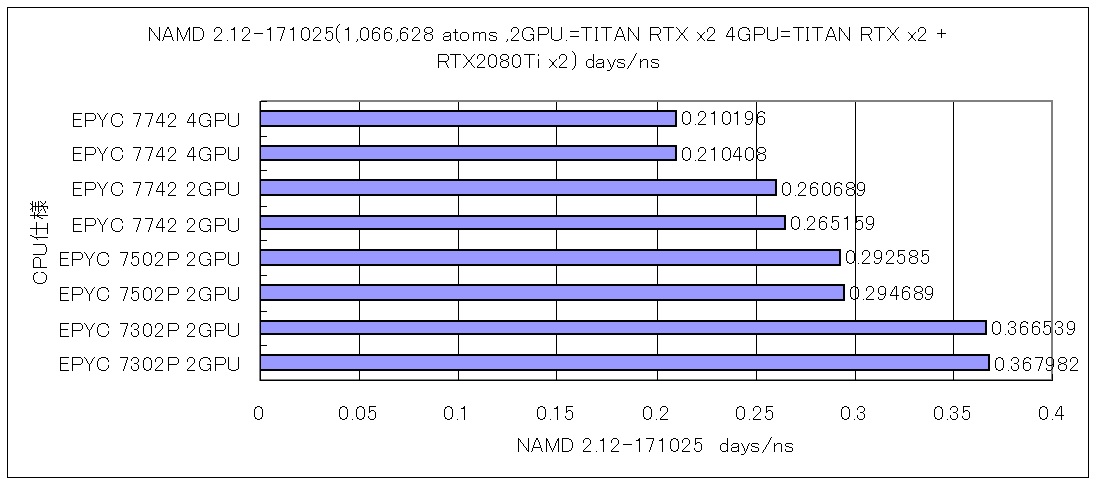
第2世代 AMD EPYC 7742 64-Core Processor Red Hat Enterprise Linux release 8.3 TITAN RTX x2 RTX2080Ti x2 CUDA 11.2 NGC namd 2.12-171025 STMV (virus) benchmarkを他のCPU及びGPU2枚4枚の比較をさせてみた(1,066,628 atoms, periodic, PME) 0.210196 days/ns

← day/ns 数値が小さいほうが高性能 AMD EPYC 7742 64-Core
                  AMD EPYC 7502P 32-Core
                  AMD EPYC 7302P 16-Core

AMD EPYC 7742 64-Core Processor データ詳細
AMD EPYC 7742 64-Core Processor Red Hat Enterprise Linux release 8.3 TITAN RTX x2 RTX2080Ti x2 CUDA 11.2 namd 2.12-171025 STMV (virus) benchmark (1,066,628 atoms, periodic, PME) 0.210196 days ns
GPU温度推移
AMD EPYC 7742 64-Core Processor Red Hat Enterprise Linux release 8.3 TITAN RTX x2 RTX2080Ti x2 CUDA 11.2 namd 2.12-171025 STMV (virus) benchmark (1,066,628 atoms, periodic, PME) 0.210196 days ns nvidia-smi

カテゴリー: nvidia, rhel8 | コメントする