
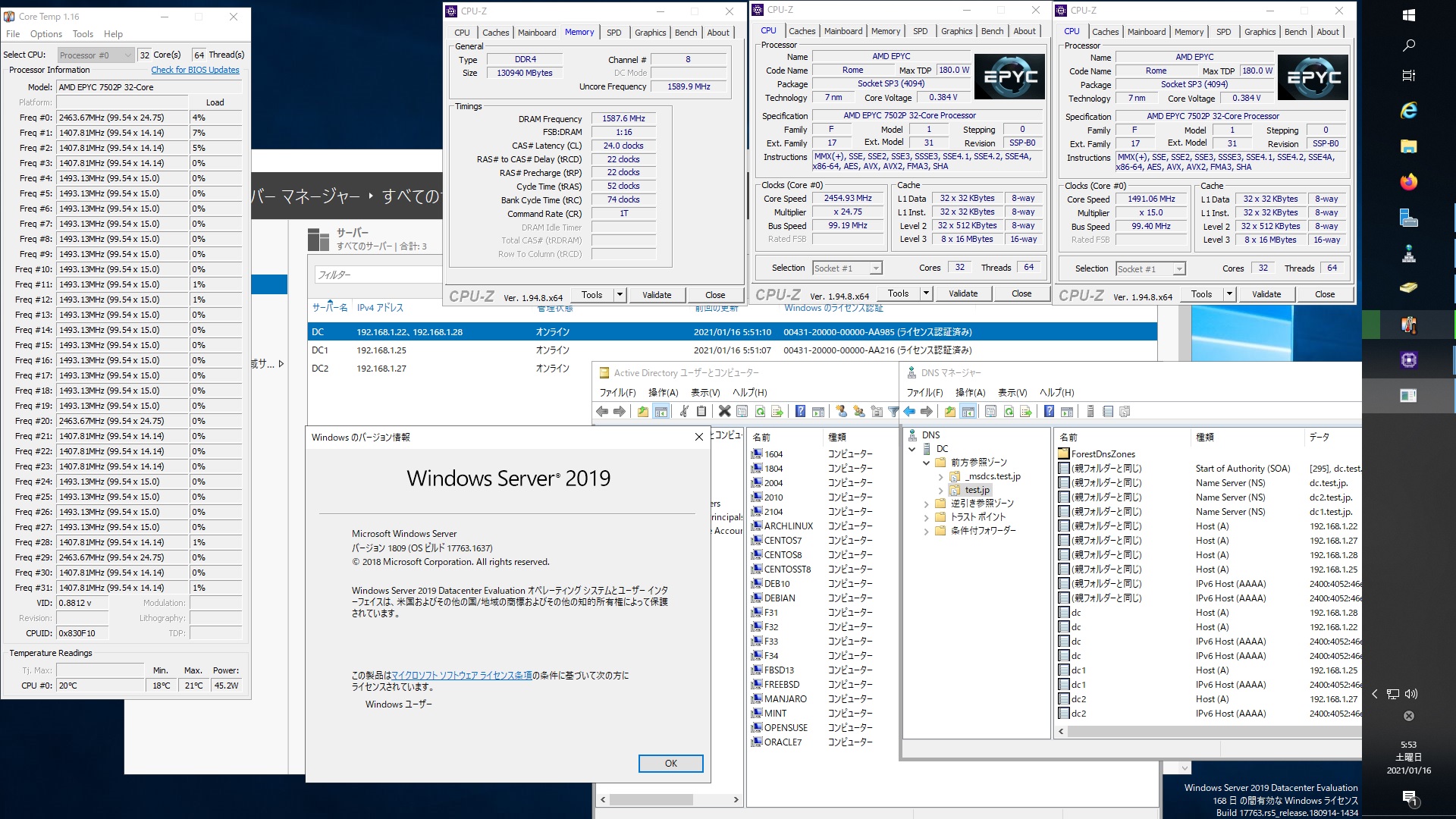
root@freebsd:~ # kinit administrator
administrator@TEST.JP’s Password:
root@freebsd:~ # net ads join -U administrator
Enter administrator’s password:
Using short domain name — TEST
Joined ‘FREEBSD’ to dns domain ‘test.jp’
No DNS domain configured for freebsd. Unable to perform DNS Update.
DNS update failed: NT_STATUS_INVALID_PARAMETER
root@freebsd:~ # service samba_server start
Performing sanity check on Samba configuration: OK
Starting nmbd.
Starting smbd.
Starting winbindd.
root@freebsd:~ # wbinfo -u
TEST\administrator
TEST\guest
TEST\krbtgt
TEST\chibi
root@freebsd:~ # wbinfo -n chibi
S-1-5-21-995094434-2370853644-3769685270-1103 SID_USER (1)
root@freebsd:~ # net ads info
LDAP server: 192.168.1.28
LDAP server name: dc.test.jp
Realm: TEST.JP
Bind Path: dc=TEST,dc=JP
LDAP port: 389
Server time: Sat, 16 Jan 2021 21:05:51 JST
KDC server: 192.168.1.28
Server time offset: -4
Last machine account password change: Sat, 16 Jan 2021 21:04:05 JST
root@freebsd:~ # host -4 dc
dc.test.jp has address 192.168.1.28
dc.test.jp has address 192.168.1.22
dc.test.jp has IPv6 address 2400:4052:46e0:b700:15dc:bd6:5817:24fc
dc.test.jp has IPv6 address 2400:4052:46e0:b700:b462:ad0e:dd8c:96f4
root@freebsd:~ # host -4 dc1
dc1.test.jp has address 192.168.1.25
dc1.test.jp has IPv6 address 2400:4052:46e0:b700:c0ac:f44c:e63:2b0
root@freebsd:~ # host -4 dc2
dc2.test.jp has address 192.168.1.27
dc2.test.jp has IPv6 address 2400:4052:46e0:b700:250f:3df1:1c43:8fcd
root@freebsd:~ # host -t SRV _ldap._tcp.test.jp
_ldap._tcp.test.jp has SRV record 0 100 389 dc2.test.jp.
_ldap._tcp.test.jp has SRV record 0 100 389 dc.test.jp.
_ldap._tcp.test.jp has SRV record 0 100 389 dc1.test.jp.
root@freebsd:~ # host -t SRV _kerberos._udp.test.jp
_kerberos._udp.test.jp has SRV record 0 100 88 dc2.test.jp.
_kerberos._udp.test.jp has SRV record 0 100 88 dc.test.jp.
_kerberos._udp.test.jp has SRV record 0 100 88 dc1.test.jp.
root@freebsd:~ # host -t A test.jp
test.jp has address 192.168.1.22
test.jp has address 192.168.1.27
test.jp has address 192.168.1.28
test.jp has address 192.168.1.25
root@freebsd:~ # uname -a
FreeBSD freebsd 12.2-STABLE FreeBSD 12.2-STABLE r369008 GENERIC amd64
root@freebsd:~ # samba -V
Version 4.12.9
root@freebsd:~ # smbclient //192.168.1.22/netlogon -Uadministrator
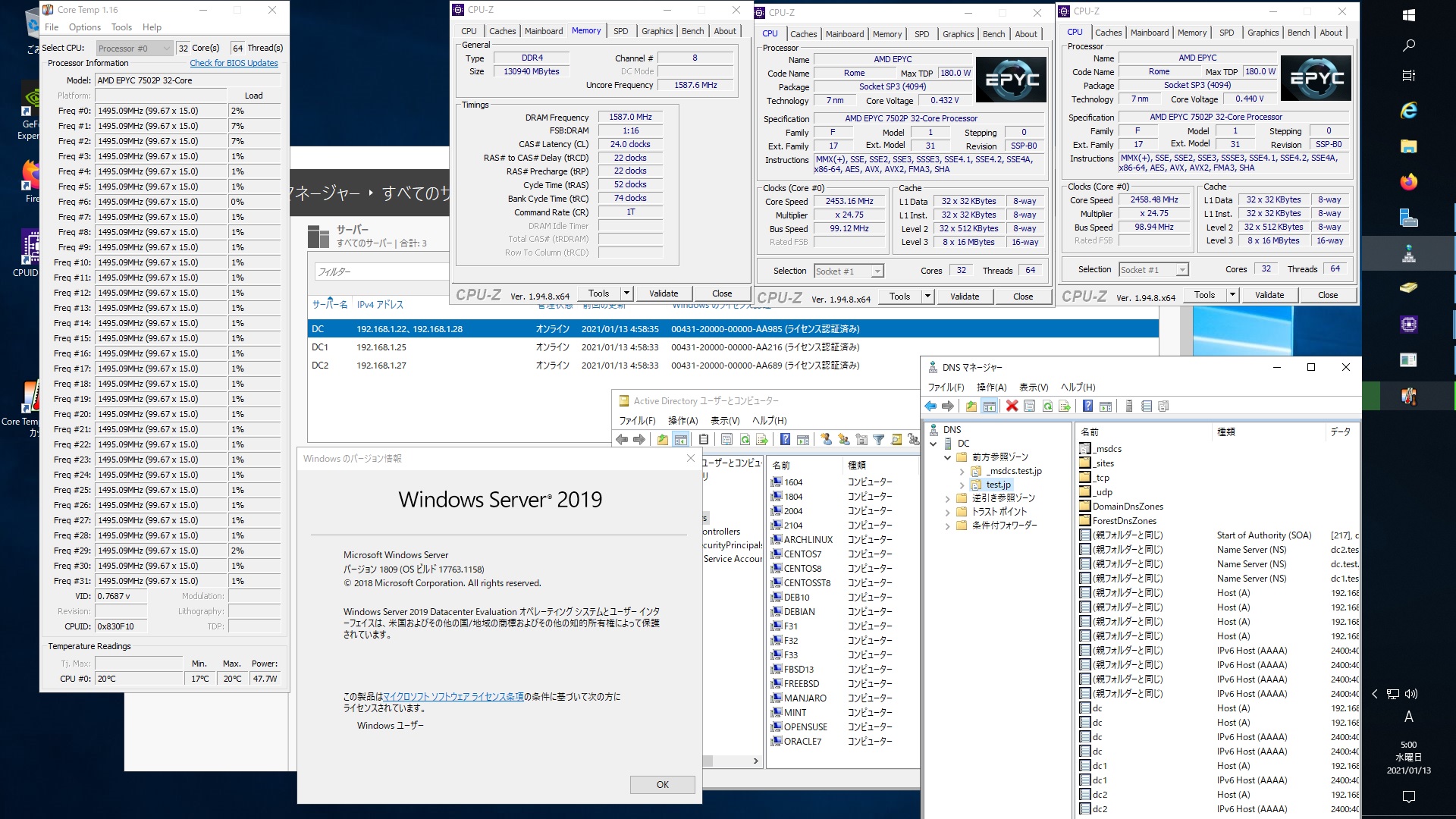
FreeBSD 12.2-STABLE r369008 GENERIC Samba4.12.9 AMD EPYC 7502P 32-core Processorで構築した Windows Server 2019 Datacenter Active Directory Domain のメンバーに参加してみた
-
最近の投稿
- Qualcomm Snapdragon X X1-26-100 8Core 8Threads 16GB Windows11ProでHyper-Vへaarch64版Red Hat Enterprise Linux 10.0のisoをInstallしてPHP8.4.14にUpdate
- Samba 4.23.11 Available for Download
- Qualcomm Snapdragon X X1-26-100 8Core 8Threads 16GB Windows11ProでHyper-Vへaarch64版Red Hat Enterprise Linux 10.0のisoをInstallしてPHP8.3.19にUpdate
- Kernel7.2-rc6 が公開
- Red Hat Enterprise Linux release 10.0 Kernel6.12.0-55.41.1.el10_0.x86_64 Update
最近のコメント
- しだれ桜が咲いていました に 丸山泰男 より
- Intel(R) Core(TM) i7-6700K CPU @ 4.00GHz 4core 8threds 32GB RTX2080Ti PLEXTOR PX-256M9PeGで構成されたUbuntu24.04.3 LTS へ CUDA-toolkit 12.5をInstall してnvidia-smi nvcc -V cat /etc/os-release sensors lsmem nvme list nvme smart-log /dev/nmve0n1 lscpuを設定 に 丸山泰男 より
- Ubuntu 26.04 Daily Build を installしてみた に 丸山泰男 より
- 梅が咲きました に 丸山泰男 より
- 雪の白川郷 に 丸山泰男 より
アーカイブ
- 2026年8月 (8)
- 2026年7月 (55)
- 2026年6月 (46)
- 2026年5月 (57)
- 2026年4月 (68)
- 2026年3月 (60)
- 2026年2月 (65)
- 2026年1月 (54)
- 2025年12月 (58)
- 2025年11月 (68)
- 2025年10月 (65)
- 2025年9月 (71)
- 2025年8月 (81)
- 2025年7月 (81)
- 2025年6月 (83)
- 2025年5月 (66)
- 2025年4月 (56)
- 2025年3月 (67)
- 2025年2月 (68)
- 2025年1月 (66)
- 2024年12月 (71)
- 2024年11月 (66)
- 2024年10月 (73)
- 2024年9月 (79)
- 2024年8月 (93)
- 2024年7月 (86)
- 2024年6月 (58)
- 2024年5月 (83)
- 2024年4月 (89)
- 2024年3月 (90)
- 2024年2月 (86)
- 2024年1月 (89)
- 2023年12月 (77)
- 2023年11月 (74)
- 2023年10月 (82)
- 2023年9月 (70)
- 2023年8月 (73)
- 2023年7月 (59)
- 2023年6月 (63)
- 2023年5月 (57)
- 2023年4月 (51)
- 2023年3月 (65)
- 2023年2月 (58)
- 2023年1月 (63)
- 2022年12月 (74)
- 2022年11月 (78)
- 2022年10月 (69)
- 2022年9月 (70)
- 2022年8月 (64)
- 2022年7月 (38)
- 2022年6月 (62)
- 2022年5月 (58)
- 2022年4月 (54)
- 2022年3月 (65)
- 2022年2月 (54)
- 2022年1月 (65)
- 2021年12月 (87)
- 2021年11月 (90)
- 2021年10月 (93)
- 2021年9月 (90)
- 2021年8月 (89)
- 2021年7月 (88)
- 2021年6月 (85)
- 2021年5月 (81)
- 2021年4月 (68)
- 2021年3月 (69)
- 2021年2月 (59)
- 2021年1月 (62)
- 2020年12月 (63)
- 2020年11月 (61)
- 2020年10月 (66)
- 2020年9月 (63)
- 2020年8月 (72)
- 2020年7月 (92)
- 2020年6月 (89)
- 2020年5月 (92)
- 2020年4月 (91)
- 2020年3月 (94)
- 2020年2月 (85)
- 2020年1月 (77)
- 2019年12月 (91)
- 2019年11月 (3)
- 2019年9月 (2)
- 2019年4月 (1)
- 2019年2月 (1)
- 2018年11月 (1)
- 2018年10月 (1)
- 2018年9月 (1)
- 2018年8月 (1)
- 2018年7月 (1)
- 2018年6月 (1)
- 2018年5月 (2)
- 2018年4月 (3)
- 2018年3月 (1)
- 2018年2月 (1)
- 2018年1月 (1)
- 2017年12月 (1)
- 2017年8月 (1)
- 2017年4月 (1)
- 2017年3月 (1)
- 2017年2月 (1)
- 2017年1月 (1)
- 2016年12月 (1)
- 2016年10月 (2)
- 2016年8月 (3)
- 2016年7月 (7)
- 2016年6月 (3)
- 2016年5月 (5)
- 2016年4月 (3)
- 2016年3月 (2)
- 2016年2月 (3)
- 2016年1月 (4)
- 2015年12月 (3)
- 2015年11月 (4)
- 2015年10月 (10)
- 2015年9月 (7)
- 2015年8月 (8)
- 2015年7月 (23)
- 2015年6月 (2)
カテゴリー
- 11ac無線LAN (87)
- 2 Sockets (310)
- alma10 (39)
- alma8 (8)
- alma9 (109)
- archlinux (404)
- centos stream 10 (38)
- CentOS Stream release 9 (168)
- centos6 (8)
- centos7 (51)
- centos8 (164)
- debian (85)
- euro (108)
- fedora (1,208)
- FerenOS (9)
- freebsd (313)
- kali (16)
- Linux (502)
- linuxmint (9)
- manjaro (358)
- maxima (16)
- miracle (26)
- MX linux (3)
- nvidia (1,147)
- opensuse (288)
- oracle7 (7)
- oracle8 (25)
- oracle9 (6)
- PCBSD (1)
- rhel10 (66)
- rhel7 (4)
- rhel8 (110)
- rhel9 (121)
- rocky (118)
- samba4 (653)
- Slackware (4)
- solaris (1)
- trueos (4)
- ubuntu (706)
- windows (847)
- zorin (28)
- その他 (18)
- 冬 (40)
- 夏 (38)
- 春 (113)
- 無線LAN WI-FI6E (58)
- 秋 (5)
メタ情報
固定ページ