Fedora release 36 (Rawhide)を新規Installしてみた

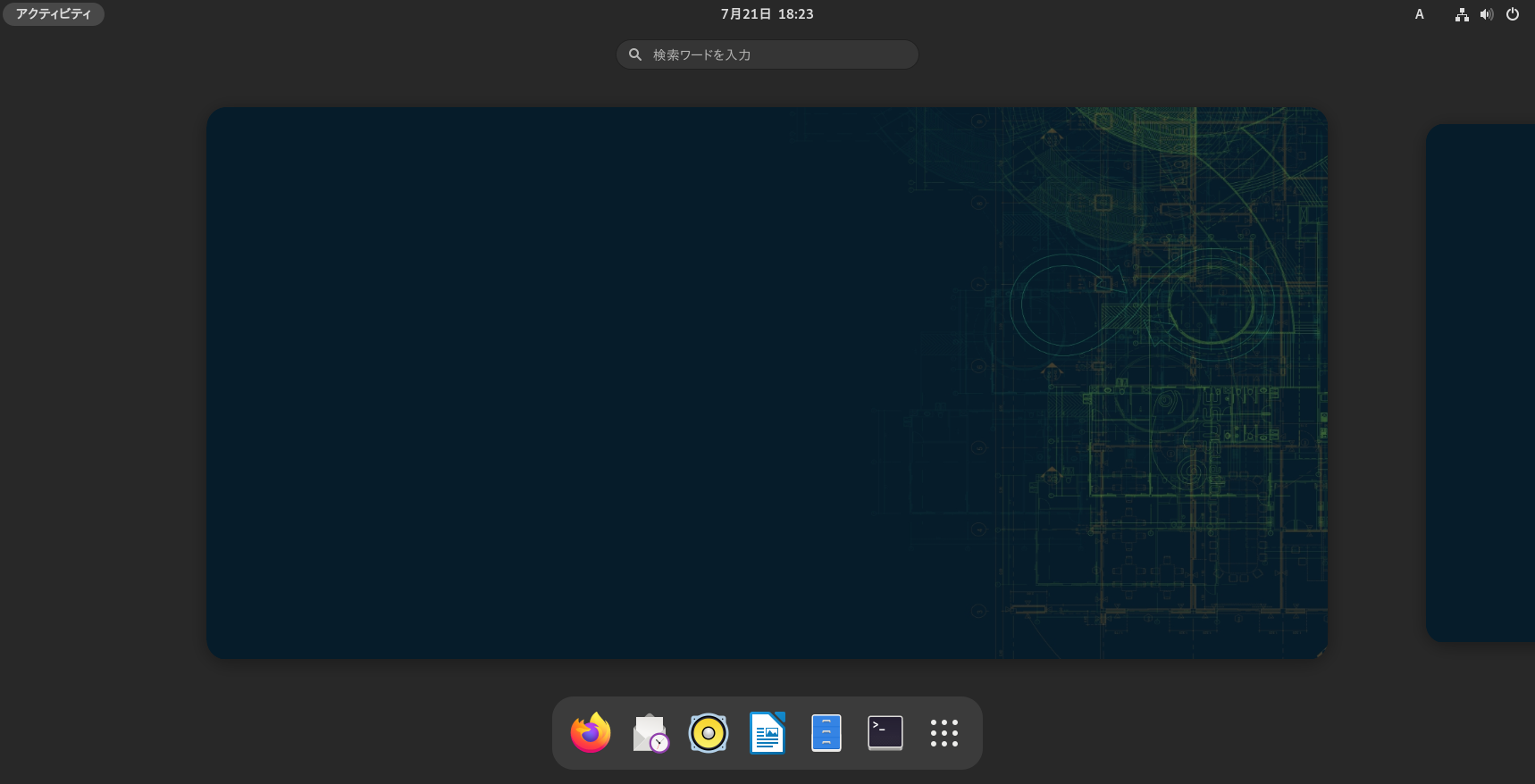
Fedora release 36 (Rawhide)を新規Installしてみました。まだf35のままです。

[root@f36 ~]# uname -r
5.14.0-0.rc4.20210804gitd5ad8ec3cfb5.36.fc35.x86_64
[root@f36 ~]# php -v
PHP 8.0.9 (cli) (built: Jul 29 2021 12:53:58) ( NTS gcc x86_64 )
Copyright (c) The PHP Group
Zend Engine v4.0.9, Copyright (c) Zend Technologies
with Zend OPcache v8.0.9, Copyright (c), by Zend Technologies
[root@f36 ~]# curl -V
curl 7.78.0 (x86_64-redhat-linux-gnu) libcurl/7.78.0 OpenSSL/1.1.1k-fips zlib/1.2.11 brotli/1.0.9 libidn2/2.3.2 libpsl/0.21.1 (+libidn2/2.3.2) libssh/0.9.5/openssl/zlib nghttp2/1.44.0 OpenLDAP/2.4.59
Release-Date: 2021-07-21
Protocols: dict file ftp ftps gopher gophers http https imap imaps ldap ldaps mqtt pop3 pop3s rtsp scp sftp smb smbs smtp smtps telnet tftp
Features: alt-svc AsynchDNS brotli GSS-API HSTS HTTP2 HTTPS-proxy IDN IPv6 Kerberos Largefile libz NTLM NTLM_WB PSL SPNEGO SSL TLS-SRP UnixSockets
[root@f36 ~]# samba -V
Version 4.15.0rc1
[root@f36 ~]# cat /etc/redhat-release
Fedora release 35 (Rawhide)
[root@f36 ~]#
カテゴリー: fedora | コメントする

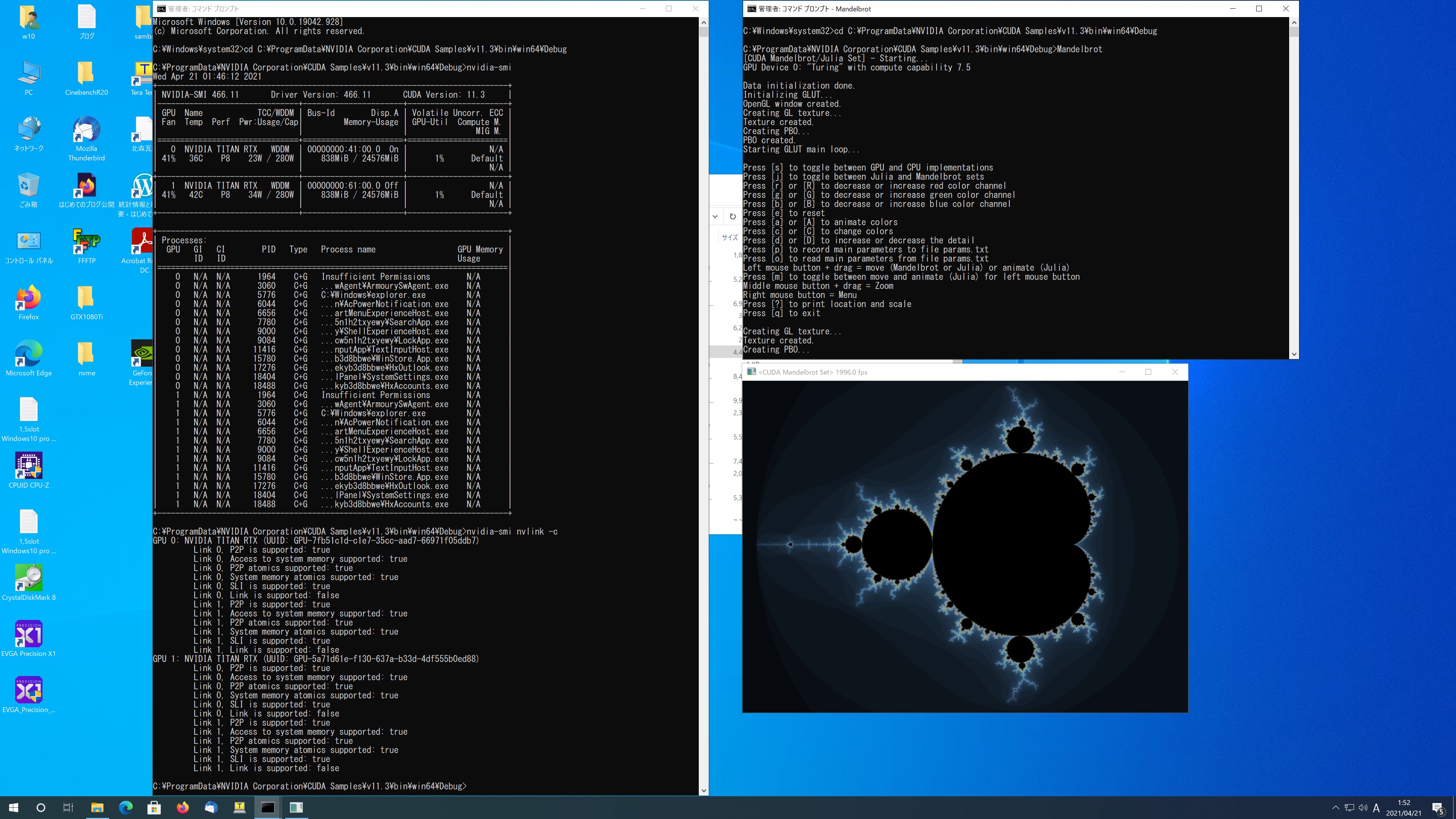
AMD Ryzen Threadripper PRO 3995WX 64-Core Windows 10 Pro TITAN RTX x2 CUDA 11.3 Samples でMandelbrotを動作させてみた


C:\ProgramData\NVIDIA Corporation\CUDA Samples\v11.3\bin\win64\Debug>Mandelbrot
[CUDA Mandelbrot/Julia Set] – Starting…
GPU Device 0: “Turing” with compute capability 7.5

Data initialization done.
Initializing GLUT…
OpenGL window created.
Creating GL texture…
Texture created.
Creating PBO…
PBO created.
Starting GLUT main loop…

Press [s] to toggle between GPU and CPU implementations
Press [j] to toggle between Julia and Mandelbrot sets
Press [r] or [R] to decrease or increase red color channel
Press [g] or [G] to decrease or increase green color channel
Press [b] or [B] to decrease or increase blue color channel
Press [e] to reset
Press [a] or [A] to animate colors
Press [c] or [C] to change colors
Press [d] or [D] to increase or decrease the detail
Press [p] to record main parameters to file params.txt
Press [o] to read main parameters from file params.txt
Left mouse button + drag = move (Mandelbrot or Julia) or animate (Julia)
Press [m] to toggle between move and animate (Julia) for left mouse button
Middle mouse button + drag = Zoom
Right mouse button = Menu
Press [?] to print location and scale
Press [q] to exit

Creating GL texture…
Texture created.
Creating PBO…
PBO created.

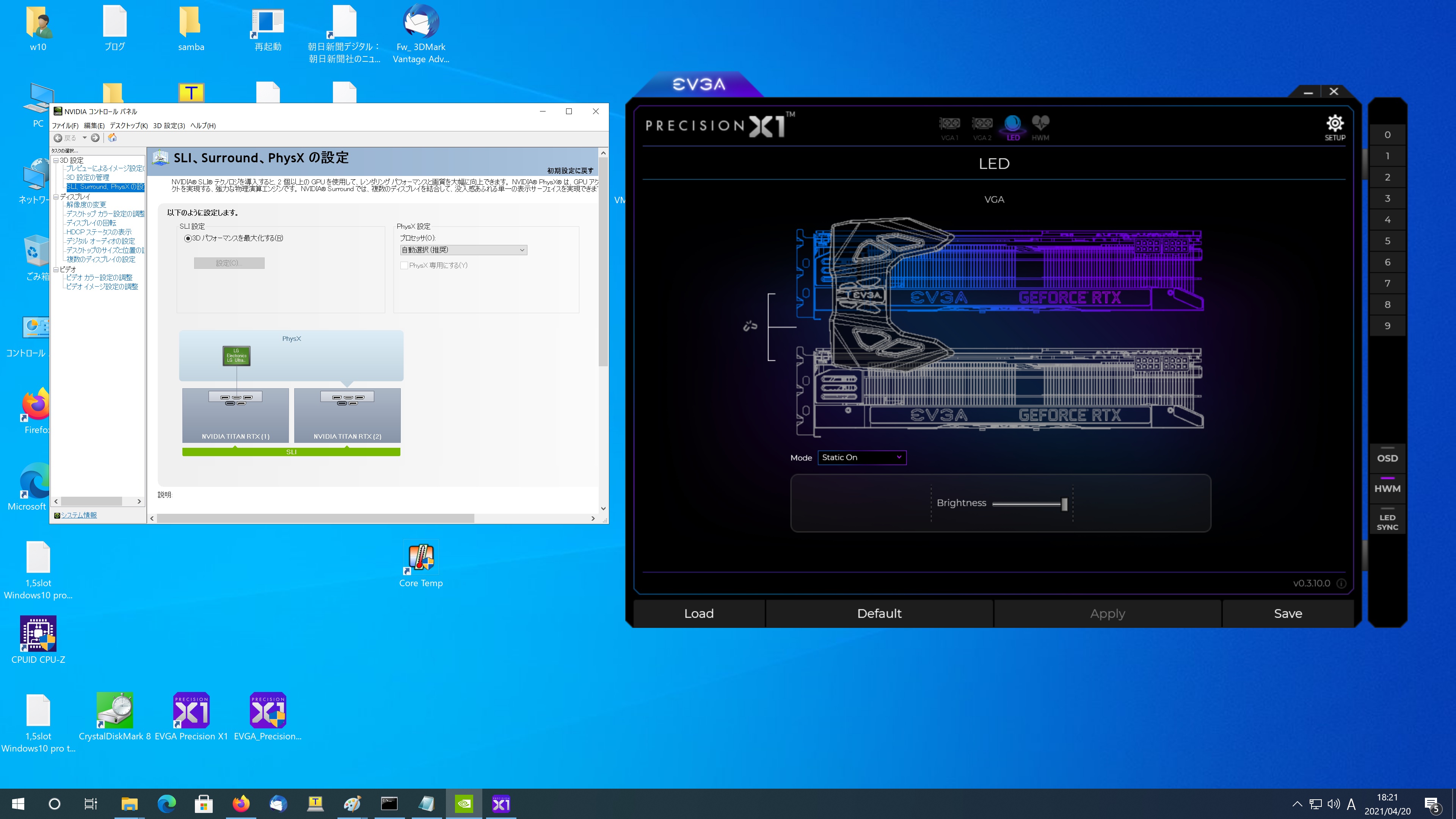
1,5slot Windows10 pro titan rtx x2 3995wx cuda11.3 Mandelbrot

カテゴリー: nvidia, windows | コメントする

OpenSUSE Tumbleweed Kernel5.11.15-1-default Update

OpenSUSE Tumbleweed Kernelが5.11.15-1-defaultに Updateされました。

opensuse:~ # uname -r
5.11.15-1-default
opensuse:~ # php -v
PHP 8.0.3 (cli) (built: Apr 13 2021 00:00:00) ( NTS )
Copyright (c) The PHP Group
Zend Engine v4.0.3, Copyright (c) Zend Technologies
opensuse:~ # curl -V
curl 7.76.0 (x86_64-suse-linux-gnu) libcurl/7.76.0 OpenSSL/1.1.1k-fips zlib/1.2.11 brotli/1.0.9 zstd/1.4.9 libidn2/2.3.0 libpsl/0.21.1 (+libidn2/2.3.0) libssh/0.9.5/openssl/zlib nghttp2/1.43.0
Release-Date: 2021-03-31
Protocols: dict file ftp ftps gopher gophers http https imap imaps ldap ldaps mqtt pop3 pop3s rtsp scp sftp smb smbs smtp smtps telnet tftp
Features: alt-svc AsynchDNS brotli GSS-API HTTP2 HTTPS-proxy IDN IPv6 Kerberos Largefile libz Metalink NTLM NTLM_WB PSL SPNEGO SSL TLS-SRP UnixSockets zstd
opensuse:~ # samba -V
Version 4.13.4-git.199.be6e11f5ab2SUSE-oS15.5-x86_64
opensuse:~ # cat /etc/os-release
NAME=”openSUSE Tumbleweed”
# VERSION=”20210418″
ID=”opensuse-tumbleweed”
ID_LIKE=”opensuse suse”
VERSION_ID=”20210418″
PRETTY_NAME=”openSUSE Tumbleweed”
ANSI_COLOR=”0;32″
CPE_NAME=”cpe:/o:opensuse:tumbleweed:20210418″
BUG_REPORT_URL=”https://bugs.opensuse.org”
HOME_URL=”https://www.opensuse.org/”
DOCUMENTATION_URL=”https://en.opensuse.org/Portal:Tumbleweed”
LOGO=”distributor-logo”
opensuse:~ #

カテゴリー: opensuse | コメントする

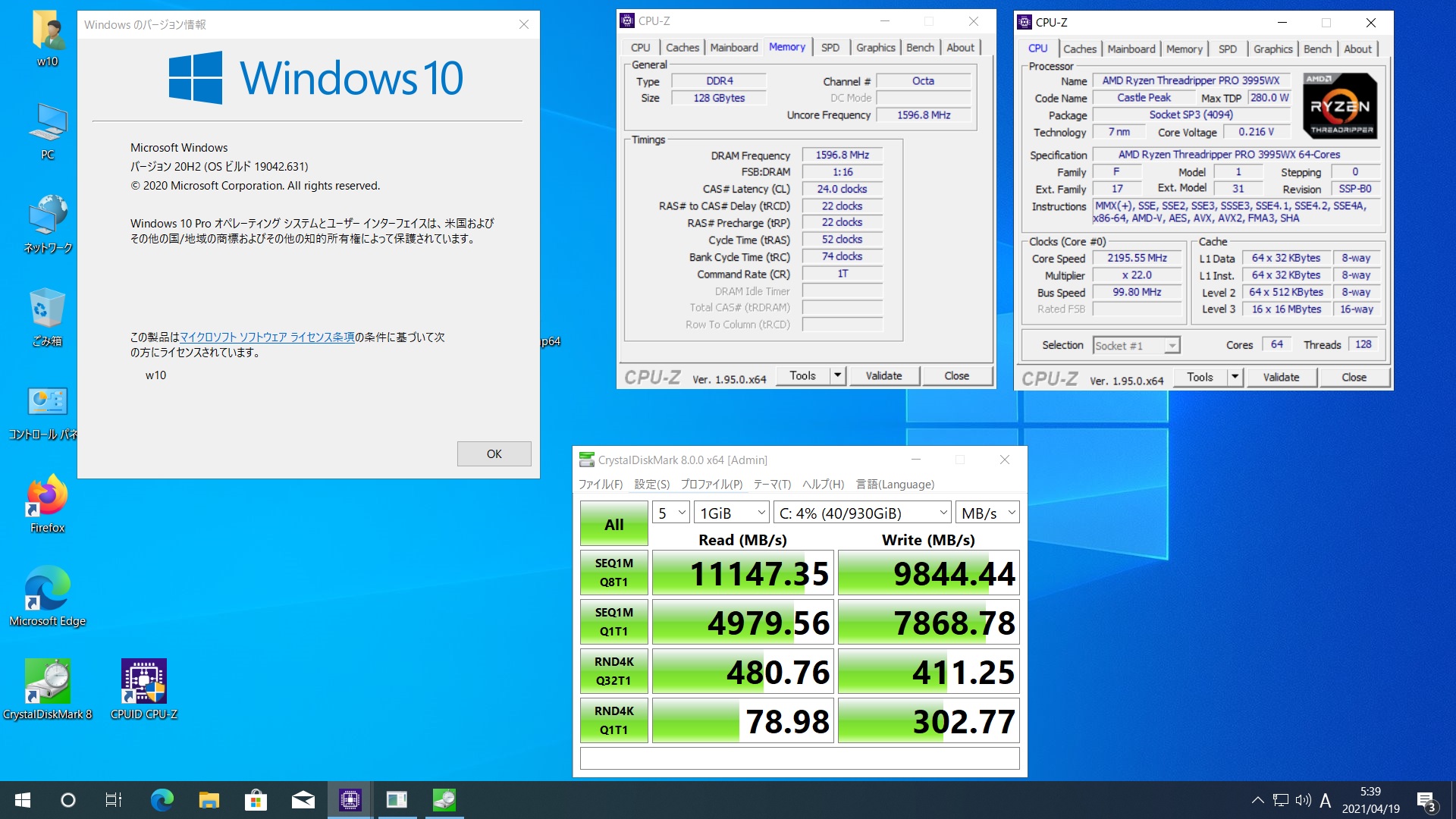
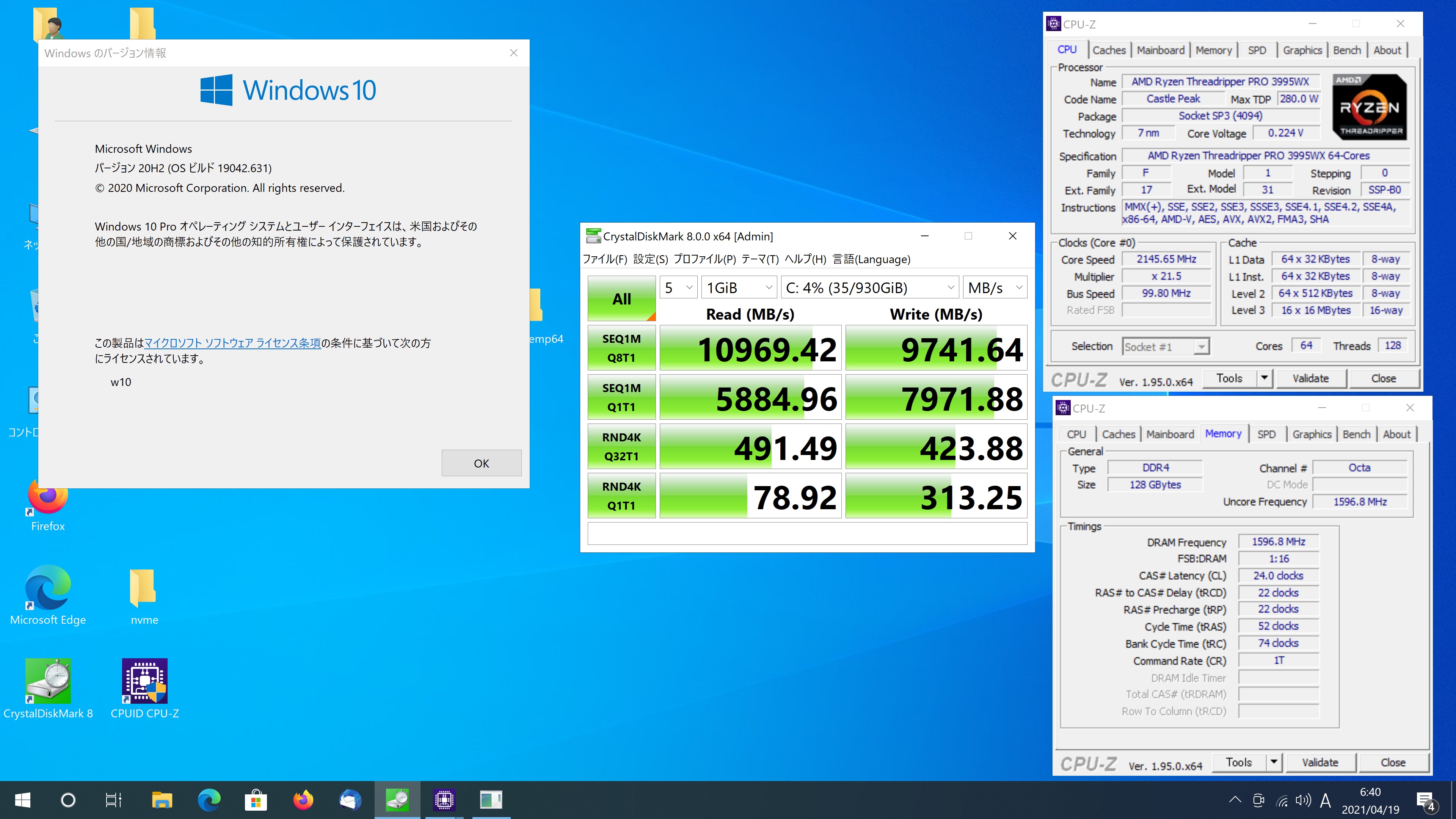
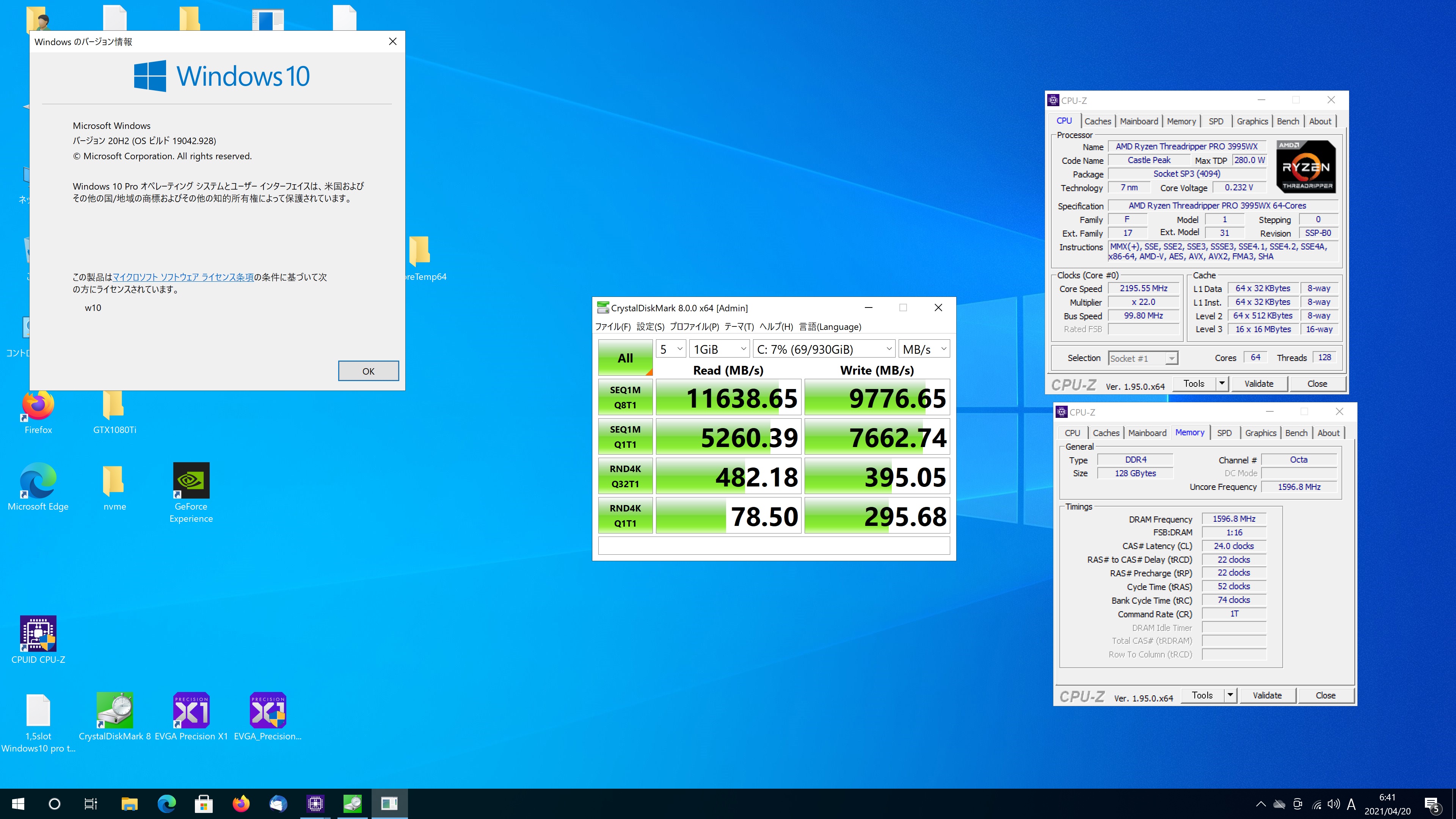
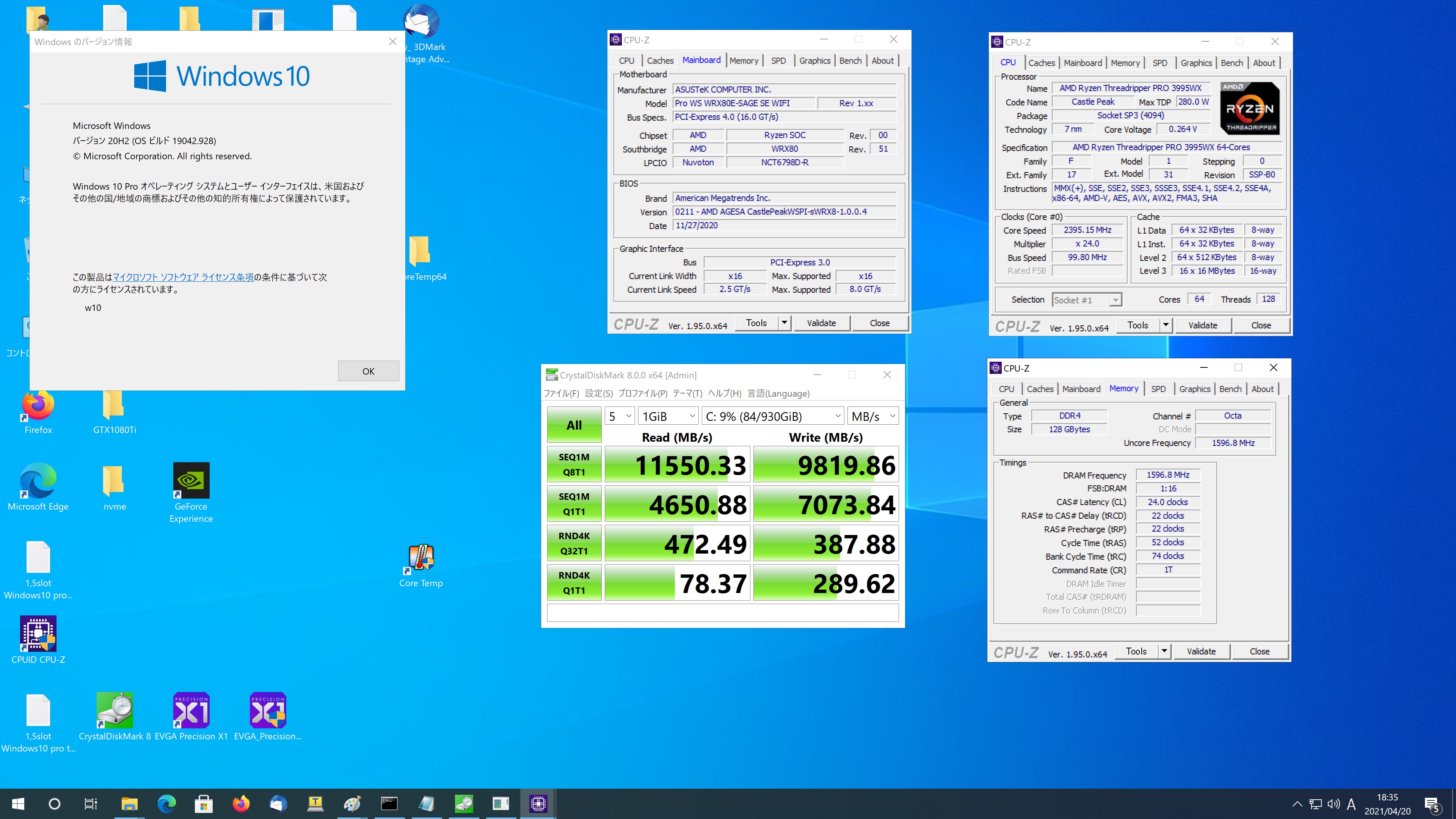
AMD Ryzen Threadripper PRO 3995wx 64-cores Windows10 Pro PCIe4.0でのnvme SSDx2 のRAID0でのDiskbenchを動作させてみた Read 11147.35 10969.42 11638.65 11550.33MB/s

nvme x2 RAID0 Read 11147.35 MB/s

nvme x2 RAID0 再現確認 Read 10969.42 MB/s

nvme x2 RAID0 別の日再現確認 Read 11638.65 MB/s

nvme x2 RAID0 さらに別の日再現確認 Read 11550.33

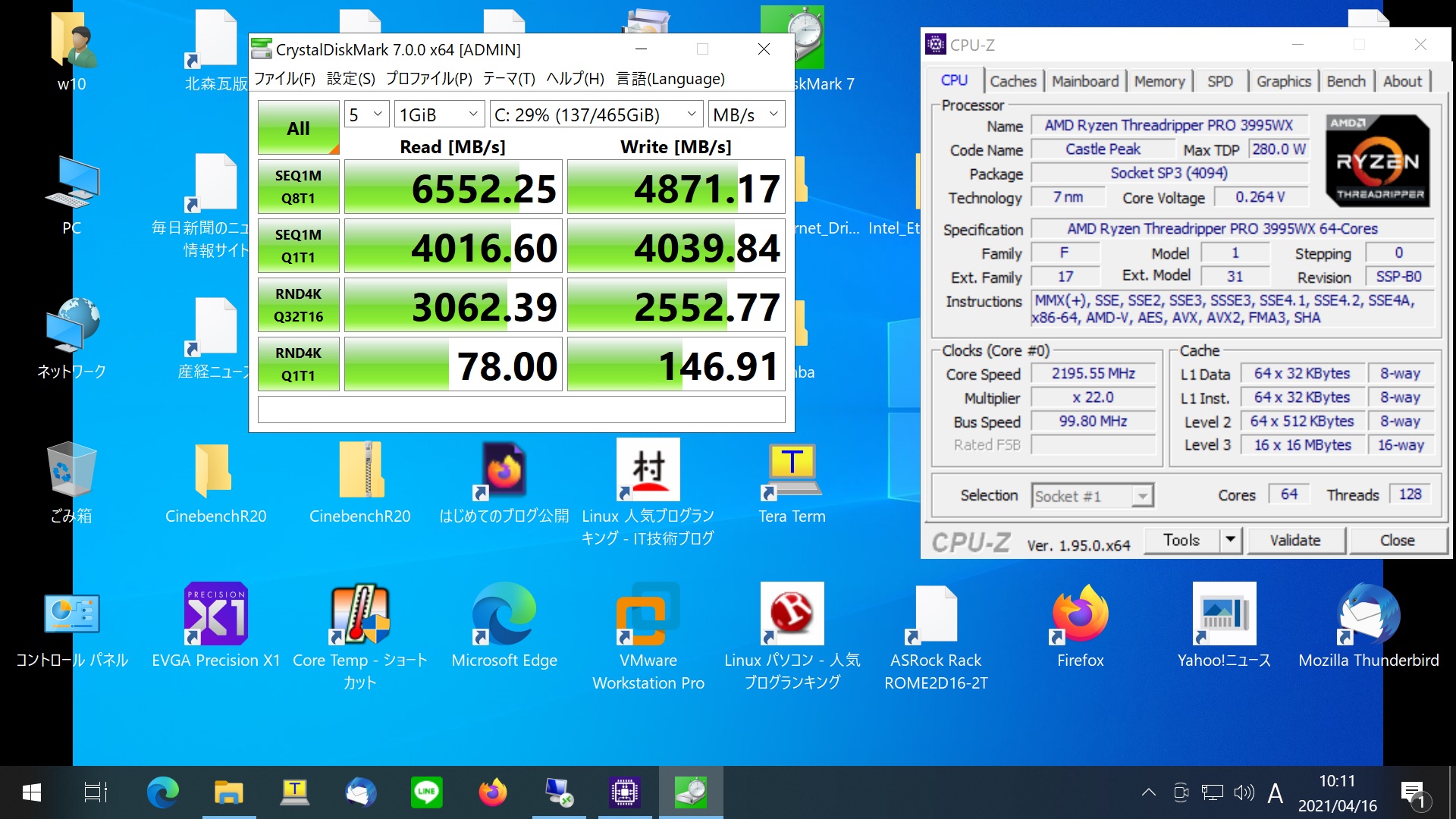
nvme 単品

カテゴリー: windows | コメントする

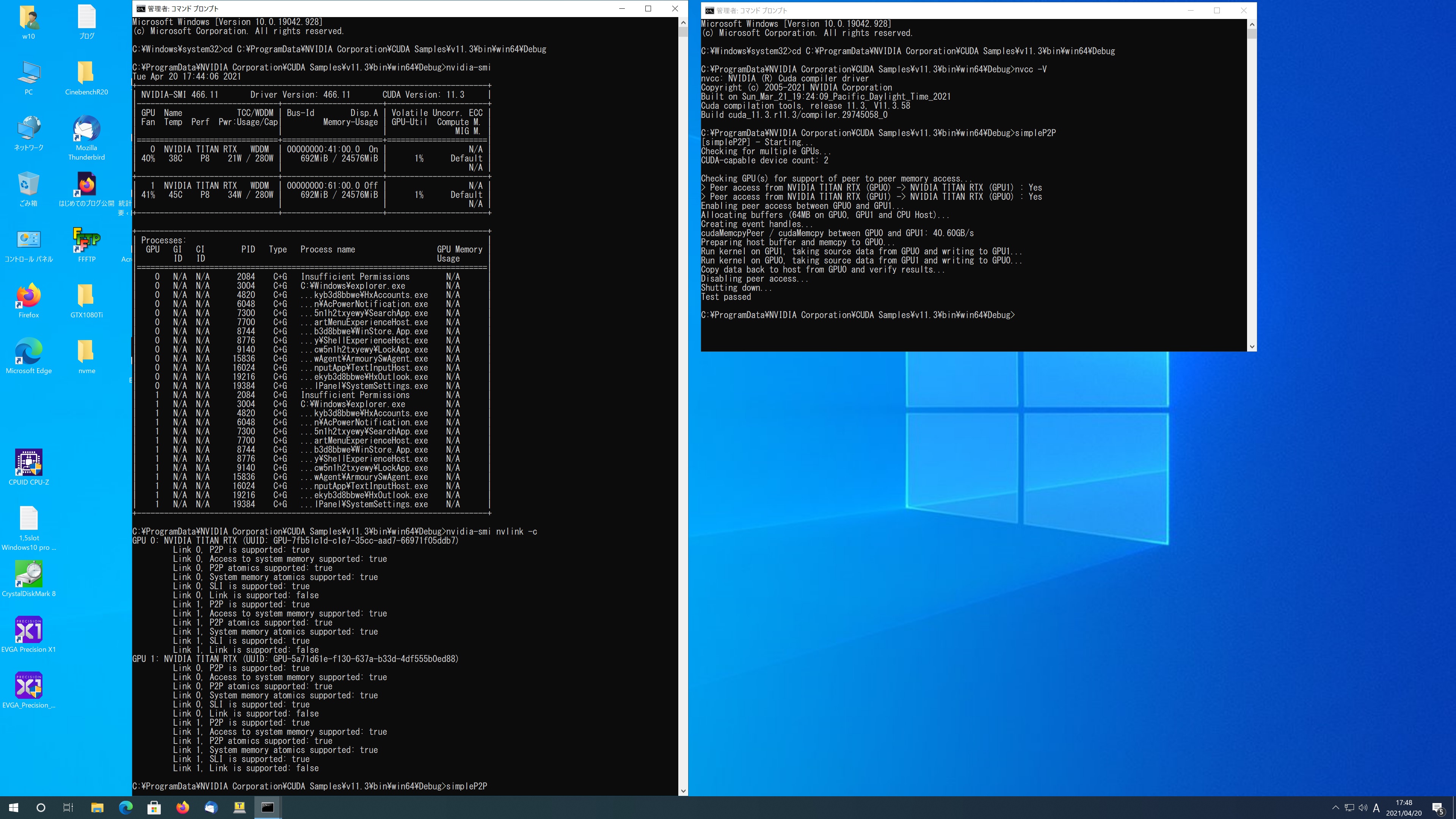
AMD Ryzen Threadripper PRO 3995WX 64-Core Windows 10 Pro TITAN RTX x2 CUDA 11.3 Samples でsimpleP2Pを動作させてみた

C:\ProgramData\NVIDIA Corporation\CUDA Samples\v11.3\bin\win64\Debug>nvcc -V
nvcc: NVIDIA (R) Cuda compiler driver
Copyright (c) 2005-2021 NVIDIA Corporation
Built on Sun_Mar_21_19:24:09_Pacific_Daylight_Time_2021
Cuda compilation tools, release 11.3, V11.3.58
Build cuda_11.3.r11.3/compiler.29745058_0

C:\ProgramData\NVIDIA Corporation\CUDA Samples\v11.3\bin\win64\Debug>simpleP2P
[simpleP2P] – Starting…
Checking for multiple GPUs…
CUDA-capable device count: 2

Checking GPU(s) for support of peer to peer memory access…
> Peer access from NVIDIA TITAN RTX (GPU0) -> NVIDIA TITAN RTX (GPU1) : Yes
> Peer access from NVIDIA TITAN RTX (GPU1) -> NVIDIA TITAN RTX (GPU0) : Yes
Enabling peer access between GPU0 and GPU1…
Allocating buffers (64MB on GPU0, GPU1 and CPU Host)…
Creating event handles…
cudaMemcpyPeer / cudaMemcpy between GPU0 and GPU1: 40.86GB/s
Preparing host buffer and memcpy to GPU0…
Run kernel on GPU1, taking source data from GPU0 and writing to GPU1…
Run kernel on GPU0, taking source data from GPU1 and writing to GPU0…
Copy data back to host from GPU0 and verify results…
Disabling peer access…
Shutting down…
Test passed

C:\ProgramData\NVIDIA Corporation\CUDA Samples\v11.3\bin\win64\Debug>
1,5slot Windows10 pro titan rtx x2 3995wx cuda11.3 simpleP2P

カテゴリー: nvidia, windows | コメントする