OpenSUSE Tumbleweed PHP 8.1.0 Update

OpenSUSE Tumbleweed PHPが8.1.0にUpdateされました。

opensuse:~ # uname -r
5.15.6-1-default
opensuse:~ # php -v
PHP 8.1.0 (cli) (built: Dec 1 2021 00:00:00) (NTS)
Copyright (c) The PHP Group
Zend Engine v4.1.0, Copyright (c) Zend Technologies
opensuse:~ # curl -V
curl 7.80.0 (x86_64-suse-linux-gnu) libcurl/7.80.0 OpenSSL/1.1.1l-fips zlib/1.2.11 brotli/1.0.9 zstd/1.5.0 libidn2/2.3.2 libpsl/0.21.1 (+libidn2/2.3.2) libssh/0.9.6/openssl/zlib nghttp2/1.43.0 OpenLDAP/2.4.59
Release-Date: 2021-11-10
Protocols: dict file ftp ftps gopher gophers http https imap imaps ldap ldaps mqtt pop3 pop3s rtsp scp sftp smb smbs smtp smtps telnet tftp
Features: alt-svc AsynchDNS brotli GSS-API HSTS HTTP2 HTTPS-proxy IDN IPv6 Kerberos Largefile libz NTLM NTLM_WB PSL SPNEGO SSL TLS-SRP UnixSockets zstd
opensuse:~ # samba -V
Version 4.15.2-git.193.a4d6307f1fdSUSE-oS15.5-x86_64
opensuse:~ # cat /etc/os-release
NAME=”openSUSE Tumbleweed”
# VERSION=”20211207″
ID=”opensuse-tumbleweed”
ID_LIKE=”opensuse suse”
VERSION_ID=”20211207″
PRETTY_NAME=”openSUSE Tumbleweed”
ANSI_COLOR=”0;32″
CPE_NAME=”cpe:/o:opensuse:tumbleweed:20211207″
BUG_REPORT_URL=”https://bugs.opensuse.org”
HOME_URL=”https://www.opensuse.org/”
DOCUMENTATION_URL=”https://en.opensuse.org/Portal:Tumbleweed”
LOGO=”distributor-logo-Tumbleweed”
opensuse:~ #
カテゴリー: opensuse | コメントする

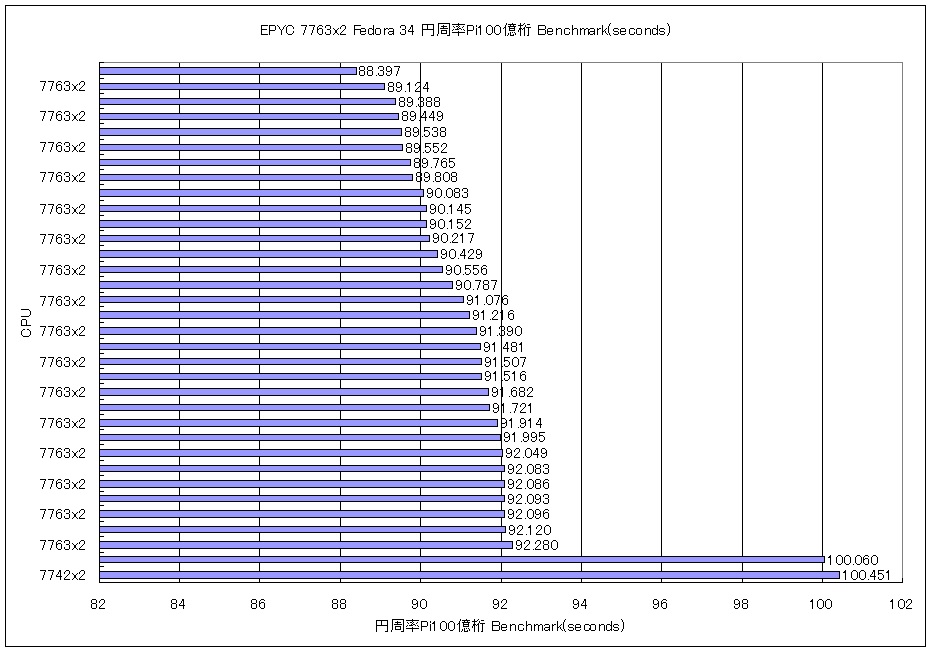
第3世代 AMD EPYC 7763 64-Core Processor x2個128-core 256threads 256GB Fedora release 34 RTX2080Ti y-cruncher v0.7.8.9507-static CUDA 11.5 円周率Pi 100億桁のBenchMarkを動作させてみた 89.388 seconds

←小さいほど短時間
円周率Piの100億桁でのBenchmark (seconds)

AMD EPYC 7763 64-Core Processor x2個 Fedora release 34 89.388 seconds データ詳細
AMD EPYC 7763 64-Core Processor x2 256G Fedora release 34 RTX2080Ti y-cruncher v0.7.8.9507-static CUDA 11.5 Pi 89.388 seconds ( 1.490 minutes ) 10,000,000,000
参考サイト 2

カテゴリー: 2 Sockets, fedora, nvidia | コメントする

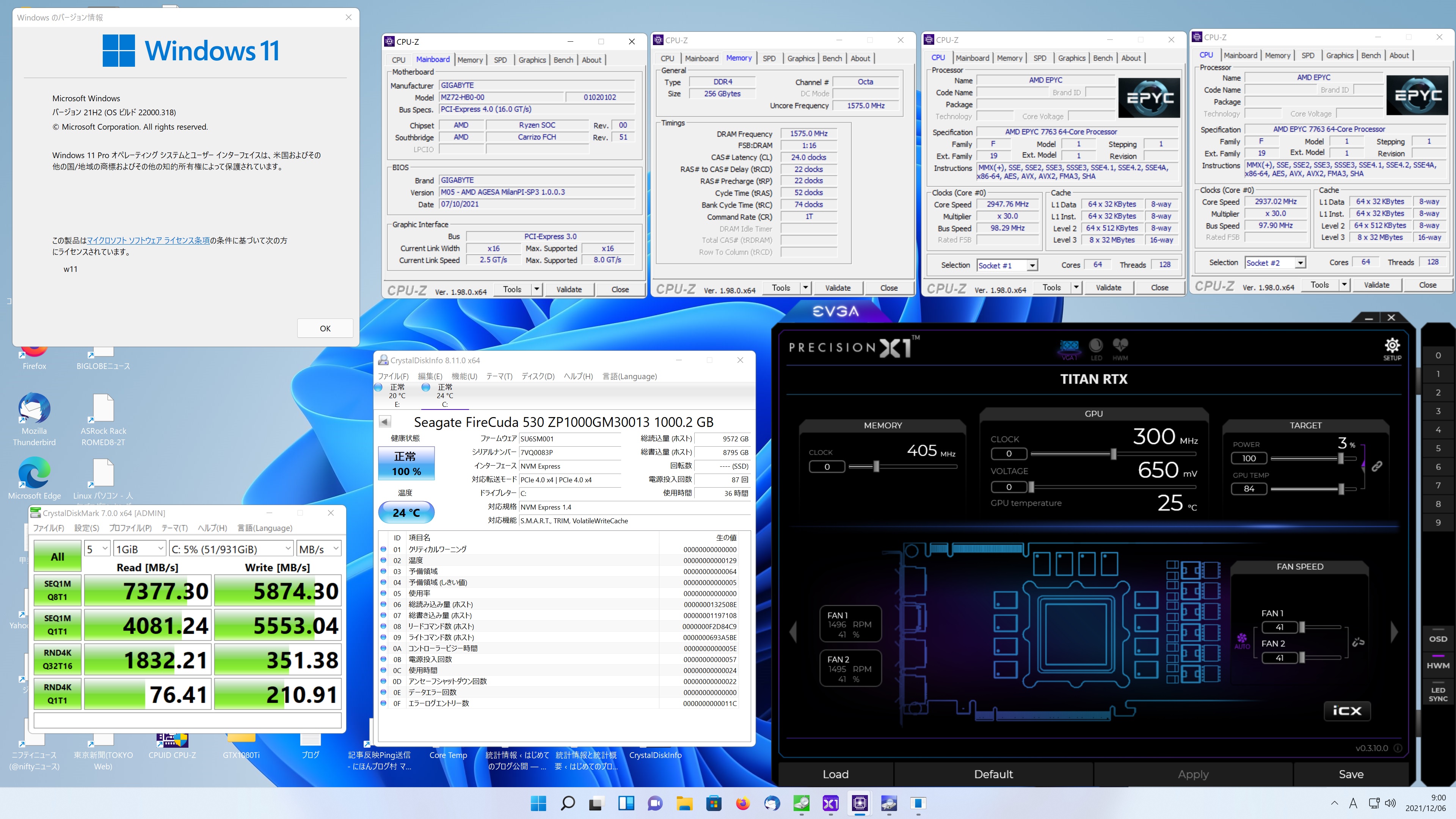
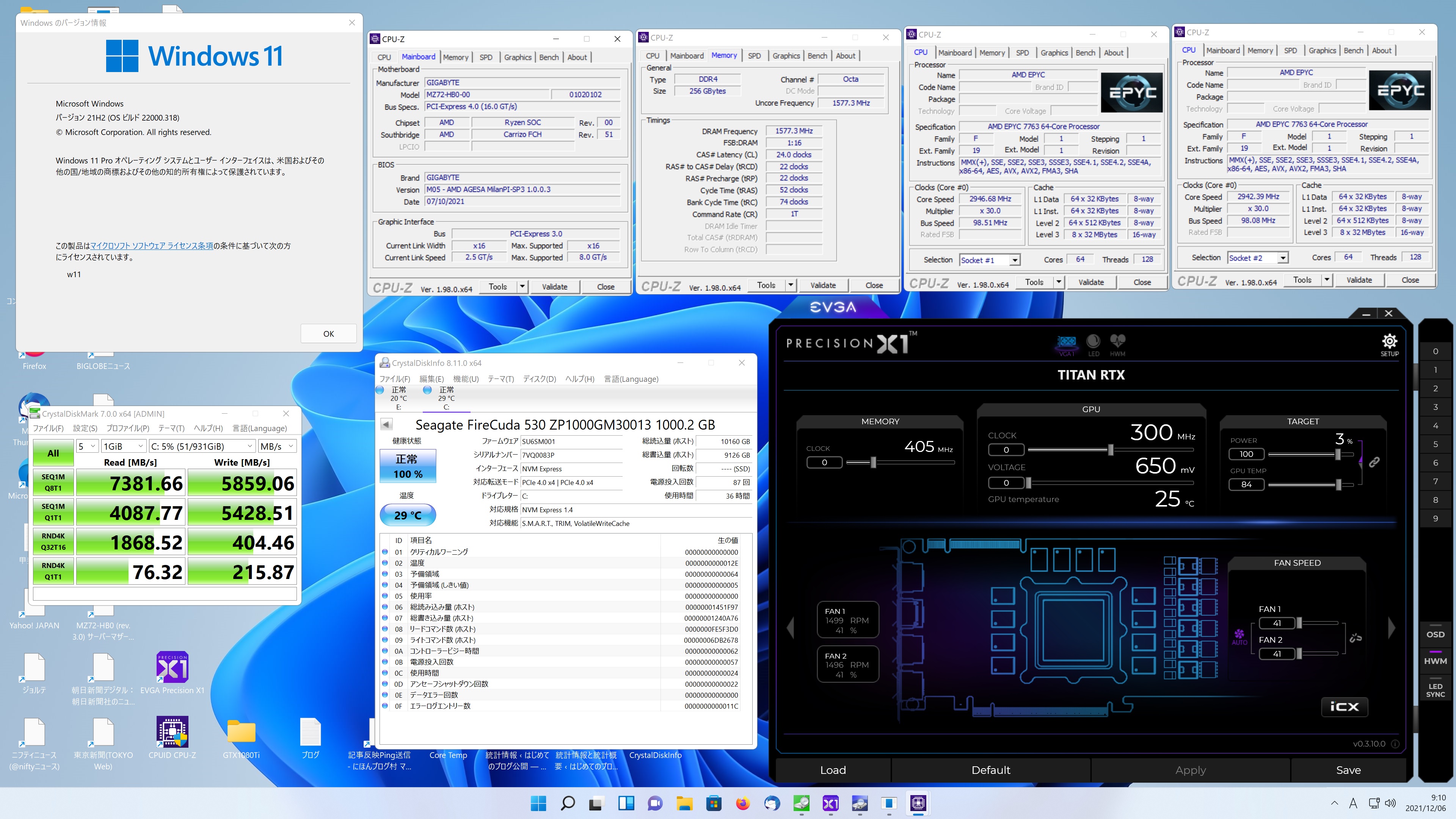
第3世代 AMD EPYC 7763 64-Core Processor 2-sockets 128-core 256threadss Memory 256GB TITAN RTX Windows 11 Pro Seagate FireCuda 530 1TB でDiskBenchを動作させてみた Read 7381.66 MB/s

Seagate FireCuda 530 1TB DiskBench スコア Read 7381.66 MB/s

Seagate FireCuda 530 1TB DiskBench スコア Read 7377.30 MB/s

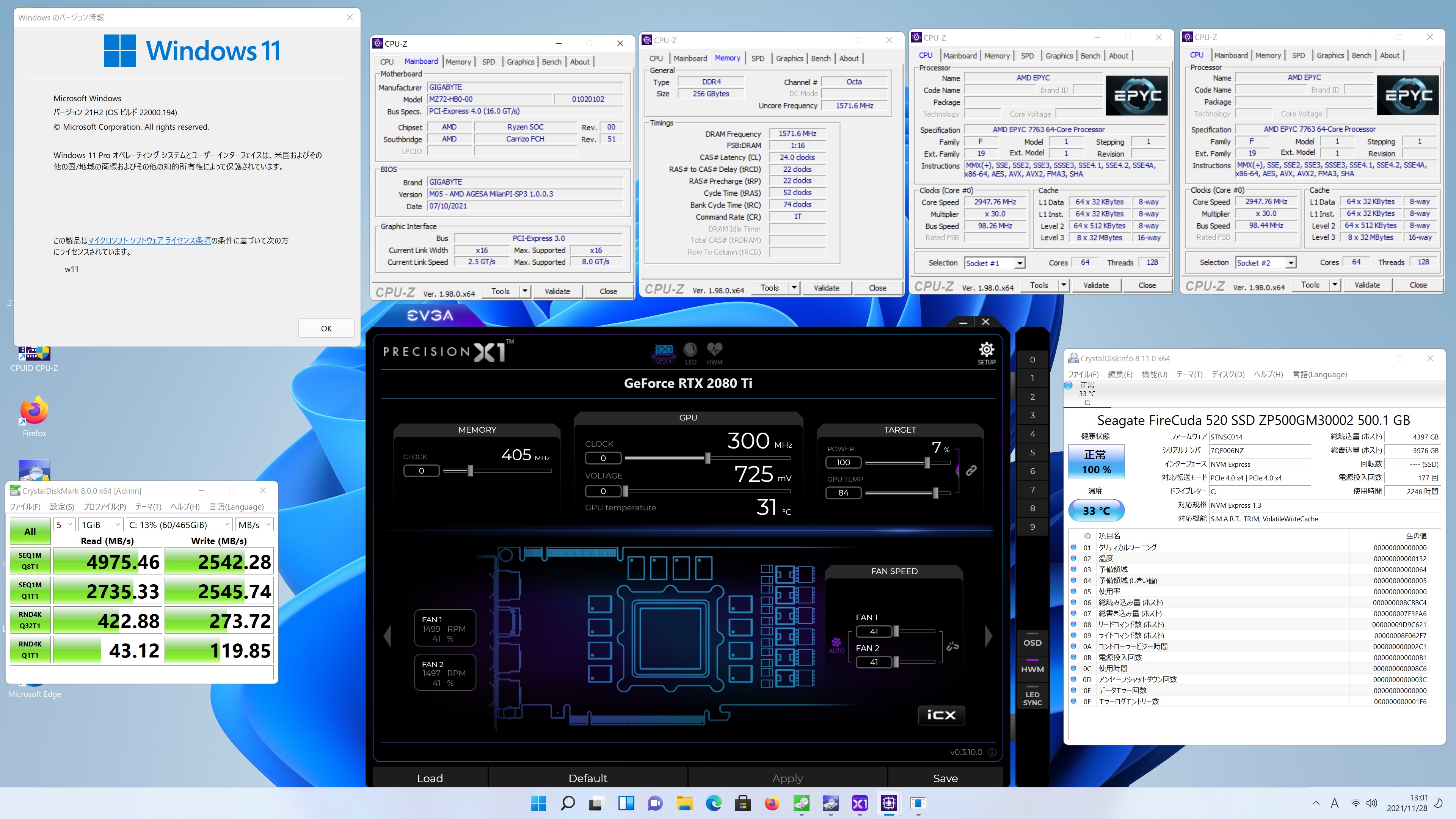
Seagate FireCuda 520 500GB DiskBench スコア Read Read 4975.46 MB/s 参考値 

関連サイト

カテゴリー: 2 Sockets, windows | コメントする

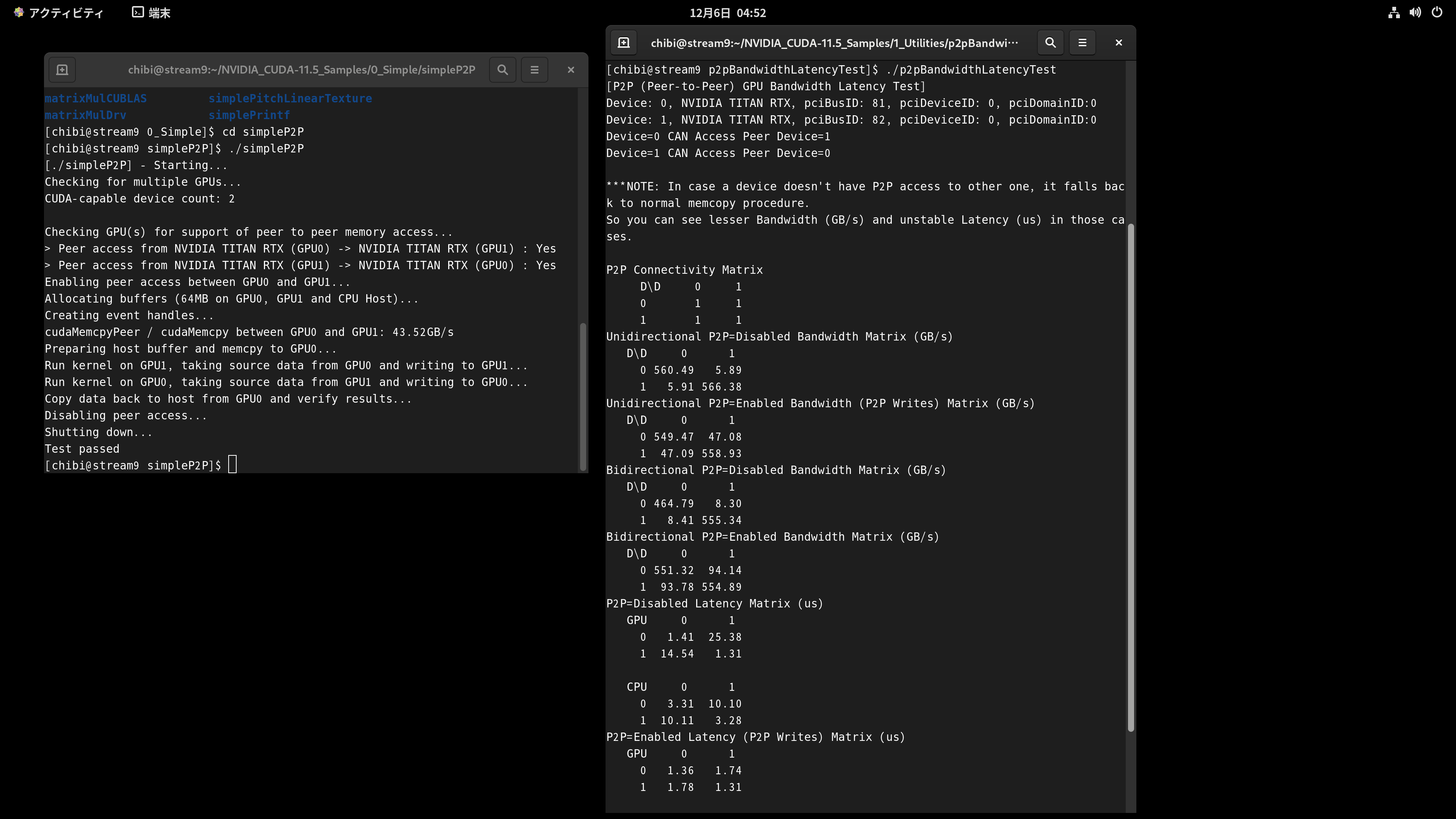
AMD EPYC 7502P 32-Core Processor CentOS Stream release 9 TITAN RTX x2 Cuda 11.5 Samplesで 0_SimpleのsimpleP2P 1_Utilitiesのp2pBandwidthLatencyTestを動作させてみた


データ詳細
AMD EPYC 7502P 32-Core Processor CentOS Stream release 9 TITAN RTX x2 Cuda 11.5 Samplesで 0_SimpleのsimpleP2P 1_Utilitiesのp2pBandwidthLatencyTestを動作させてみた

カテゴリー: CentOS Stream release 9, nvidia | コメントする

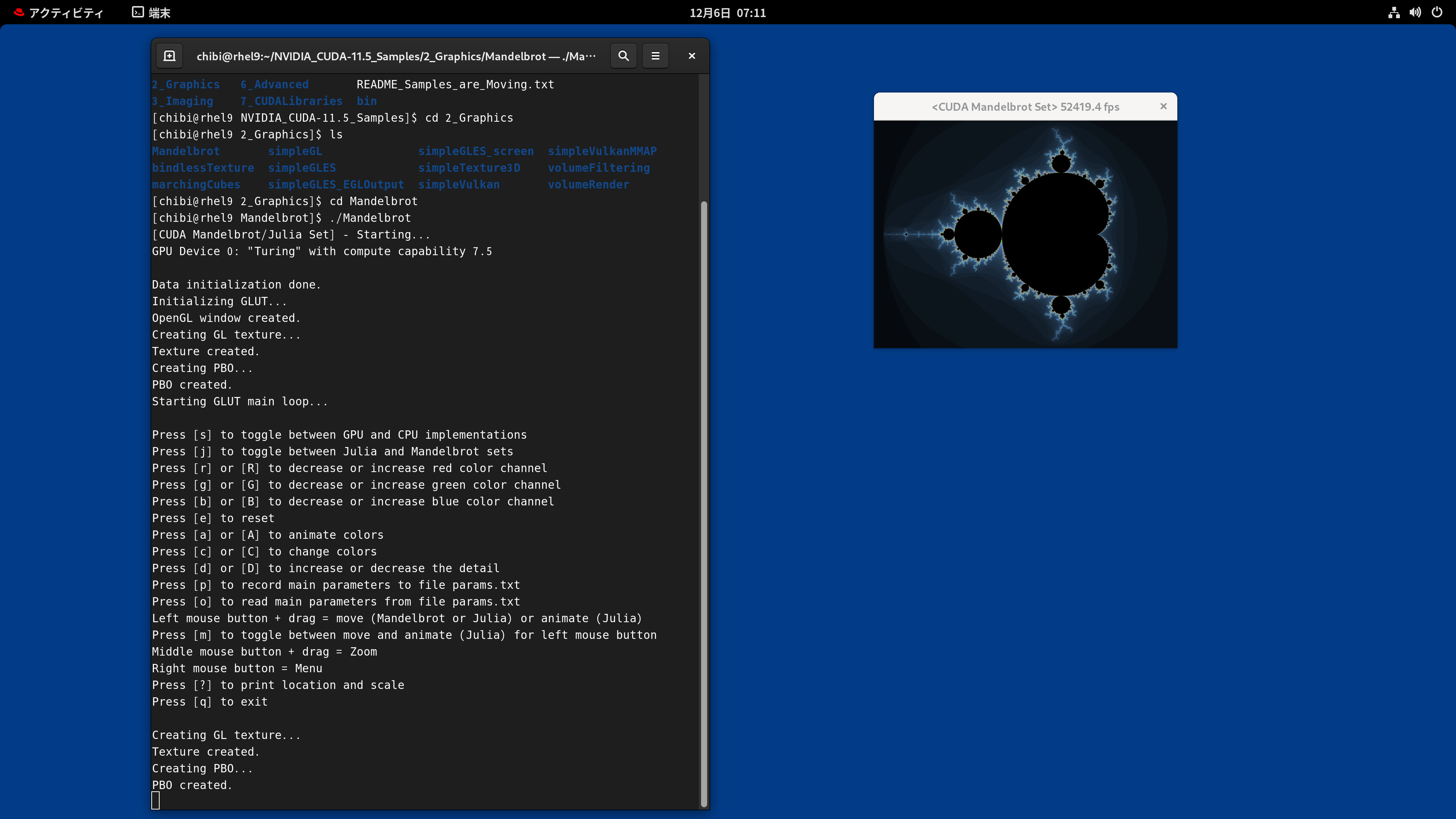
AMD EPYC 7502P 32-Core Processor 128GB Red Hat Enterprise Linux release 9.0 Beta TITAN RTX CUDA 11.5 Samples で Mandelbrot を表示させてみた

[chibi@rhel9 Mandelbrot]$ ./Mandelbrot
[CUDA Mandelbrot/Julia Set] – Starting…
GPU Device 0: “Turing” with compute capability 7.5

Data initialization done.
Initializing GLUT…
OpenGL window created.
Creating GL texture…
Texture created.
Creating PBO…
PBO created.
Starting GLUT main loop…

Press [s] to toggle between GPU and CPU implementations
Press [j] to toggle between Julia and Mandelbrot sets
Press [r] or [R] to decrease or increase red color channel
Press [g] or [G] to decrease or increase green color channel
Press [b] or [B] to decrease or increase blue color channel
Press [e] to reset
Press [a] or [A] to animate colors
Press [c] or [C] to change colors
Press [d] or [D] to increase or decrease the detail
Press [p] to record main parameters to file params.txt
Press [o] to read main parameters from file params.txt
Left mouse button + drag = move (Mandelbrot or Julia) or animate (Julia)
Press [m] to toggle between move and animate (Julia) for left mouse button
Middle mouse button + drag = Zoom
Right mouse button = Menu
Press [?] to print location and scale
Press [q] to exit

Creating GL texture…
Texture created.
Creating PBO…
PBO created.

カテゴリー: nvidia, rhel9 | コメントする