Rocky Linux release 9.1 Kernel5.14.0-162.6.1.el9_1.x86_64 PHP 8.1.13 Samba4.16.4 Update

Rocky Linux release 9.1 Kernel5.14.0-162.6.1.el9_1.x86_64とPHP 8.1.13とSamba4.16.4がUpdateされました。

[root@rocky9 ~]# uname -r
5.14.0-162.6.1.el9_1.x86_64
[root@rocky9 ~]# php -v
PHP 8.1.13 (cli) (built: Nov 22 2022 14:42:07) (NTS gcc x86_64)
Copyright (c) The PHP Group
Zend Engine v4.1.13, Copyright (c) Zend Technologies
with Zend OPcache v8.1.13, Copyright (c), by Zend Technologies
[root@rocky9 ~]# curl -V
curl 7.76.1 (x86_64-redhat-linux-gnu) libcurl/7.76.1 OpenSSL/3.0.1 zlib/1.2.11 brotli/1.0.9 libidn2/2.3.0 libpsl/0.21.1 (+libidn2/2.3.0) libssh/0.9.6/openssl/zlib nghttp2/1.43.0
Release-Date: 2021-04-14
Protocols: dict file ftp ftps gopher gophers http https imap imaps ldap ldaps mqtt pop3 pop3s rtsp scp sftp smb smbs smtp smtps telnet tftp
Features: alt-svc AsynchDNS brotli GSS-API HTTP2 HTTPS-proxy IDN IPv6 Kerberos Largefile libz NTLM NTLM_WB PSL SPNEGO SSL TLS-SRP UnixSockets
[root@rocky9 ~]# smbd -V
Version 4.16.4
[root@rocky9 ~]# cat /etc/redhat-release
Rocky Linux release 9.1 (Blue Onyx)
[root@rocky9 ~]#

カテゴリー: rocky | コメントする

Arch Linux Kernel6.0.10-arch2-1 Update

Arch Linux Kernelが6.0.10-arch2-1にUpdateされました。

[root@archlinux ~]# uname -r
6.0.10-arch2-1
[root@archlinux ~]# php -v
PHP 8.1.13 (cli) (built: Nov 23 2022 16:30:12) (NTS)
Copyright (c) The PHP Group
Zend Engine v4.1.13, Copyright (c) Zend Technologies
[root@archlinux ~]# curl -V
curl 7.86.0 (x86_64-pc-linux-gnu) libcurl/7.86.0 OpenSSL/3.0.7 zlib/1.2.13 brotli/1.0.9 zstd/1.5.2 libidn2/2.3.4 libpsl/0.21.1 (+libidn2/2.3.4) libssh2/1.10.0 nghttp2/1.51.0
Release-Date: 2022-10-26
Protocols: dict file ftp ftps gopher gophers http https imap imaps mqtt pop3 pop3s rtsp scp sftp smb smbs smtp smtps telnet tftp
Features: alt-svc AsynchDNS brotli GSS-API HSTS HTTP2 HTTPS-proxy IDN IPv6 Kerberos Largefile libz NTLM NTLM_WB PSL SPNEGO SSL threadsafe TLS-SRP UnixSockets zstd
[root@archlinux ~]# samba -V
Version 4.17.3
[root@archlinux ~]# cat /etc/os-release
NAME=”Arch Linux”
PRETTY_NAME=”Arch Linux”
ID=arch
BUILD_ID=rolling
ANSI_COLOR=”38;2;23;147;209″
HOME_URL=”https://archlinux.org/”
DOCUMENTATION_URL=”https://wiki.archlinux.org/”
SUPPORT_URL=”https://bbs.archlinux.org/”
BUG_REPORT_URL=”https://bugs.archlinux.org/”
PRIVACY_POLICY_URL=”https://terms.archlinux.org/docs/privacy-policy/”
LOGO=archlinux-logo
[root@archlinux ~]#

カテゴリー: archlinux | コメントする

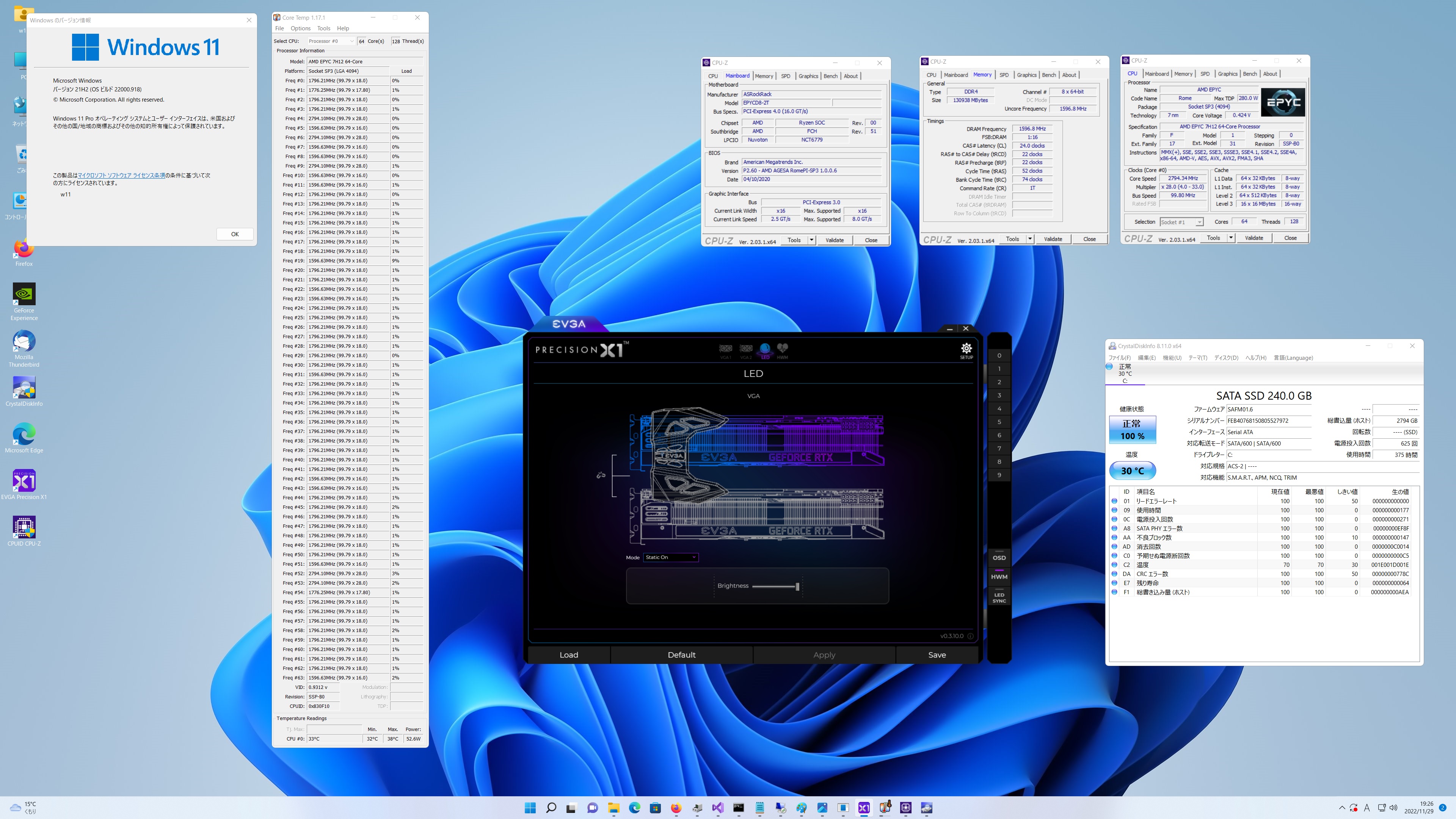
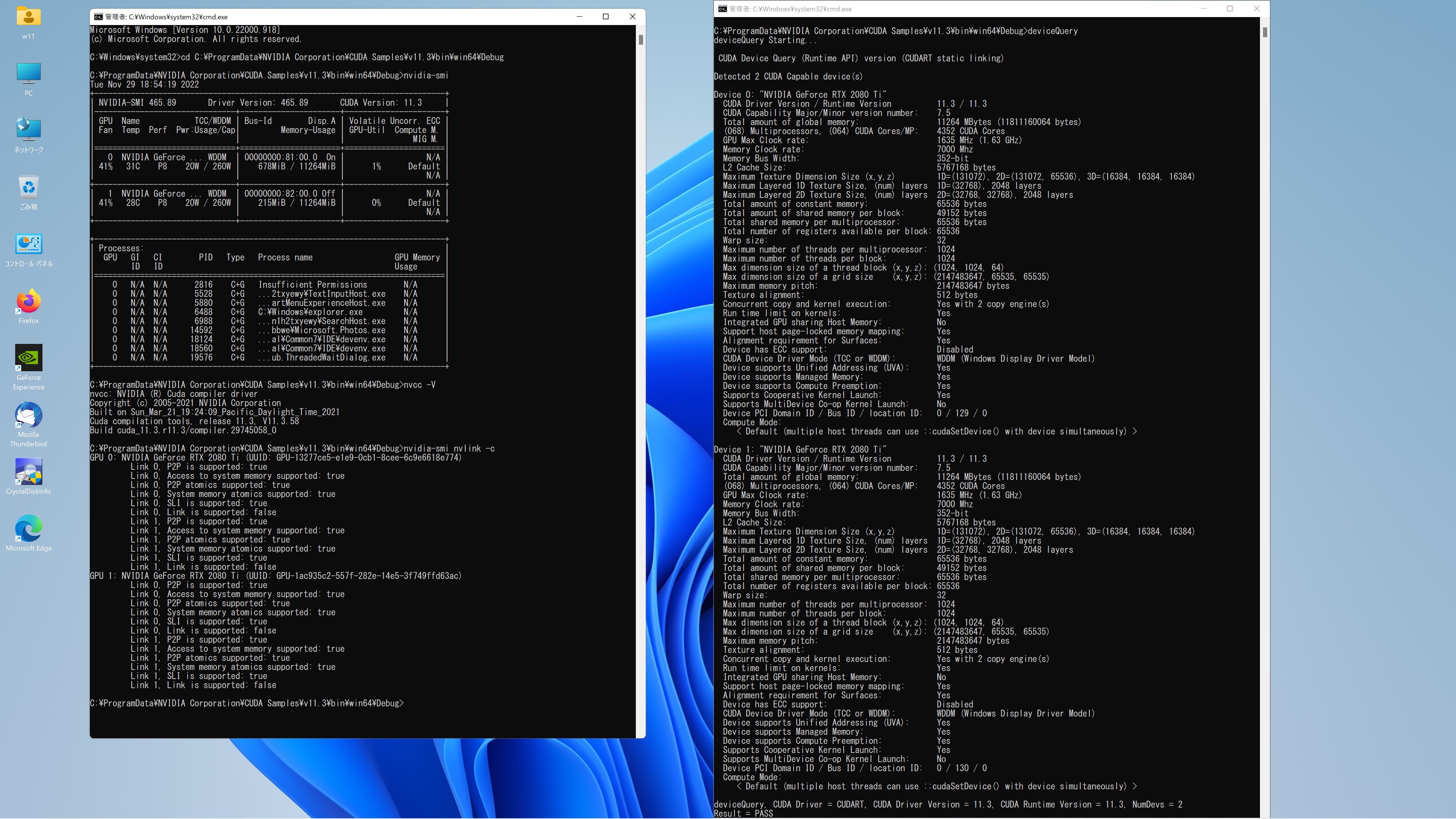
AMD EPYC 7H12 64-Core Processor 128GB Windpws 11Pro RTX2080Ti x2 CUDA 11.3 Samples nvidia-smi nvcc -V nvidia-smi nvlink -c deviceQueryを表示させてみた

C:\ProgramData\NVIDIA Corporation\CUDA Samples\v11.3\bin\win64\Debug>deviceQuery
deviceQuery Starting…

CUDA Device Query (Runtime API) version (CUDART static linking)

Detected 2 CUDA Capable device(s)

Device 0: “NVIDIA GeForce RTX 2080 Ti”
CUDA Driver Version / Runtime Version 11.3 / 11.3
CUDA Capability Major/Minor version number: 7.5
Total amount of global memory: 11264 MBytes (11811160064 bytes)
(068) Multiprocessors, (064) CUDA Cores/MP: 4352 CUDA Cores
GPU Max Clock rate: 1635 MHz (1.63 GHz)
Memory Clock rate: 7000 Mhz
Memory Bus Width: 352-bit
L2 Cache Size: 5767168 bytes
Maximum Texture Dimension Size (x,y,z) 1D=(131072), 2D=(131072, 65536), 3D=(16384, 16384, 16384)
Maximum Layered 1D Texture Size, (num) layers 1D=(32768), 2048 layers
Maximum Layered 2D Texture Size, (num) layers 2D=(32768, 32768), 2048 layers
Total amount of constant memory: 65536 bytes
Total amount of shared memory per block: 49152 bytes
Total shared memory per multiprocessor: 65536 bytes
Total number of registers available per block: 65536
Warp size: 32
Maximum number of threads per multiprocessor: 1024
Maximum number of threads per block: 1024
Max dimension size of a thread block (x,y,z): (1024, 1024, 64)
Max dimension size of a grid size (x,y,z): (2147483647, 65535, 65535)
Maximum memory pitch: 2147483647 bytes
Texture alignment: 512 bytes
Concurrent copy and kernel execution: Yes with 2 copy engine(s)
Run time limit on kernels: Yes
Integrated GPU sharing Host Memory: No
Support host page-locked memory mapping: Yes
Alignment requirement for Surfaces: Yes
Device has ECC support: Disabled
CUDA Device Driver Mode (TCC or WDDM): WDDM (Windows Display Driver Model)
Device supports Unified Addressing (UVA): Yes
Device supports Managed Memory: Yes
Device supports Compute Preemption: Yes
Supports Cooperative Kernel Launch: Yes
Supports MultiDevice Co-op Kernel Launch: No
Device PCI Domain ID / Bus ID / location ID: 0 / 129 / 0
Compute Mode:
< Default (multiple host threads can use ::cudaSetDevice() with device simultaneously) >

Device 1: “NVIDIA GeForce RTX 2080 Ti”
CUDA Driver Version / Runtime Version 11.3 / 11.3
CUDA Capability Major/Minor version number: 7.5
Total amount of global memory: 11264 MBytes (11811160064 bytes)
(068) Multiprocessors, (064) CUDA Cores/MP: 4352 CUDA Cores
GPU Max Clock rate: 1635 MHz (1.63 GHz)
Memory Clock rate: 7000 Mhz
Memory Bus Width: 352-bit
L2 Cache Size: 5767168 bytes
Maximum Texture Dimension Size (x,y,z) 1D=(131072), 2D=(131072, 65536), 3D=(16384, 16384, 16384)
Maximum Layered 1D Texture Size, (num) layers 1D=(32768), 2048 layers
Maximum Layered 2D Texture Size, (num) layers 2D=(32768, 32768), 2048 layers
Total amount of constant memory: 65536 bytes
Total amount of shared memory per block: 49152 bytes
Total shared memory per multiprocessor: 65536 bytes
Total number of registers available per block: 65536
Warp size: 32
Maximum number of threads per multiprocessor: 1024
Maximum number of threads per block: 1024
Max dimension size of a thread block (x,y,z): (1024, 1024, 64)
Max dimension size of a grid size (x,y,z): (2147483647, 65535, 65535)
Maximum memory pitch: 2147483647 bytes
Texture alignment: 512 bytes
Concurrent copy and kernel execution: Yes with 2 copy engine(s)
Run time limit on kernels: Yes
Integrated GPU sharing Host Memory: No
Support host page-locked memory mapping: Yes
Alignment requirement for Surfaces: Yes
Device has ECC support: Disabled
CUDA Device Driver Mode (TCC or WDDM): WDDM (Windows Display Driver Model)
Device supports Unified Addressing (UVA): Yes
Device supports Managed Memory: Yes
Device supports Compute Preemption: Yes
Supports Cooperative Kernel Launch: Yes
Supports MultiDevice Co-op Kernel Launch: No
Device PCI Domain ID / Bus ID / location ID: 0 / 130 / 0
Compute Mode:
< Default (multiple host threads can use ::cudaSetDevice() with device simultaneously) >

deviceQuery, CUDA Driver = CUDART, CUDA Driver Version = 11.3, CUDA Runtime Version = 11.3, NumDevs = 2
Result = PASS

C:\ProgramData\NVIDIA Corporation\CUDA Samples\v11.3\bin\win64\Debug> 詳細はここ↓
AMD EPYC 7H12 64-Core Processor 128GB Windpws 11Pro CUDA 11.3 Samples nvidia-smi nvcc -V nvidia-smi nvlink -c deviceQuery

カテゴリー: nvidia, windows | コメントする

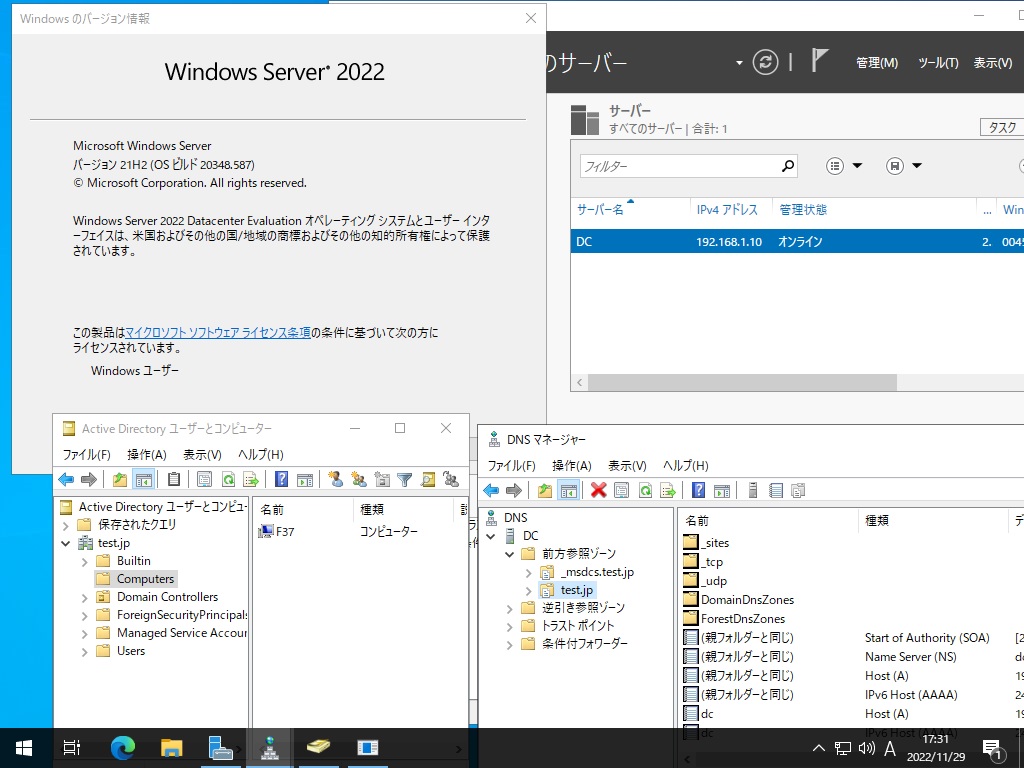
Fedora release 37 Samba4.17.3 Vmwareに構築された Windows Server 2022 Datacenter Active Directory Domain のメンバーに参加してみた

[root@f37 ~]# kinit administrator
Password for administrator@TEST.JP:
[root@f37 ~]# net ads join -U administrator
Password for [TEST\administrator]:
Using short domain name — TEST
Joined ‘F37’ to dns domain ‘test.jp’
No DNS domain configured for f37. Unable to perform DNS Update.
DNS update failed: NT_STATUS_INVALID_PARAMETER
[root@f37 ~]# systemctl restart winbind
[root@f37 ~]# wbinfo -u
TEST\administrator
TEST\guest
TEST\krbtgt
[root@f37 ~]# wbinfo -n chibi
failed to call wbcLookupName: WBC_ERR_DOMAIN_NOT_FOUND
Could not lookup name chibi
[root@f37 ~]# net ads info
LDAP server: 192.168.1.10
LDAP server name: dc.test.jp
Realm: TEST.JP
Bind Path: dc=TEST,dc=JP
LDAP port: 389
Server time: 火, 29 11月 2022 17:20:47 JST
KDC server: 192.168.1.10
Server time offset: -1
Last machine account password change: 火, 29 11月 2022 17:20:09 JST
[root@f37 ~]# host -4 dc
dc.test.jp has address 192.168.1.10
dc.test.jp has IPv6 address 2400:4052:46e0:b700:4d60:1027:64af:4747
[root@f37 ~]# host -t SRV _ldap._tcp.test.jp
_ldap._tcp.test.jp has SRV record 0 100 389 dc.test.jp.
[root@f37 ~]# host -t SRV _kerberos._udp.test.jp
_kerberos._udp.test.jp has SRV record 0 100 88 dc.test.jp.
[root@f37 ~]# host -t A test.jp
test.jp has address 192.168.1.10
[root@f37 ~]# cat /etc/redhat-release
Fedora release 37 (Thirty Seven)
[root@f37 ~]# smbd -V
Version 4.17.3
[root@f37 ~]# smbclient //192.168.1.10/netlogon -Uadministrator 詳細はここ↓
Fedora release 37 Samba4.17.3 Vmweareで構築された Windows Server 2022 Datacenter Active Directory Domain のメンバーに参加してみた

カテゴリー: fedora, samba4, windows | コメントする

Fedora release 38 Kernel6.1.0-0.rc7.51.fc38.x86_64 Update

Fedora release 38 Kernelが6.1.0-0.rc7.51.fc38.x86_64にUpdateされました。

[root@f38 ~]# uname -r
6.1.0-0.rc7.51.fc38.x86_64
[root@f38 ~]# php -v
PHP 8.2.0RC7 (cli) (built: Nov 22 2022 18:07:40) (NTS gcc x86_64)
Copyright (c) The PHP Group
Zend Engine v4.2.0RC7, Copyright (c) Zend Technologies
with Zend OPcache v8.2.0RC7, Copyright (c), by Zend Technologies
[root@f38 ~]# curl -V
curl 7.86.0 (x86_64-redhat-linux-gnu) libcurl/7.86.0 OpenSSL/3.0.5 zlib/1.2.12 brotli/1.0.9 libidn2/2.3.4 libpsl/0.21.1 (+libidn2/2.3.3) libssh/0.10.4/openssl/zlib nghttp2/1.51.0
Release-Date: 2022-10-26
Protocols: dict file ftp ftps gopher gophers http https imap imaps ldap ldaps mqtt pop3 pop3s rtsp scp sftp smb smbs smtp smtps telnet tftp
Features: alt-svc AsynchDNS brotli GSS-API HSTS HTTP2 HTTPS-proxy IDN IPv6 Kerberos Largefile libz NTLM NTLM_WB PSL SPNEGO SSL threadsafe TLS-SRP UnixSockets
[root@f38 ~]# samba -V
Version 4.17.3
[root@f38 ~]# cat /etc/redhat-release
Fedora release 38 (Rawhide)
[root@f38 ~]#

カテゴリー: fedora | コメントする