Kernel 6.4-rc7 が公開

Kernel 6.4-rc7 が公開されました。ReleaseNoteはこちらです。

カテゴリー: Linux | コメントする

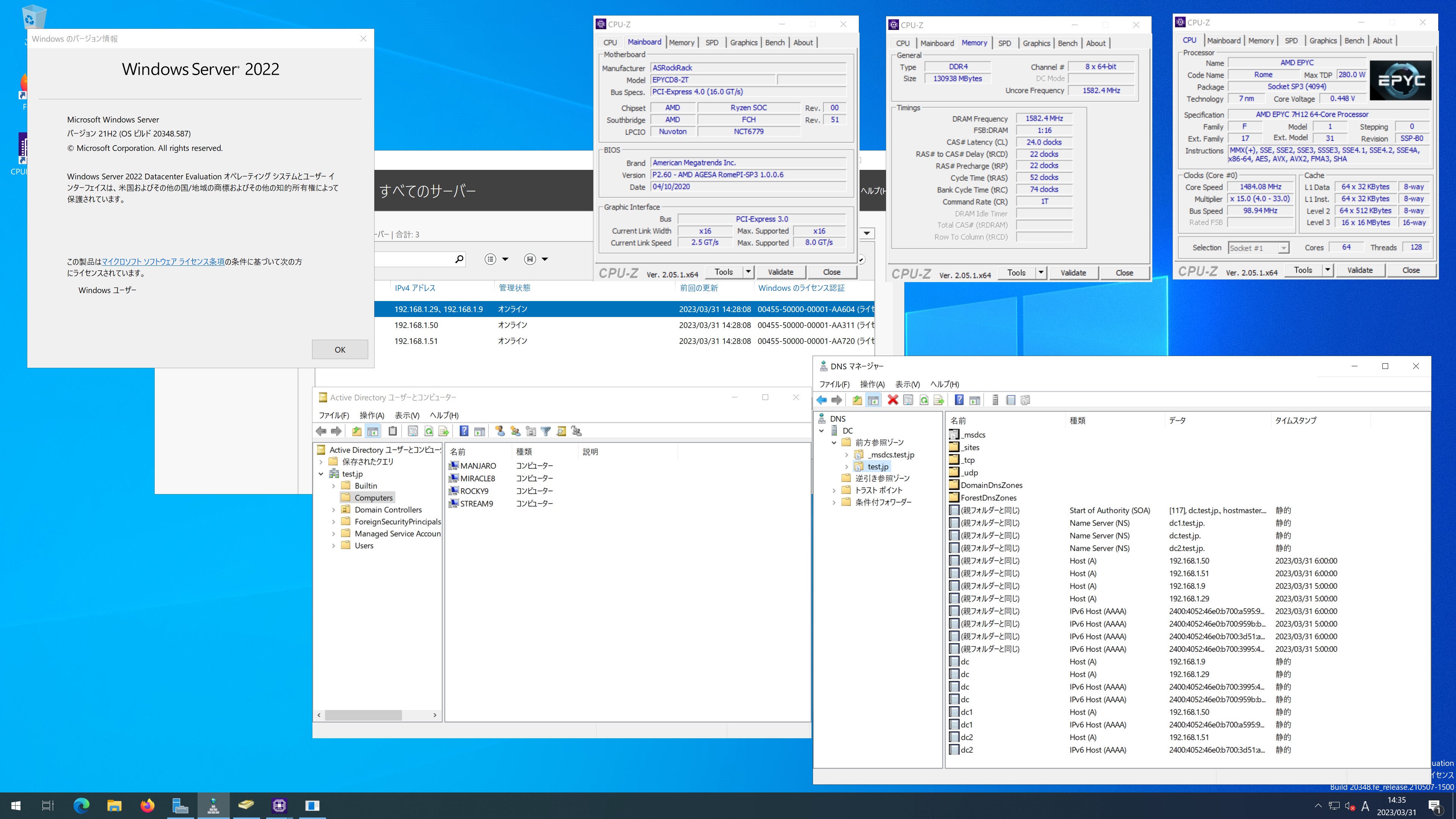
Fedora release 37 Samba4.17.6 AMD EPYC 7H12 64-Core Processor 128GBに構築した Windows Server 2022 Datacenter Active Directory Domain のメンバーに参加してみた


[root@f37 ~]# kinit administrator
Password for administrator@TEST.JP:
[root@f37 ~]# net ads join -U administrator
Password for [TEST\administrator]:
Using short domain name — TEST
Joined ‘F37’ to dns domain ‘test.jp’
No DNS domain configured for f37. Unable to perform DNS Update.
DNS update failed: NT_STATUS_INVALID_PARAMETER
[root@f37 ~]# systemctl restart winbind
[root@f37 ~]# wbinfo -u
TEST\guest
TEST\administrator
TEST\krbtgt
TEST\chibi
[root@f37 ~]# wbinfo -n chibi
S-1-5-21-2616050446-4161308902-565532921-1105 SID_USER (1)
[root@f37 ~]# net ads info
LDAP server: 192.168.1.51
LDAP server name: dc2.test.jp
Realm: TEST.JP
Bind Path: dc=TEST,dc=JP
LDAP port: 389
Server time: 土, 01 4月 2023 06:57:12 JST
KDC server: 192.168.1.51
Server time offset: -3
Last machine account password change: 土, 01 4月 2023 06:56:45 JST
[root@f37 ~]# host -4 dc
dc.test.jp has address 192.168.1.9
dc.test.jp has address 192.168.1.29
dc.test.jp has IPv6 address 2400:4052:46e0:b700:959b:b841:cfdb:a65d
dc.test.jp has IPv6 address 2400:4052:46e0:b700:3995:4c0f:ebfe:489e
[root@f37 ~]# host -4 dc1
dc1.test.jp has address 192.168.1.50
dc1.test.jp has IPv6 address 2400:4052:46e0:b700:a595:967d:2d81:4f17
[root@f37 ~]# host -4 dc2
dc2.test.jp has address 192.168.1.51
dc2.test.jp has IPv6 address 2400:4052:46e0:b700:3d51:aa6b:56b:2681
[root@f37 ~]# host -t SRV _ldap._tcp.test.jp
_ldap._tcp.test.jp has SRV record 0 100 389 dc2.test.jp.
_ldap._tcp.test.jp has SRV record 0 100 389 dc.test.jp.
_ldap._tcp.test.jp has SRV record 0 100 389 dc1.test.jp.
[root@f37 ~]# host -t SRV _kerberos._udp.test.jp
_kerberos._udp.test.jp has SRV record 0 100 88 dc1.test.jp.
_kerberos._udp.test.jp has SRV record 0 100 88 dc2.test.jp.
_kerberos._udp.test.jp has SRV record 0 100 88 dc.test.jp.
[root@f37 ~]# host -t A test.jp
test.jp has address 192.168.1.9
test.jp has address 192.168.1.29
test.jp has address 192.168.1.50
test.jp has address 192.168.1.51
[root@f37 ~]# cat /etc/redhat-release
Fedora release 37 (Thirty Seven)
[root@f37 ~]# samba -V
Version 4.17.6
[root@f37 ~]# smbclient //192.168.1.9/netlogon -Uadministrator
Fedora release 37 Samba4.17.6 AMD EPYC 7H12 64-Core Processor 128GBに構築した Windows Server 2022 Datacenter Active Directory Domain のメンバーに参加してみた

カテゴリー: fedora, samba4, windows | コメントする

Fedora release 38 Samba4.18.0 AMD EPYC 7H12 64-Core Processor 128GBに構築した Windows Server 2022 Datacenter Active Directory Domain のメンバーに参加してみた

[root@f38 ~]# kinit administrator
kinit: Cannot find KDC for realm “TEST.JP” while getting initial credentials
[root@f38 ~]# kinit administrator
Password for administrator@TEST.JP:
[root@f38 ~]# net ads join -U administrator
Password for [TEST\administrator]:
Using short domain name — TEST
Joined ‘F38’ to dns domain ‘test.jp’
No DNS domain configured for f38. Unable to perform DNS Update.
DNS update failed: NT_STATUS_INVALID_PARAMETER
[root@f38 ~]# systemctl restart winbind
[root@f38 ~]# wbinfo -u
TEST\guest
TEST\administrator
TEST\krbtgt
TEST\chibi
[root@f38 ~]# wbinfo -n chibi
S-1-5-21-2616050446-4161308902-565532921-1105 SID_USER (1)
[root@f38 ~]# net ads info
LDAP server: 192.168.1.50
LDAP server name: dc1.test.jp
Realm: TEST.JP
Bind Path: dc=TEST,dc=JP
LDAP port: 389
Server time: 土, 01 4月 2023 04:16:28 JST
KDC server: 192.168.1.50
Server time offset: -3
Last machine account password change: 土, 01 4月 2023 04:16:02 JST
[root@f38 ~]# host -4 dc
dc.test.jp has address 192.168.1.9
dc.test.jp has address 192.168.1.29
dc.test.jp has IPv6 address 2400:4052:46e0:b700:959b:b841:cfdb:a65d
dc.test.jp has IPv6 address 2400:4052:46e0:b700:3995:4c0f:ebfe:489e
[root@f38 ~]# host -4 dc1
dc1.test.jp has address 192.168.1.50
dc1.test.jp has IPv6 address 2400:4052:46e0:b700:a595:967d:2d81:4f17
[root@f38 ~]# host -4 dc2
dc2.test.jp has address 192.168.1.51
dc2.test.jp has IPv6 address 2400:4052:46e0:b700:3d51:aa6b:56b:2681
[root@f38 ~]# host -t SRV _ldap._tcp.test.jp
_ldap._tcp.test.jp has SRV record 0 100 389 dc2.test.jp.
_ldap._tcp.test.jp has SRV record 0 100 389 dc.test.jp.
_ldap._tcp.test.jp has SRV record 0 100 389 dc1.test.jp.
[root@f38 ~]# host -t SRV _kerberos._udp.test.jp
_kerberos._udp.test.jp has SRV record 0 100 88 dc2.test.jp.
_kerberos._udp.test.jp has SRV record 0 100 88 dc.test.jp.
_kerberos._udp.test.jp has SRV record 0 100 88 dc1.test.jp.
[root@f38 ~]# host -t A test.jp
test.jp has address 192.168.1.9
test.jp has address 192.168.1.51
test.jp has address 192.168.1.29
test.jp has address 192.168.1.50
[root@f38 ~]# cat /etc/redhat-release
Fedora release 38 (Thirty Eight)
[root@f38 ~]# samba -V
Version 4.18.0
[root@f38 ~]# smbclient //192.168.1.9/netlogon -Uadministrator
Fedora release 38 Samba4.18.0 AMD EPYC 7H12 64-Core Processor 128GBに構築した Windows Server 2022 Datacenter Active Directory Domain のメンバーに参加してみた

カテゴリー: fedora, samba4, windows | コメントする

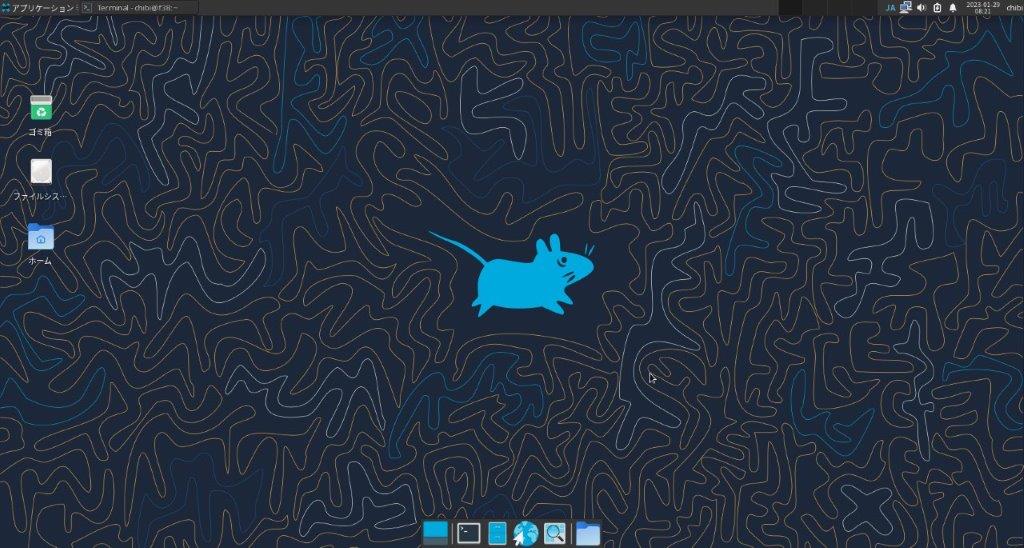
Fedora release 39 (Rawhide) Samba4.18.0 AMD EPYC 7H12 64-Core Processor 128GBに構築した Windows Server 2022 Datacenter Active Directory Domain のメンバーに参加してみた
[root@f39 ~]# kinit administrator
Password for administrator@TEST.JP:
[root@f39 ~]# net ads join -U administrator
Password for [TEST\administrator]:
Using short domain name — TEST
Joined ‘F39’ to dns domain ‘test.jp’
No DNS domain configured for f39. Unable to perform DNS Update.
DNS update failed: NT_STATUS_INVALID_PARAMETER
[root@f39 ~]# systemctl restart winbind
[root@f39 ~]# wbinfo -u
TEST\guest
TEST\administrator
TEST\krbtgt
TEST\chibi
[root@f39 ~]# wbinfo -n chibi
S-1-5-21-2616050446-4161308902-565532921-1105 SID_USER (1)
[root@f39 ~]# net ads info
LDAP server: 192.168.1.50
LDAP server name: dc1.test.jp
Realm: TEST.JP
Bind Path: dc=TEST,dc=JP
LDAP port: 389
Server time: 金, 31 3月 2023 14:57:27 JST
KDC server: 192.168.1.50
Server time offset: -1
Last machine account password change: 金, 31 3月 2023 14:56:58 JST
[root@f39 ~]# host -4 dc
dc.test.jp has address 192.168.1.29
dc.test.jp has address 192.168.1.9
dc.test.jp has IPv6 address 2400:4052:46e0:b700:959b:b841:cfdb:a65d
dc.test.jp has IPv6 address 2400:4052:46e0:b700:3995:4c0f:ebfe:489e
[root@f39 ~]# host -4 dc1
dc1.test.jp has address 192.168.1.50
dc1.test.jp has IPv6 address 2400:4052:46e0:b700:a595:967d:2d81:4f17
[root@f39 ~]# host -4 dc2
dc2.test.jp has address 192.168.1.51
dc2.test.jp has IPv6 address 2400:4052:46e0:b700:3d51:aa6b:56b:2681
[root@f39 ~]# host -t SRV _ldap._tcp.test.jp
_ldap._tcp.test.jp has SRV record 0 100 389 dc.test.jp.
_ldap._tcp.test.jp has SRV record 0 100 389 dc1.test.jp.
_ldap._tcp.test.jp has SRV record 0 100 389 dc2.test.jp.
[root@f39 ~]# host -t SRV _kerberos._udp.test.jp
_kerberos._udp.test.jp has SRV record 0 100 88 dc1.test.jp.
_kerberos._udp.test.jp has SRV record 0 100 88 dc2.test.jp.
_kerberos._udp.test.jp has SRV record 0 100 88 dc.test.jp.
[root@f39 ~]# host -t A test.jp
test.jp has address 192.168.1.50
test.jp has address 192.168.1.51
test.jp has address 192.168.1.9
test.jp has address 192.168.1.29
[root@f39 ~]# cat /etc/redhat-release
Fedora release 39 (Rawhide)
[root@f39 ~]# samba -V
Version 4.18.0
[root@f39 ~]# smbclient //192.168.1.9/netlogon -Uadministrator
Fedora release 39 (Rawhide) Samba4.18.0 AMD EPYC 7H12 64-Core Processor 128GBに構築した Windows Server 2022 Datacenter Active Directory Domain のメンバーに参加してみた

カテゴリー: fedora, samba4, windows | コメントする

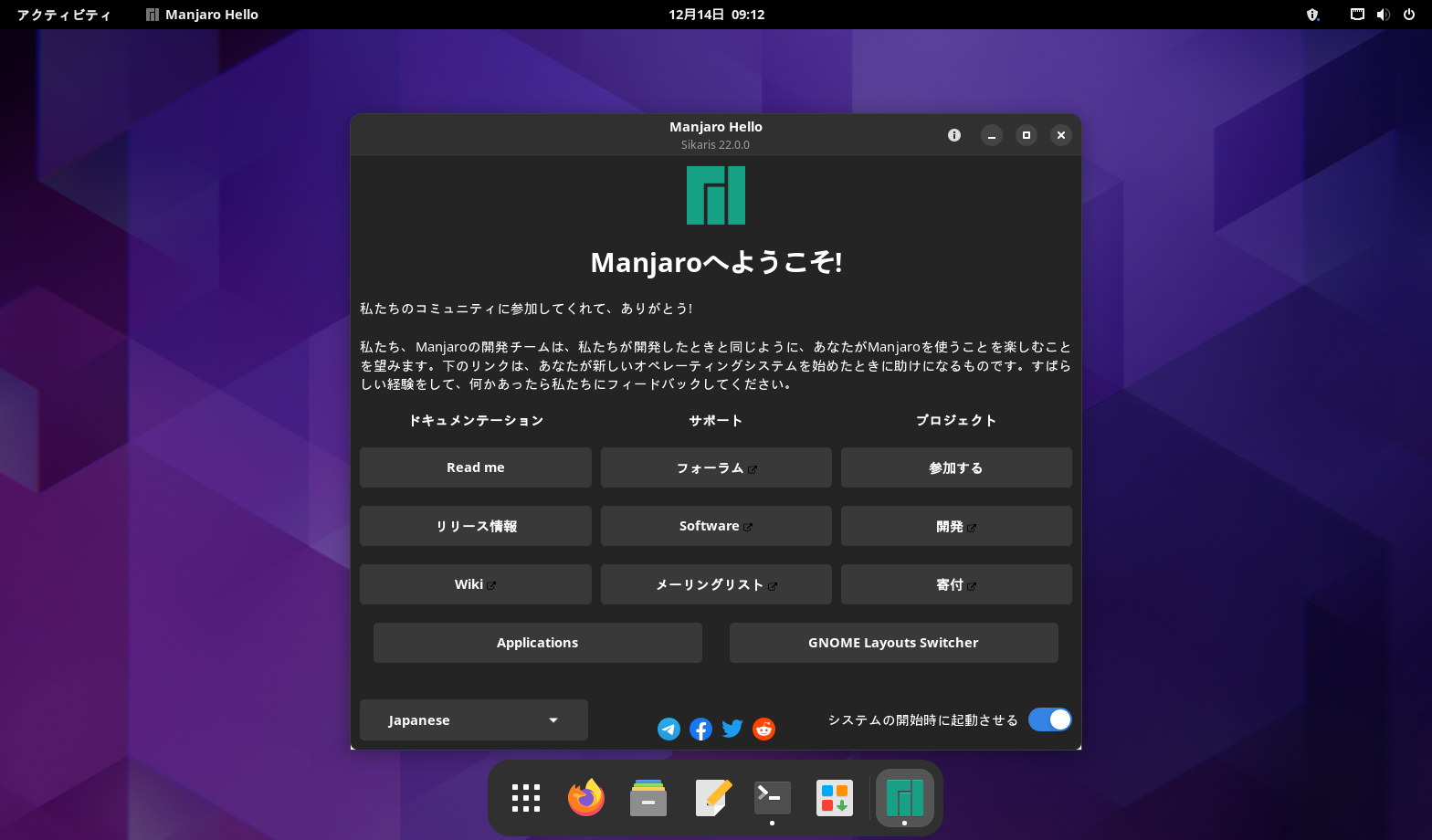
Manjaro Linux Samba4.18.0 AMD EPYC 7H12 64-Core Processor 128GBに構築した Windows Server 2022 Datacenter Active Directory Domain のメンバーに参加してみた

[manjaro ~]# kinit administrator
Password for administrator@TEST.JP:
[manjaro ~]# net ads join -U administrator
Password for [TEST\administrator]:
Using short domain name — TEST
Joined ‘MANJARO’ to dns domain ‘test.jp’
No DNS domain configured for manjaro. Unable to perform DNS Update.
DNS update failed: NT_STATUS_INVALID_PARAMETER
[manjaro ~]# systemctl enable winbind
[manjaro ~]# systemctl restart winbind
[manjaro ~]# wbinfo -u
TEST\administrator
TEST\guest
TEST\krbtgt
TEST\chibi
[manjaro ~]# wbinfo -n chibi
S-1-5-21-2616050446-4161308902-565532921-1105 SID_USER (1)
[manjaro ~]# net ads info
LDAP server: 192.168.1.29
LDAP server name: dc.test.jp
Realm: TEST.JP
Bind Path: dc=TEST,dc=JP
LDAP port: 389
Server time: 金, 31 3月 2023 14:25:35 JST
KDC server: 192.168.1.29
Server time offset: -1
Last machine account password change: 金, 31 3月 2023 14:24:55 JST
[manjaro ~]# host -4 dc
dc.test.jp has address 192.168.1.9
dc.test.jp has address 192.168.1.29
dc.test.jp has IPv6 address 2400:4052:46e0:b700:959b:b841:cfdb:a65d
dc.test.jp has IPv6 address 2400:4052:46e0:b700:3995:4c0f:ebfe:489e
[manjaro ~]# host -4 dc1
dc1.test.jp has address 192.168.1.50
dc1.test.jp has IPv6 address 2400:4052:46e0:b700:a595:967d:2d81:4f17
[manjaro ~]# host -4 dc2
dc2.test.jp has address 192.168.1.51
dc2.test.jp has IPv6 address 2400:4052:46e0:b700:3d51:aa6b:56b:2681
[manjaro ~]# host -t SRV _ldap._tcp.test.jp
_ldap._tcp.test.jp has SRV record 0 100 389 dc2.test.jp.
_ldap._tcp.test.jp has SRV record 0 100 389 dc.test.jp.
_ldap._tcp.test.jp has SRV record 0 100 389 dc1.test.jp.
[manjaro ~]# host -t SRV _kerberos._udp.test.jp
_kerberos._udp.test.jp has SRV record 0 100 88 dc2.test.jp.
_kerberos._udp.test.jp has SRV record 0 100 88 dc.test.jp.
_kerberos._udp.test.jp has SRV record 0 100 88 dc1.test.jp.
[manjaro ~]# host -t A test.jp
test.jp has address 192.168.1.50
test.jp has address 192.168.1.29
test.jp has address 192.168.1.9
test.jp has address 192.168.1.51
[manjaro ~]# cat /etc/os-release
NAME=”Manjaro Linux”
PRETTY_NAME=”Manjaro Linux”
ID=manjaro
ID_LIKE=arch
BUILD_ID=rolling
ANSI_COLOR=”32;1;24;144;200″
HOME_URL=”https://manjaro.org/”
DOCUMENTATION_URL=”https://wiki.manjaro.org/”
SUPPORT_URL=”https://forum.manjaro.org/”
BUG_REPORT_URL=”https://docs.manjaro.org/reporting-bugs/”
PRIVACY_POLICY_URL=”https://manjaro.org/privacy-policy/”
LOGO=manjarolinux
[manjaro ~]# samba -V
Version 4.18.0
[manjaro ~]# smbclient //192.168.1.9/netlogon -Uadministrator
Manjaro Linux Samba4.18.0 AMD EPYC 7H12 64-Core Processor 128GBに構築した Windows Server 2022 Datacenter Active Directory Domain のメンバーに参加してみた

カテゴリー: manjaro, samba4, windows | コメントする