
chibi@1604:~/NVIDIA_CUDA-8.0_Samples/5_Simulations/nbody$ ./nbody -numdevices=4
動作状況
Ubuntu16.04 GTX1050Ti GTX1070x3 CUDA Samples nbody -numdevices=4
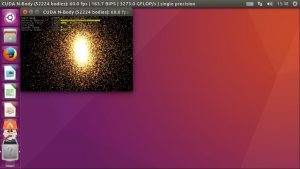
chibi@1604:~/NVIDIA_CUDA-8.0_Samples/5_Simulations/nbody$ ./nbody -numdevices=4
動作状況
Ubuntu16.04 GTX1050Ti GTX1070x3 CUDA Samples nbody -numdevices=4
Ubuntu 16.04.2 LTS PHPが7.1.4にUpdateされました。
root@1604:~# uname -r
4.4.0-72-generic
root@1604:~# php -v
PHP 7.1.4-1+deb.sury.org~xenial+1 (cli) (built: Apr 11 2017 22:12:32) ( NTS )
Copyright (c) 1997-2017 The PHP Group
Zend Engine v3.1.0, Copyright (c) 1998-2017 Zend Technologies
with Zend OPcache v7.1.4-1+deb.sury.org~xenial+1, Copyright (c) 1999-2017, by Zend Technologies
root@1604:~# samba -V
Version 4.3.11-Ubuntu
root@1604:~# cat /etc/os-release
NAME=”Ubuntu”
VERSION=”16.04.2 LTS (Xenial Xerus)”
ID=ubuntu
ID_LIKE=debian
PRETTY_NAME=”Ubuntu 16.04.2 LTS”
VERSION_ID=”16.04″
HOME_URL=”http://www.ubuntu.com/”
SUPPORT_URL=”http://help.ubuntu.com/”
BUG_REPORT_URL=”http://bugs.launchpad.net/ubuntu/”
VERSION_CODENAME=xenial
UBUNTU_CODENAME=xenial
root@1604:~#
Kali GNU/Linux Rolling Sambaが4.5.5にUpdateされました。
root@kali:~# uname -a
Linux kali 4.9.0-kali2-amd64 #1 SMP Debian 4.9.13-1kali1 (2017-03-01) x86_64 GNU/Linux
root@kali:~# php -v
PHP 7.0.16-3 (cli) (built: Feb 22 2017 10:03:06) ( NTS )
Copyright (c) 1997-2017 The PHP Group
Zend Engine v3.0.0, Copyright (c) 1998-2017 Zend Technologies
with Zend OPcache v7.0.16-3, Copyright (c) 1999-2017, by Zend Technologies
root@kali:~# samba -V
Version 4.5.5-Debian
root@kali:~# cat /etc/os-release
PRETTY_NAME=”Kali GNU/Linux Rolling”
NAME=”Kali GNU/Linux”
ID=kali
VERSION=”2016.2″
VERSION_ID=”2016.2″
ID_LIKE=debian
ANSI_COLOR=”1;31″
HOME_URL=”http://www.kali.org/”
SUPPORT_URL=”http://forums.kali.org/”
BUG_REPORT_URL=”http://bugs.kali.org/”
root@kali:~#
[root@f26 ~]# kinit administrator
Password for administrator@TEST.JP:
[root@f26 ~]# net ads join -U administrator
Enter administrator’s password:
Using short domain name — TEST
Joined ‘F26’ to dns domain ‘test.jp’
No DNS domain configured for f26. Unable to perform DNS Update.
DNS update failed: NT_STATUS_INVALID_PARAMETER
[root@f26 ~]# systemctl restart winbind
[root@f26 ~]# wbinfo -u
TEST\administrator
TEST\guest
TEST\defaultaccount
TEST\krbtgt
TEST\nuc
[root@f26 ~]# wbinfo -n nuc
S-1-5-21-505032490-2359843341-3275392121-1103 SID_USER (1)
[root@f26 ~]# net ads info
LDAP server: 192.168.1.7
LDAP server name: dc.test.jp
Realm: TEST.JP
Bind Path: dc=TEST,dc=JP
LDAP port: 389
Server time: 日, 05 2月 2017 05:55:25 JST
KDC server: 192.168.1.7
Server time offset: 0
Last machine account password change: 日, 05 2月 2017 05:54:45 JST
[root@f26 ~]# host -4 dc
dc.test.jp has address 192.168.1.7
dc.test.jp has IPv6 address 2400:7800:47e0:1700:2482:fcca:76e9:a0cf
[root@f26 ~]# host -4 dc1
dc1.test.jp has address 192.168.1.86
dc1.test.jp has IPv6 address 2400:7800:47e0:1700:60bd:6d30:dbf5:5ad8
[root@f26 ~]# host -4 dc2
dc2.test.jp has address 192.168.1.75
dc2.test.jp has IPv6 address 2400:7800:47e0:1700:c983:65c:2a78:8076
[root@f26 ~]# host -t SRV _ldap._tcp.test.jp
_ldap._tcp.test.jp has SRV record 0 100 389 dc2.test.jp.
_ldap._tcp.test.jp has SRV record 0 100 389 dc1.test.jp.
_ldap._tcp.test.jp has SRV record 0 100 389 dc.test.jp.
[root@f26 ~]# host -t SRV _kerberos._udp.test.jp
_kerberos._udp.test.jp has SRV record 0 100 88 dc1.test.jp.
_kerberos._udp.test.jp has SRV record 0 100 88 dc2.test.jp.
_kerberos._udp.test.jp has SRV record 0 100 88 dc.test.jp.
[root@f26 ~]# host -t A test.jp
test.jp has address 192.168.1.86
test.jp has address 192.168.1.23
test.jp has address 192.168.1.75
test.jp has address 192.168.1.7
[root@f26 ~]# smbclient //192.168.1.23/sysvol -Uadministtrator
Enter TEST\administtrator’s password:
session setup failed: NT_STATUS_LOGON_FAILURE うまく表示されない
[root@f26 ~]# smbclient –version
Version 4.6.0rc2
[root@f26 ~]# cat /etc/redhat-release
Fedora release 26 (Rawhide)
[root@f26 ~]#
linuxmint ~ # cat /etc/os-release
NAME=”Linux Mint”
VERSION=”18.1 (Serena)”
ID=linuxmint
ID_LIKE=ubuntu
PRETTY_NAME=”Linux Mint 18.1″
VERSION_ID=”18.1″
HOME_URL=”http://www.linuxmint.com/”
SUPPORT_URL=”http://forums.linuxmint.com/”
BUG_REPORT_URL=”http://bugs.launchpad.net/linuxmint/”
VERSION_CODENAME=serena
UBUNTU_CODENAME=xenial
linuxmint ~ # apt install apache2
linuxmint ~ # apt-get install python-software-properties software-properties-common
linuxmint ~ # LC_ALL=C.UTF-8 add-apt-repository ppa:ondrej/php
linuxmint ~ # apt-get update
linuxmint ~ # apt-get install php7.1 php7.1-mysql php7.1-curl
linuxmint ~ # systemctl restart apache2
linuxmint ~ # echo ‘< ?php phpinfo(); ? >‘ > /var/www/html/info.php
linuxmint ~ # curl http://localhost/info.php | grep ‘PHP Version’ | tail -1 | sed -e ‘s/<[^>]*>//g’
% Total % Received % Xferd Average Speed Time Time Time Current
Dload Upload Total Spent Left Speed
100 83363 0 83363 0 0 5119k 0 –:–:– –:–:– –:–:– 5427k
PHP Version 7.1.0-5+deb.sury.org~xenial+1
これで成功です。