
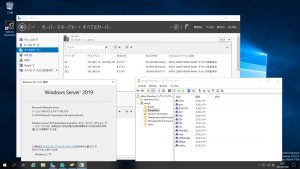
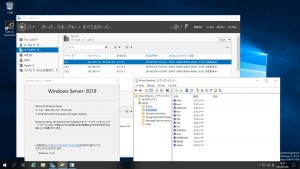
Fedora release 30 Samba4.10.5 Windows Server 2019 Datacenter Active Directory Domain のメンバーに参加してみた


[root@f30 ~]# samba -V
Version 4.10.5
[root@f30 ~]# cat /etc/redhat-release
Fedora release 30 (Thirty)
[root@f30 ~]# kinit administrator
Password for administrator@TEST.JP:
[root@f30 ~]# klist
Ticket cache: FILE:/tmp/krb5cc_0
Default principal: administrator@TEST.JP

Valid starting Expires Service principal
2019-07-08T06:12:53 2019-07-08T16:12:53 krbtgt/TEST.JP@TEST.JP
renew until 2019-07-09T06:12:48
[root@f30 ~]# net ads join -U administrator
Enter administrator’s password:
Using short domain name — TEST
Joined ‘F30’ to dns domain ‘test.jp’
No DNS domain configured for f30. Unable to perform DNS Update.
DNS update failed: NT_STATUS_INVALID_PARAMETER
[root@f30 ~]# systemctl restart winbind
[root@f30 ~]# wbinfo -u
TEST\administrator
TEST\guest
TEST\krbtgt
TEST\chibi
[root@f30 ~]# wbinfo -n administrator
S-1-5-21-4283025733-908519724-3295402948-500 SID_USER (1)
[root@f30 ~]# wbinfo -n chibi
S-1-5-21-4283025733-908519724-3295402948-1103 SID_USER (1)
[root@f30 ~]# net ads info
LDAP server: 192.168.1.10
LDAP server name: dc.test.jp
Realm: TEST.JP
Bind Path: dc=TEST,dc=JP
LDAP port: 389
Server time: 月, 08 7月 2019 06:15:19 JST
KDC server: 192.168.1.10
Server time offset: -15
Last machine account password change: 月, 08 7月 2019 06:13:30 JST
[root@f30 ~]# host -4 dc
dc.test.jp has address 192.168.1.58
dc.test.jp has address 192.168.1.10
dc.test.jp has IPv6 address 2400:4052:46e0:b700:cc6c:3df7:45e4:e985
dc.test.jp has IPv6 address 2400:4052:46e0:b700:b03b:d3b7:8519:54be
[root@f30 ~]# host -4 dc1
dc1.test.jp has address 192.168.1.60
dc1.test.jp has IPv6 address 2400:4052:46e0:b700:9d2:83b4:4031:14cf
[root@f30 ~]# host -4 dc2
dc2.test.jp has address 192.168.1.61
dc2.test.jp has IPv6 address 2400:4052:46e0:b700:f0b7:1338:1a03:19fd
[root@f30 ~]# host -t SRV _ldap._tcp.test.jp
_ldap._tcp.test.jp has SRV record 0 100 389 dc2.test.jp.
_ldap._tcp.test.jp has SRV record 0 100 389 dc1.test.jp.
_ldap._tcp.test.jp has SRV record 0 100 389 dc.test.jp.
[root@f30 ~]# host -t SRV _kerberos._udp.test.jp
_kerberos._udp.test.jp has SRV record 0 100 88 dc1.test.jp.
_kerberos._udp.test.jp has SRV record 0 100 88 dc2.test.jp.
_kerberos._udp.test.jp has SRV record 0 100 88 dc.test.jp.
[root@f30 ~]# host -t A test.jp
test.jp has address 13.113.45.174
[root@f30 ~]# host -t A dc.test.jp
dc.test.jp has address 192.168.1.58
dc.test.jp has address 192.168.1.10
[root@f30 ~]# host -t A dc1.test.jp
dc1.test.jp has address 192.168.1.60
[root@f30 ~]# host -t A dc2.test.jp
dc2.test.jp has address 192.168.1.61
[root@f30 ~]# smbclient //192.168.1.10/netlogon -Uadministrator
Fedora release 30 Samba4.10.5 Windows Server 2019 Datacenter Active Directory Domain のメンバーに参加してみた
カテゴリー: fedora, samba4, windows | コメントする

Fedora29 Kernel5.1.16-200.fc29.x86_64 Update

Fedora29 Kernelが5.1.16-200.fc29.x86_64にUpdateされました。

[root@f29 ~]# uname -r
5.1.16-200.fc29.x86_64
[root@f29 ~]# php -v
PHP 7.3.7 (cli) (built: Jul 3 2019 11:30:22) ( NTS )
Copyright (c) 1997-2018 The PHP Group
Zend Engine v3.3.7, Copyright (c) 1998-2018 Zend Technologies
[root@f29 ~]# curl -V
curl 7.61.1 (x86_64-redhat-linux-gnu) libcurl/7.61.1 OpenSSL/1.1.1c zlib/1.2.11 brotli/1.0.5 libidn2/2.2.0 libpsl/0.20.2 (+libidn2/2.0.5) libssh/0.8.7/openssl/zlib nghttp2/1.34.0
Release-Date: 2018-09-05
Protocols: dict file ftp ftps gopher http https imap imaps ldap ldaps pop3 pop3s rtsp scp sftp smb smbs smtp smtps telnet tftp
Features: AsynchDNS IDN IPv6 Largefile GSS-API Kerberos SPNEGO NTLM NTLM_WB SSL libz brotli TLS-SRP HTTP2 UnixSockets HTTPS-proxy PSL Metalink
[root@f29 ~]# samba -V
Version 4.9.8
[root@f29 ~]# cat /etc/os-release
NAME=Fedora
VERSION=”29 (Workstation Edition)”
ID=fedora
VERSION_ID=29
VERSION_CODENAME=””
PLATFORM_ID=”platform:f29″
PRETTY_NAME=”Fedora 29 (Workstation Edition)”
ANSI_COLOR=”0;34″
LOGO=fedora-logo-icon
CPE_NAME=”cpe:/o:fedoraproject:fedora:29″
HOME_URL=”https://fedoraproject.org/”
DOCUMENTATION_URL=”https://docs.fedoraproject.org/en-US/fedora/f29/system-administrators-guide/”
SUPPORT_URL=”https://fedoraproject.org/wiki/Communicating_and_getting_help”
BUG_REPORT_URL=”https://bugzilla.redhat.com/”
REDHAT_BUGZILLA_PRODUCT=”Fedora”
REDHAT_BUGZILLA_PRODUCT_VERSION=29
REDHAT_SUPPORT_PRODUCT=”Fedora”
REDHAT_SUPPORT_PRODUCT_VERSION=29
PRIVACY_POLICY_URL=”https://fedoraproject.org/wiki/Legal:PrivacyPolicy”
VARIANT=”Workstation Edition”
VARIANT_ID=workstation
[root@f29 ~]# cat /etc/redhat-release
Fedora release 29 (Twenty Nine)
[root@f29 ~]#

カテゴリー: fedora | コメントする

Ubuntu 16.04.5 LTS TESLA V100-SXM2 16GB x4 CUDA 9.0 Samples simpleP2P p2pBandwidthLatencyTest deviceQuery bandwidthTest nvidia-smi nvlink -cを動作させてみた

(tensor) user0018@10-111-146-12:~/cuda-samples-9.0/samples/0_Simple/simpleP2P$ ./simpleP2P
[./simpleP2P] – Starting…
Checking for multiple GPUs…
CUDA-capable device count: 4
> GPU0 = “Tesla V100-SXM2-16GB” IS capable of Peer-to-Peer (P2P)
> GPU1 = “Tesla V100-SXM2-16GB” IS capable of Peer-to-Peer (P2P)
> GPU2 = “Tesla V100-SXM2-16GB” IS capable of Peer-to-Peer (P2P)
> GPU3 = “Tesla V100-SXM2-16GB” IS capable of Peer-to-Peer (P2P)

Checking GPU(s) for support of peer to peer memory access…
> Peer access from Tesla V100-SXM2-16GB (GPU0) -> Tesla V100-SXM2-16GB (GPU1) : Yes
> Peer access from Tesla V100-SXM2-16GB (GPU0) -> Tesla V100-SXM2-16GB (GPU2) : Yes
> Peer access from Tesla V100-SXM2-16GB (GPU0) -> Tesla V100-SXM2-16GB (GPU3) : Yes
> Peer access from Tesla V100-SXM2-16GB (GPU1) -> Tesla V100-SXM2-16GB (GPU0) : Yes
> Peer access from Tesla V100-SXM2-16GB (GPU1) -> Tesla V100-SXM2-16GB (GPU2) : Yes
> Peer access from Tesla V100-SXM2-16GB (GPU1) -> Tesla V100-SXM2-16GB (GPU3) : Yes
> Peer access from Tesla V100-SXM2-16GB (GPU2) -> Tesla V100-SXM2-16GB (GPU0) : Yes
> Peer access from Tesla V100-SXM2-16GB (GPU2) -> Tesla V100-SXM2-16GB (GPU1) : Yes
> Peer access from Tesla V100-SXM2-16GB (GPU2) -> Tesla V100-SXM2-16GB (GPU3) : Yes
> Peer access from Tesla V100-SXM2-16GB (GPU3) -> Tesla V100-SXM2-16GB (GPU0) : Yes
> Peer access from Tesla V100-SXM2-16GB (GPU3) -> Tesla V100-SXM2-16GB (GPU1) : Yes
> Peer access from Tesla V100-SXM2-16GB (GPU3) -> Tesla V100-SXM2-16GB (GPU2) : Yes
Enabling peer access between GPU0 and GPU1…
Checking GPU0 and GPU1 for UVA capabilities…
> Tesla V100-SXM2-16GB (GPU0) supports UVA: Yes
> Tesla V100-SXM2-16GB (GPU1) supports UVA: Yes
Both GPUs can support UVA, enabling…
Allocating buffers (64MB on GPU0, GPU1 and CPU Host)…
Creating event handles…
cudaMemcpyPeer / cudaMemcpy between GPU0 and GPU1: 44.83GB/s
Preparing host buffer and memcpy to GPU0…
Run kernel on GPU1, taking source data from GPU0 and writing to GPU1…
Run kernel on GPU0, taking source data from GPU1 and writing to GPU0…
Copy data back to host from GPU0 and verify results…
Disabling peer access…
Shutting down…
Test passed
(tensor) user0018@10-111-146-12:~/cuda-samples-9.0/samples/0_Simple/simpleP2P$
Ubuntu 16.04.5 LTS TESLA V100-SXM2 16GB x4 CUDA 9.0 Samples simpleP2P p2pBandwidthLatencyTest deviceQuery bandwidthTest nvidia-smi nvlink -c

カテゴリー: nvidia, ubuntu | コメントする

Fedora30 Kernel5.1.16-300.fc30.x86_64 Samba4.10.5 Update

Fedora30 Kernel5.1.16-300.fc30.x86_64とSamba4.10.5がUpdateされました。

[root@f30 ~]# uname -r
5.1.16-300.fc30.x86_64
[root@f30 ~]# php -v
PHP 7.3.7 (cli) (built: Jul 3 2019 11:30:22) ( NTS )
Copyright (c) 1997-2018 The PHP Group
Zend Engine v3.3.7, Copyright (c) 1998-2018 Zend Technologies
[root@f30 ~]# curl -V
curl 7.64.0 (x86_64-redhat-linux-gnu) libcurl/7.64.0 OpenSSL/1.1.1c zlib/1.2.11 brotli/1.0.7 libidn2/2.2.0 libpsl/0.20.2 (+libidn2/2.0.5) libssh/0.8.7/openssl/zlib nghttp2/1.38.0
Release-Date: 2019-02-06
Protocols: dict file ftp ftps gopher http https imap imaps ldap ldaps pop3 pop3s rtsp scp sftp smb smbs smtp smtps telnet tftp
Features: AsynchDNS IDN IPv6 Largefile GSS-API Kerberos SPNEGO NTLM NTLM_WB SSL libz brotli TLS-SRP HTTP2 UnixSockets HTTPS-proxy PSL Metalink
[root@f30 ~]# samba -V
Version 4.10.5
[root@f30 ~]# cat /etc/redhat-release
Fedora release 30 (Thirty)
[root@f30 ~]#

カテゴリー: fedora | コメントする

FreeBSD12.0-STABLE r349749 Samba4.10.5 Windows Server 2019 Datacenter Active Directory Domain のメンバーに参加してみた


root@stable:~ # kinit administrator
administrator@TEST.JP’s Password:
root@stable:~ # net ads join -U administrator
Enter administrator’s password:
Using short domain name — TEST
Joined ‘STABLE’ to dns domain ‘test.jp’
No DNS domain configured for stable. Unable to perform DNS Update.
DNS update failed: NT_STATUS_INVALID_PARAMETER
root@stable:~ # service samba_server start
Performing sanity check on Samba configuration: OK
Starting nmbd.
Starting smbd.
Starting winbindd.
root@stable:~ # wbinfo -u
TEST\guest
TEST\administrator
TEST\krbtgt
TEST\chibi
root@stable:~ # wbinfo -n chibi
S-1-5-21-4283025733-908519724-3295402948-1103 SID_USER (1)
root@stable:~ # net ads info
LDAP server: 192.168.1.61
LDAP server name: dc2.test.jp
Realm: TEST.JP
Bind Path: dc=TEST,dc=JP
LDAP port: 389
Server time: Sat, 06 Jul 2019 16:44:43 JST
KDC server: 192.168.1.61
Server time offset: -6
Last machine account password change: Sat, 06 Jul 2019 16:43:39 JST
root@stable:~ # host -4 dc
dc.test.jp has address 192.168.1.58
dc.test.jp has address 192.168.1.10
dc.test.jp has IPv6 address 2400:4052:46e0:b700:cc6c:3df7:45e4:e985
dc.test.jp has IPv6 address 2400:4052:46e0:b700:b03b:d3b7:8519:54be
root@stable:~ # host -4 dc1
dc1.test.jp has address 192.168.1.60
dc1.test.jp has IPv6 address 2400:4052:46e0:b700:9d2:83b4:4031:14cf
root@stable:~ # host -4 dc2
dc2.test.jp has address 192.168.1.61
dc2.test.jp has IPv6 address 2400:4052:46e0:b700:f0b7:1338:1a03:19fd
root@stable:~ # host -t SRV _ldap._tcp.test.jp
_ldap._tcp.test.jp has SRV record 0 100 389 dc2.test.jp.
_ldap._tcp.test.jp has SRV record 0 100 389 dc1.test.jp.
_ldap._tcp.test.jp has SRV record 0 100 389 dc.test.jp.
root@stable:~ # host -t SRV _kerberos._udp.test.jp
_kerberos._udp.test.jp has SRV record 0 100 88 dc1.test.jp.
_kerberos._udp.test.jp has SRV record 0 100 88 dc2.test.jp.
_kerberos._udp.test.jp has SRV record 0 100 88 dc.test.jp.
root@stable:~ # host -t A test.jp
test.jp has address 192.168.1.61
test.jp has address 192.168.1.60
test.jp has address 192.168.1.10
test.jp has address 192.168.1.58
root@stable:~ # smbclient //192.168.1.10/netlogon -Uadministrator
FreeBSD12.0-STABLE r349749 Samba4.10.5 Windows Server 2019 Datacenter Active Directory Domain のメンバーに参加してみた

カテゴリー: freebsd, samba4, windows | コメントする